Portal Worx Logo

Who sees what, in detail

They see their project. Not your business.

Your team sees the business. A client sees their project and nothing else: not your other clients, not your other projects, not each other. Every category, folder, report and thread carries its own audience, a guest starts with nothing and gains only what you give them, and a consultant can have chosen projects until a date and then no more.
Last reviewed

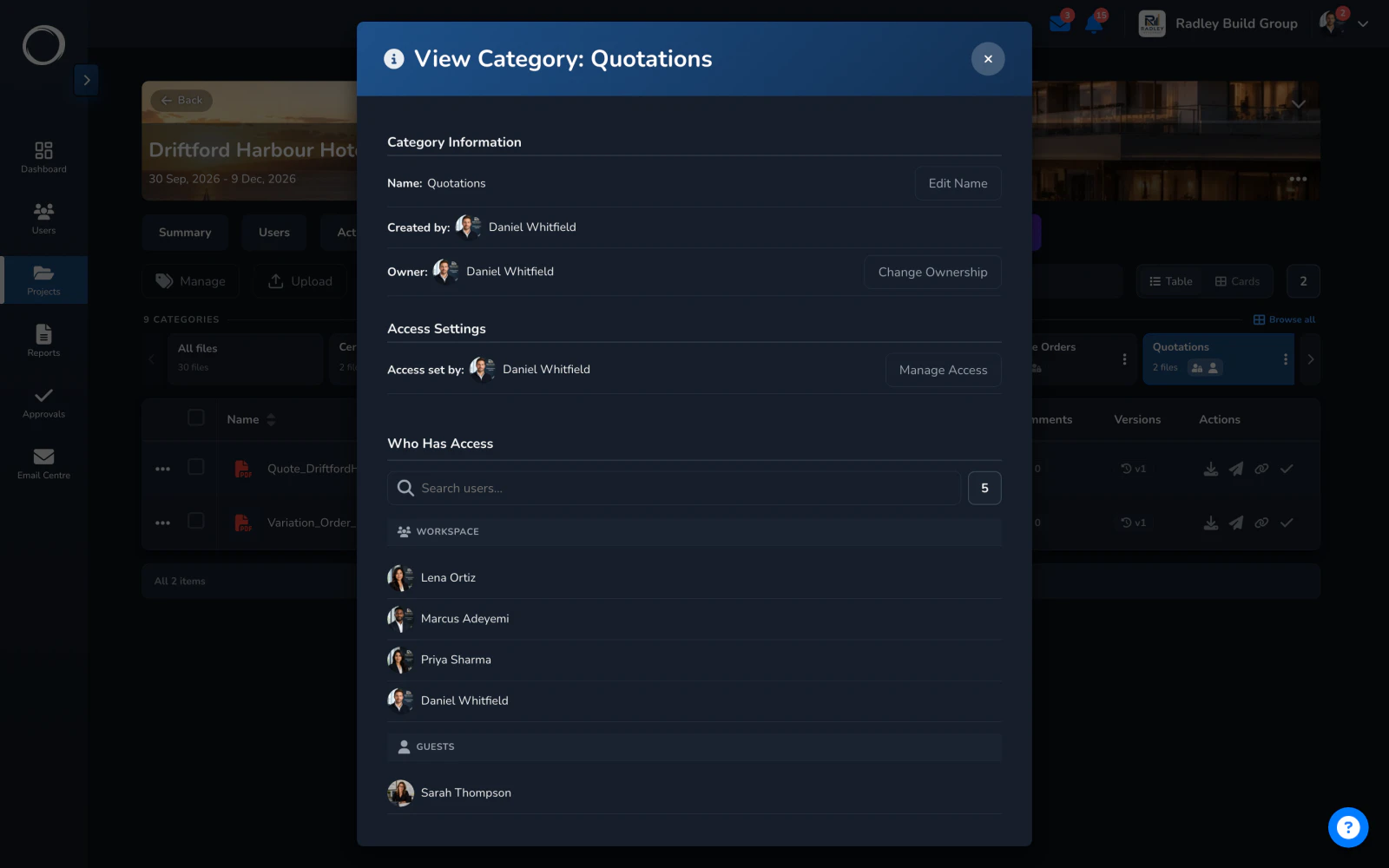
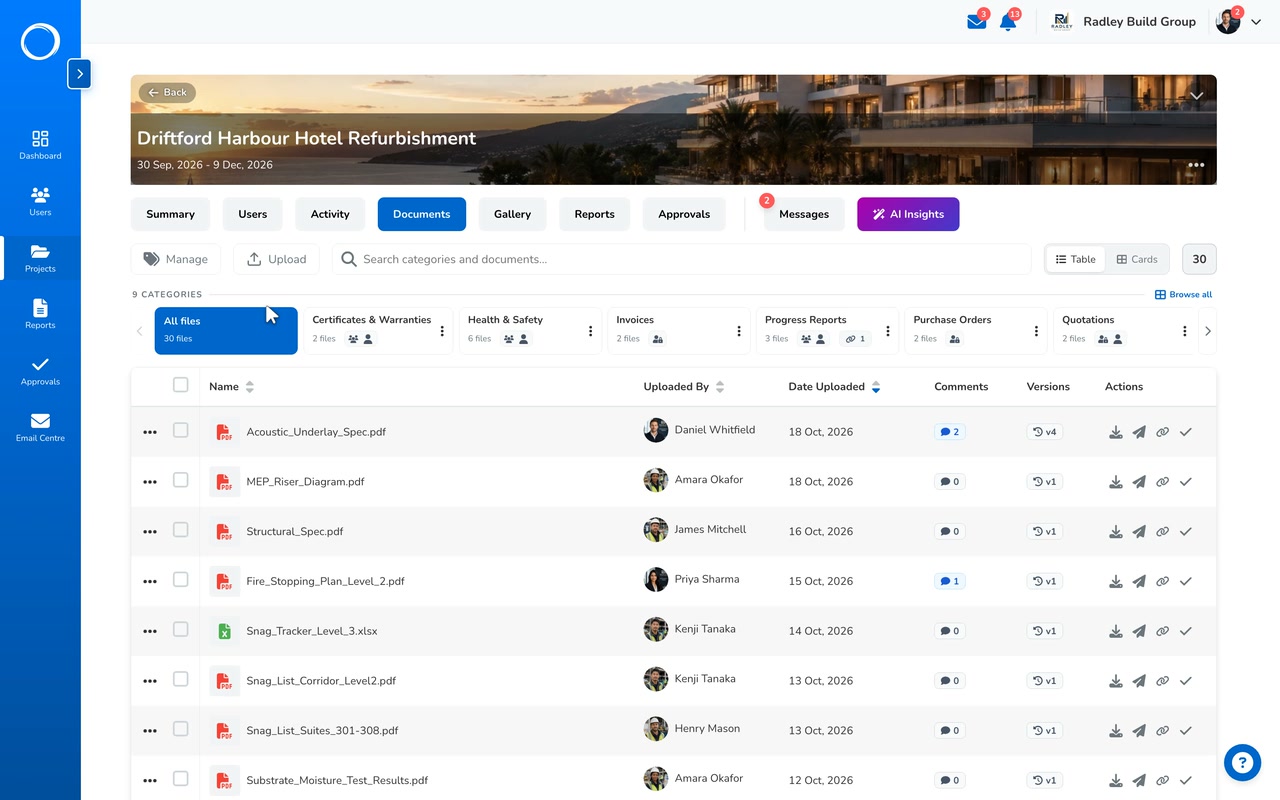
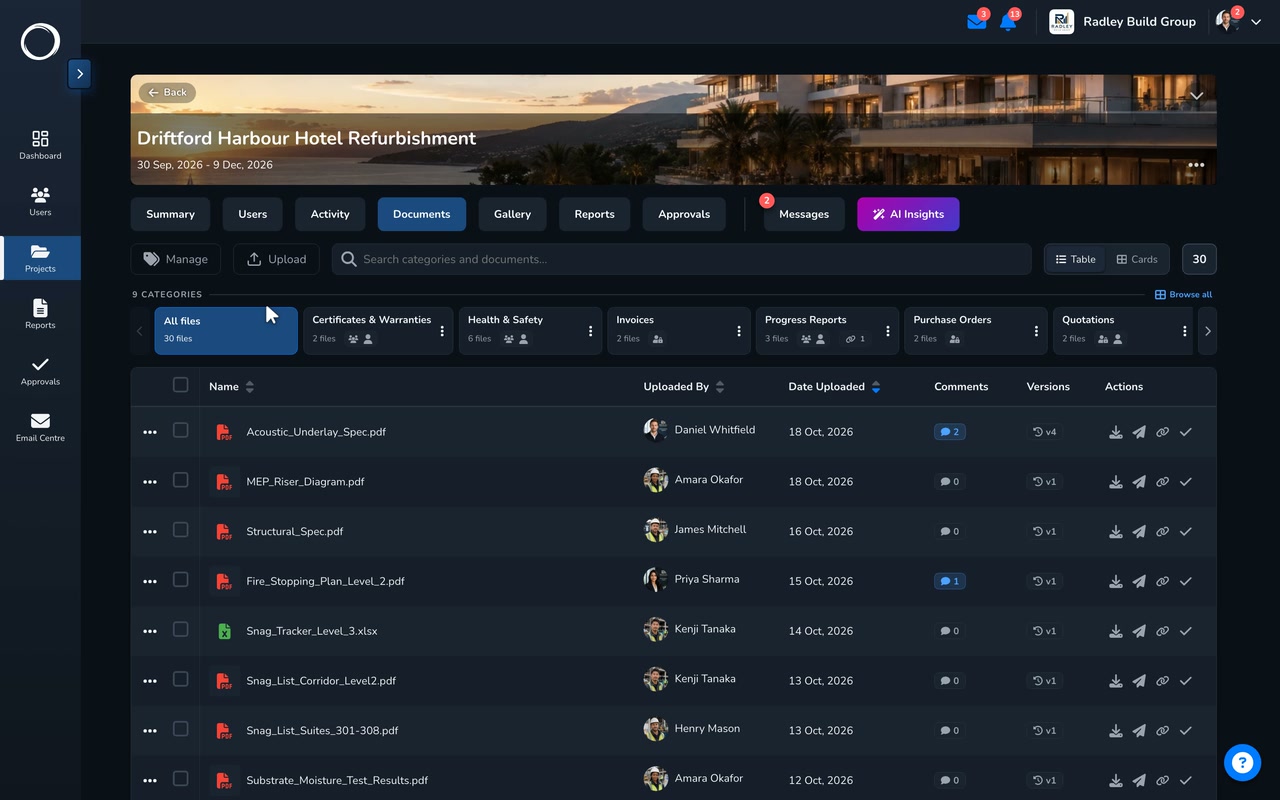
The Quotations category's audience, four inside and one named guest, then the same project as the client with two categories and a thinner app

How access is set, from the role down to one folder

  1. Four roles, and a guest at the floor

    Full control, admin, user and guest. A guest is a client, an architect or a subcontractor: they start with nothing, see only what you give them, and there are things a guest can never be switched on for. Users are unlimited on every plan, so there's no seat to pay for.
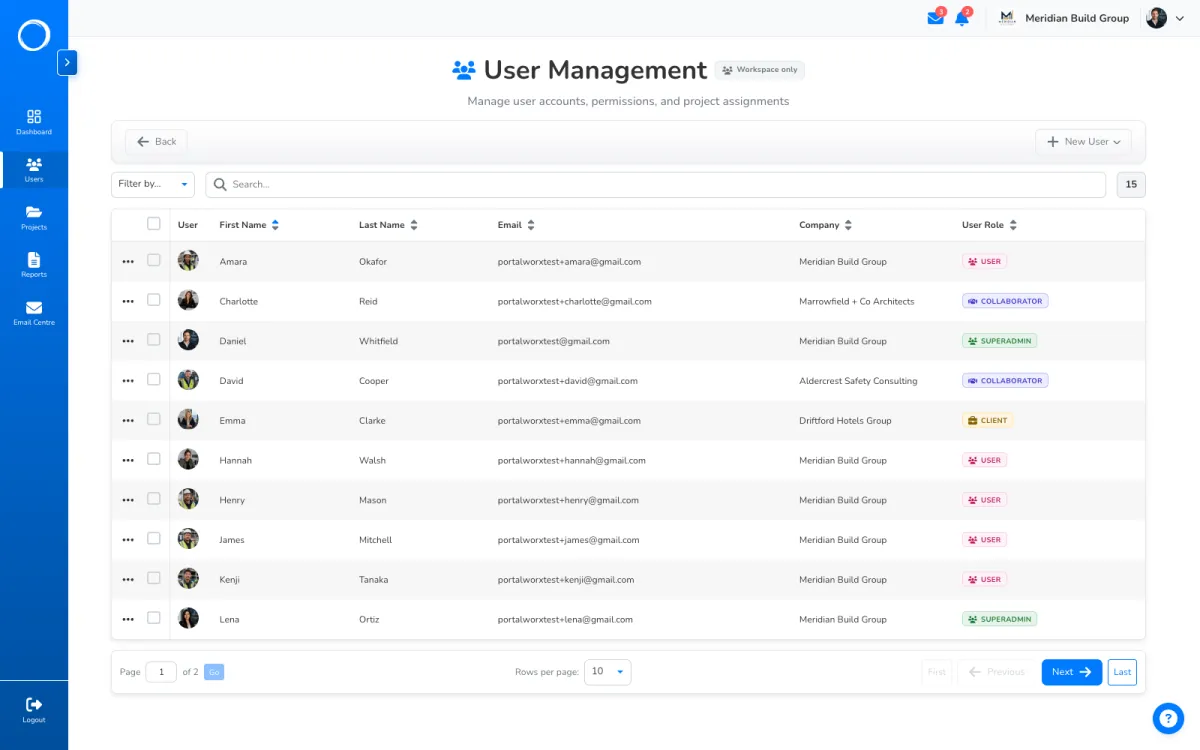
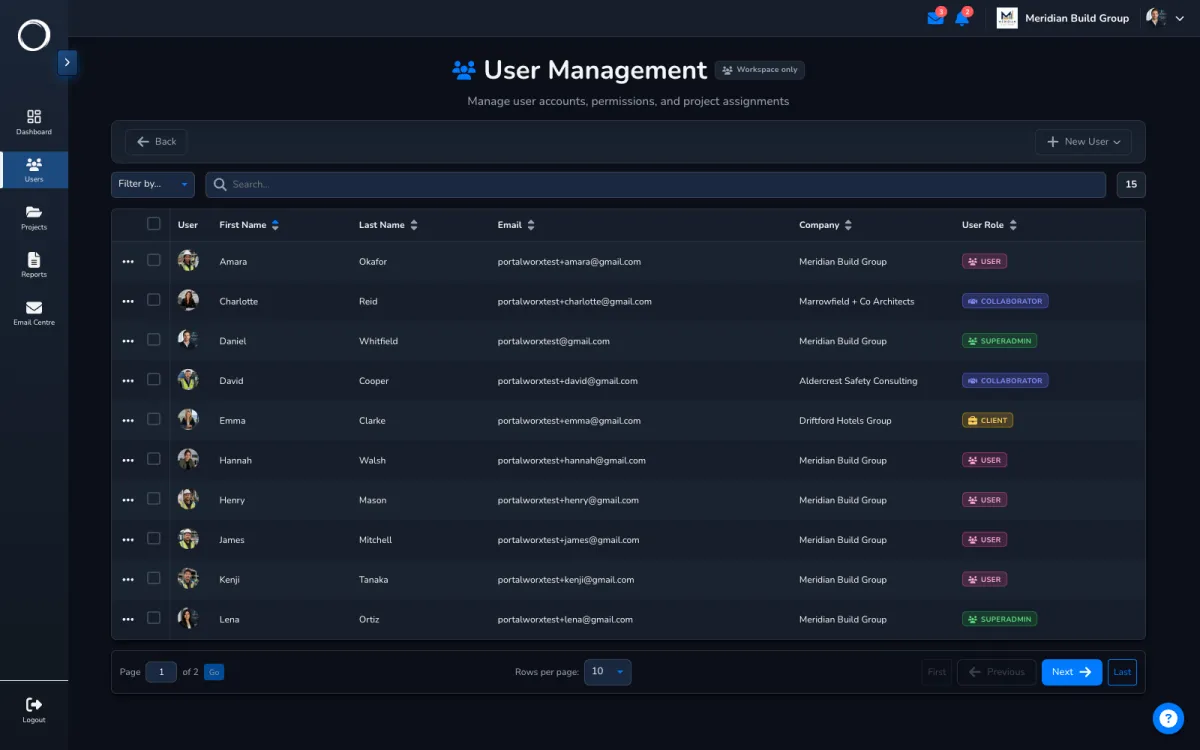
    The team list: your staff, your clients and a consultant with the date their access ends
  2. Every folder, report and thread has its own audience

    Two audiences on each: your team on one axis, the named people outside your team on the other. Restrict a category to four staff and one named client and the rest of the project doesn't move. The client's view of the same tab is just their files.
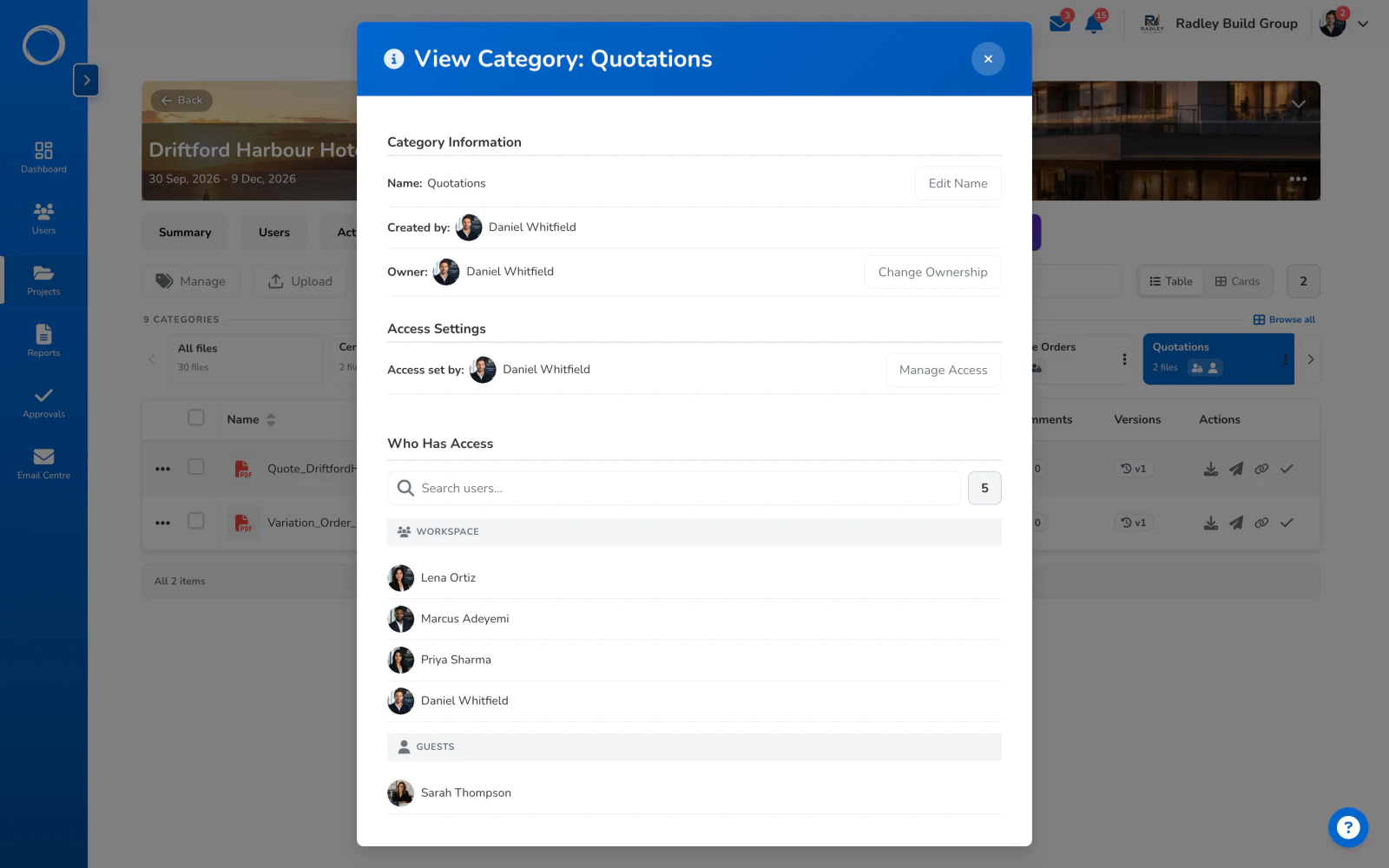
    Who has access to one category: four people in the business and one named guest, the quantity surveyor
  3. A consultant until a date

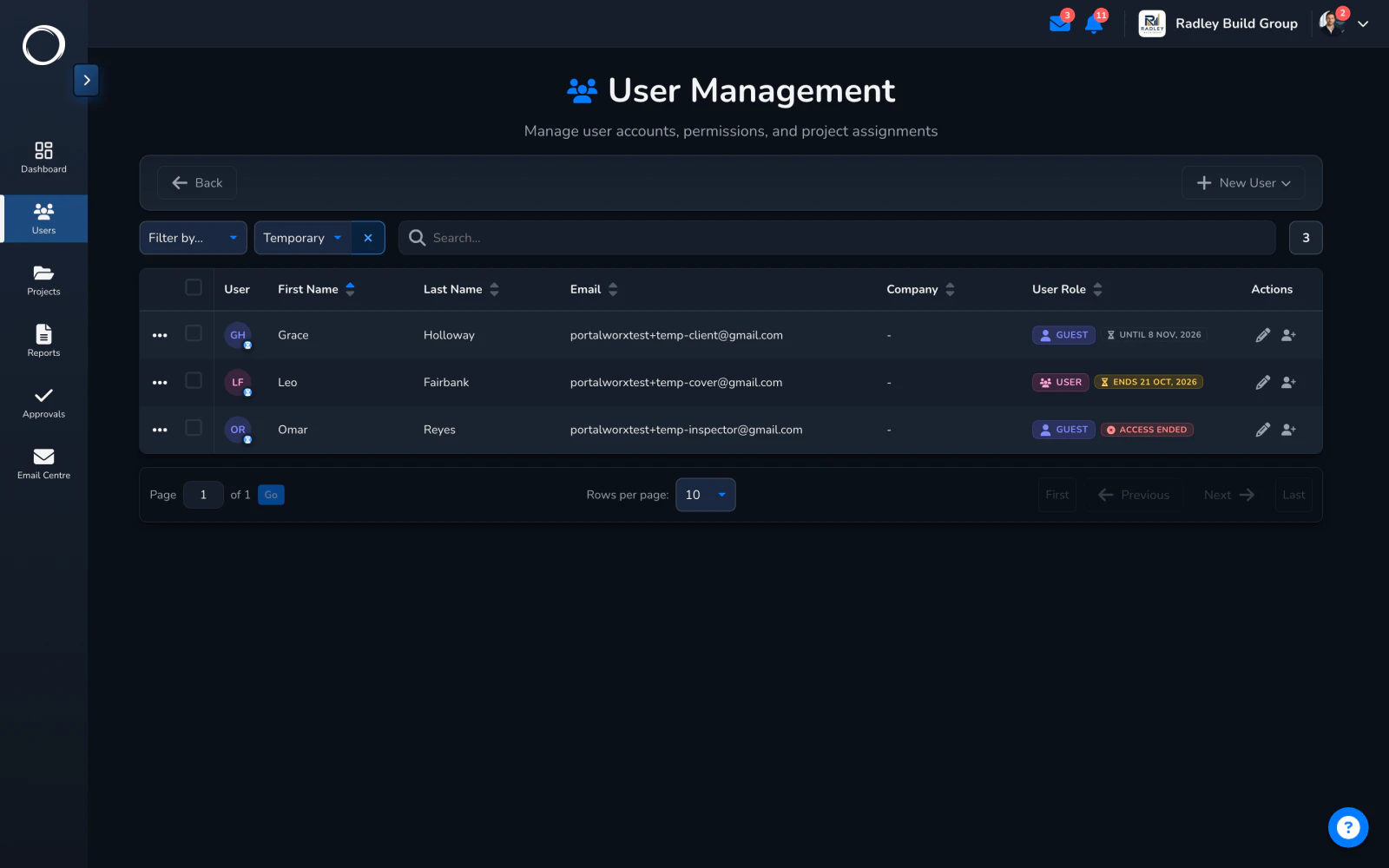
    An inspector for a week, a consultant for a fortnight: pick the projects and the end date. They sign in with a code sent to their email, no password to make or forget, see only those projects, and the access ends by itself. The team list shows until when.
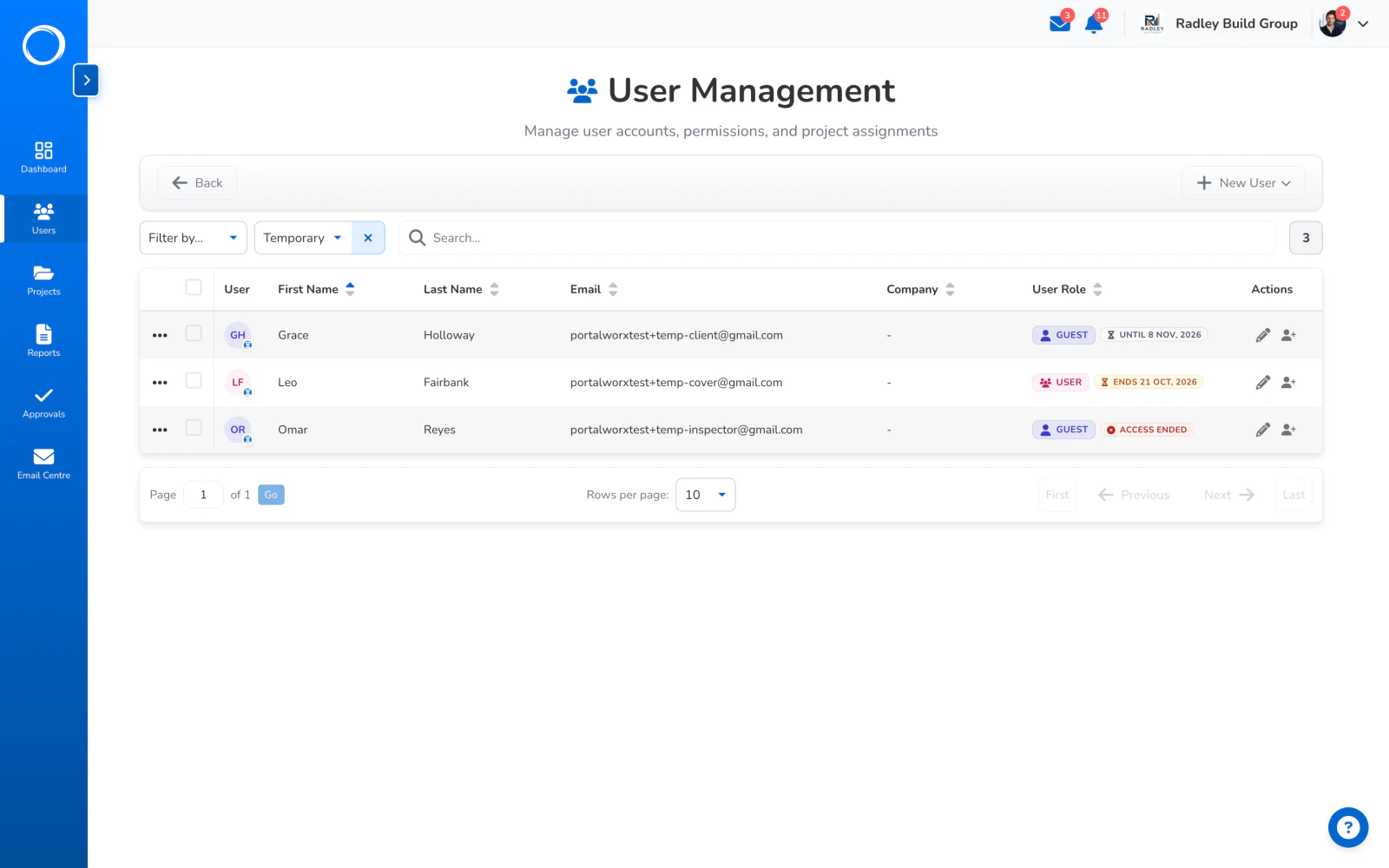
    Giving someone outside the business chosen projects until a date, signed in by an emailed code

What you can see about it

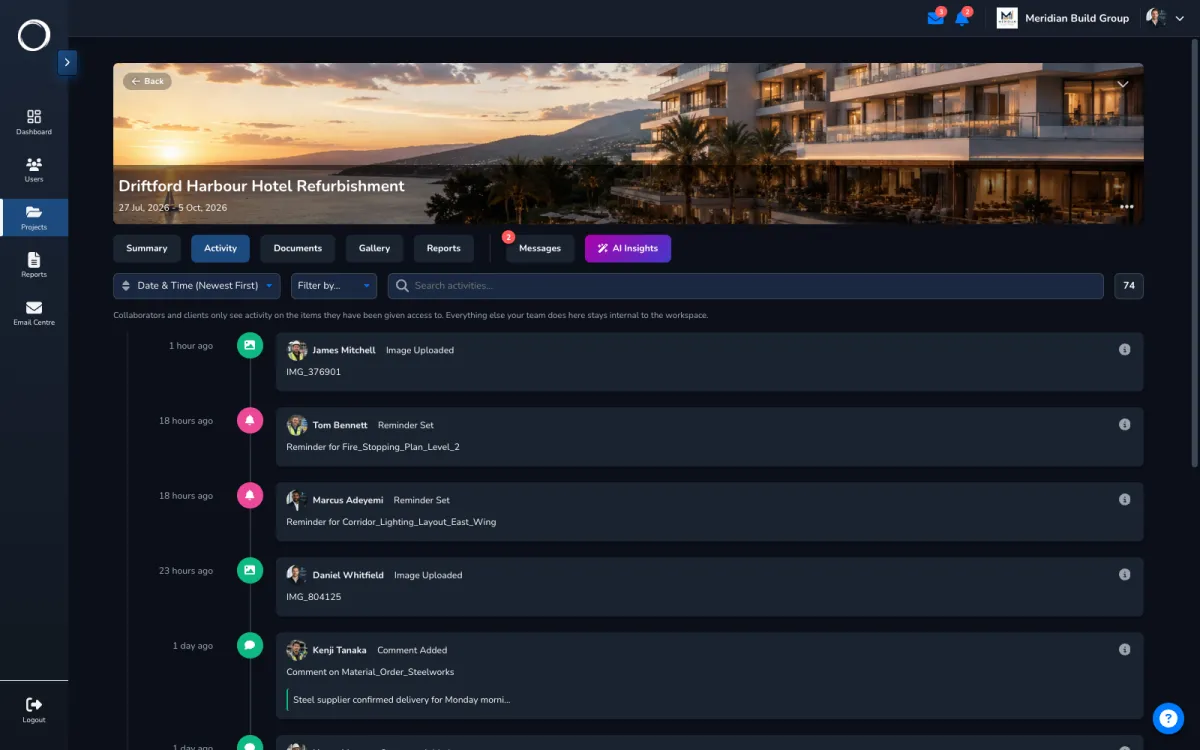
Every look is bounded and every change is logged. The activity trail shows what each person may see and nothing more, the security log records sign-ins, access changes and deletions, and a share or a sign-off link is always a window on one thing, never a door into the workspace.

Trust and security, in full →
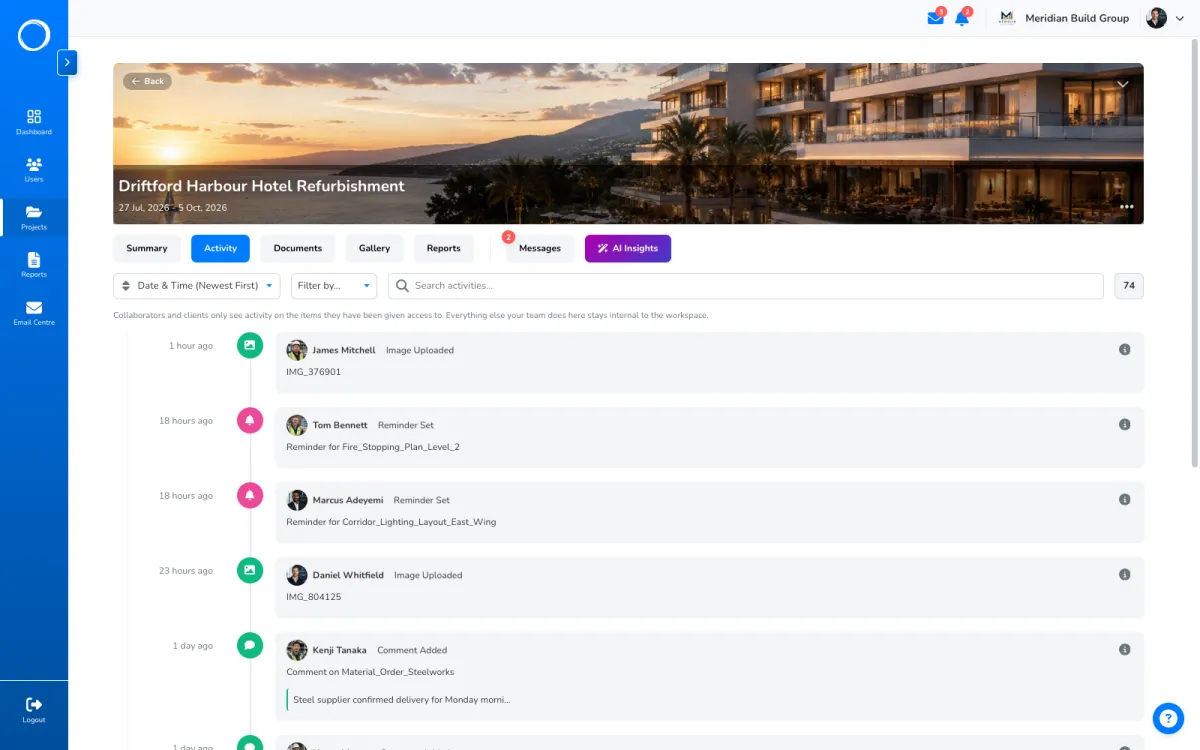
A project's activity trail, filtered to what the person reading it is allowed to see

The parts people ask about

  • Four roles on every plan: full control, admin, user, guest. Tune what each role can do per workspace on Professional and Business.
  • A guest never sees your other projects, your other clients, or each other.
  • Internal access on a category is who on your team may see it; external access is which named people outside your team may. Empty on the outside means nobody.
  • Staff can see every project exists and ask to join one; a member approves or declines.
  • Temporary access is any number of projects, until a date, with an emailed sign-in code and no password.
  • A year of activity per project, filtered to what each person may see, so a guest's trail is only their own.

Every plan has the four roles and their defaults, with unlimited users. Editing the permission matrix is on Professional and Business.

Questions people ask first.

Can my client see my other clients?
No. A guest sees only the projects they're on and only what they're given within them. Two clients on different projects never see each other, and two clients on the same project see only their own folders.
Does a client or a consultant cost a seat?
No. Users are unlimited on every plan: your team, your clients and your suppliers are all included.
What is the difference between a guest and temporary access?
A guest is a lasting member of chosen projects with the guest role. Temporary access is the same seat with an end date and an emailed sign-in code, for the inspector or consultant who shouldn't be on the project for good.
Can I restrict one folder?
Yes. Set who on your team and which named people outside it may see that category or folder, and the rest of the project doesn't move.

Send the first one today.

Set up in minutes and send a drawing for sign-off before lunch. Free for 14 days, no card, cancel any time.