Portal Worx Logo

Messages, in detail

The conversation, next to the thing it's about.

A group chat has your other projects in it and the file three hundred messages up. Here a thread belongs to one project and reaches only the people on it, a direct message goes to anyone on your projects including your client, and a comment sits on the document, the photo or the report it's about, so the decision and the thing decided stay together.
Last reviewed

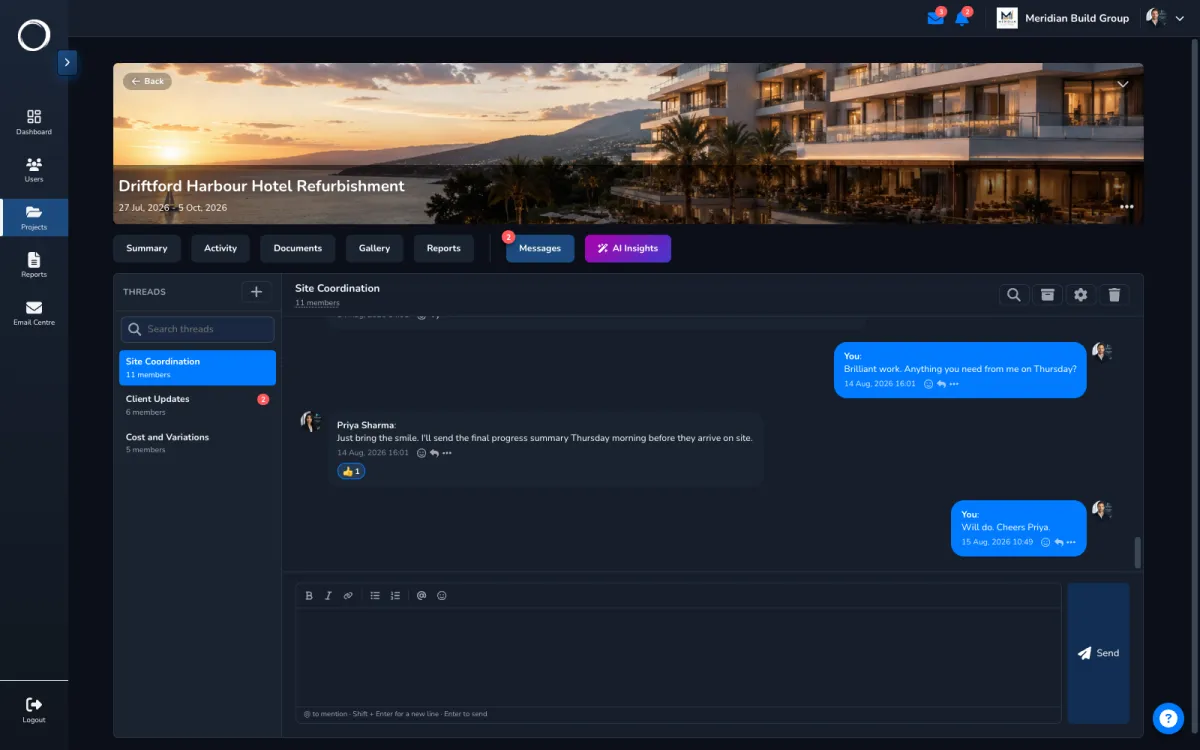
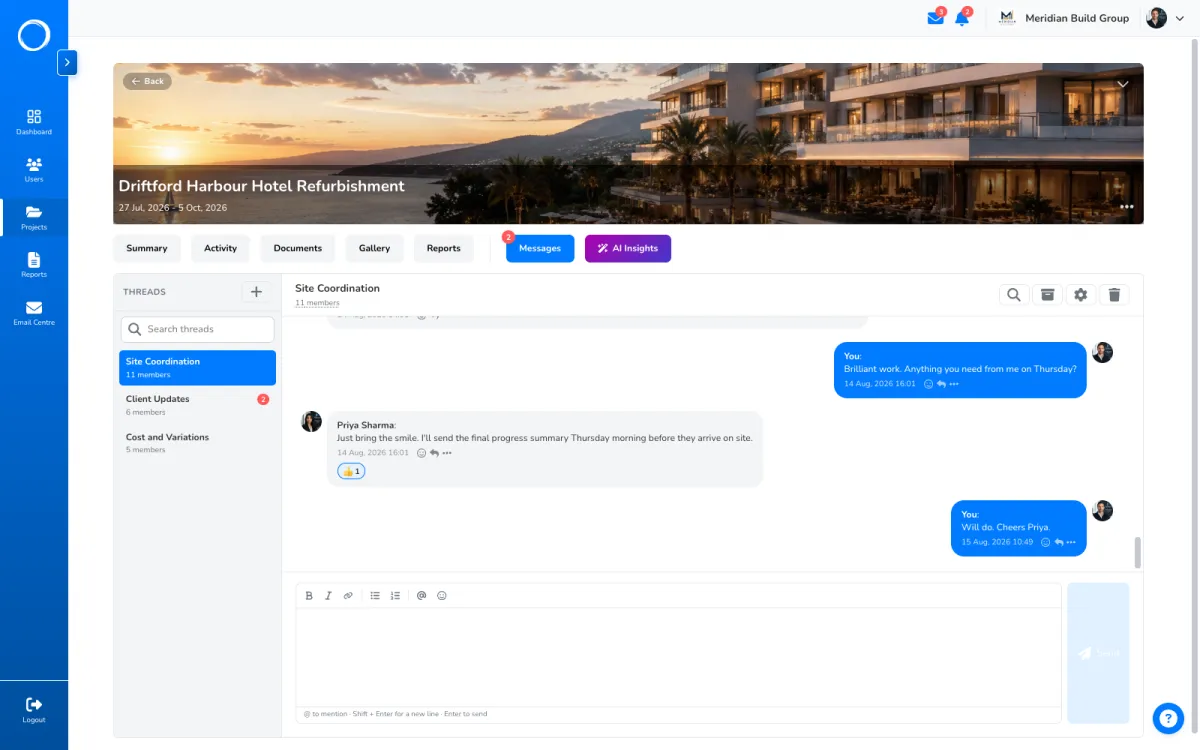
A project thread: the people on the project talking about it, with the files beside them

The three places a conversation lives

  1. A thread per project

    Open only to the people on that project, live, with reactions and read state. A client on the project sees the thread they're in and nothing from your other projects.

    A project thread: the people on the project talking about it, with the files beside them
  2. Direct messages with anyone on your projects

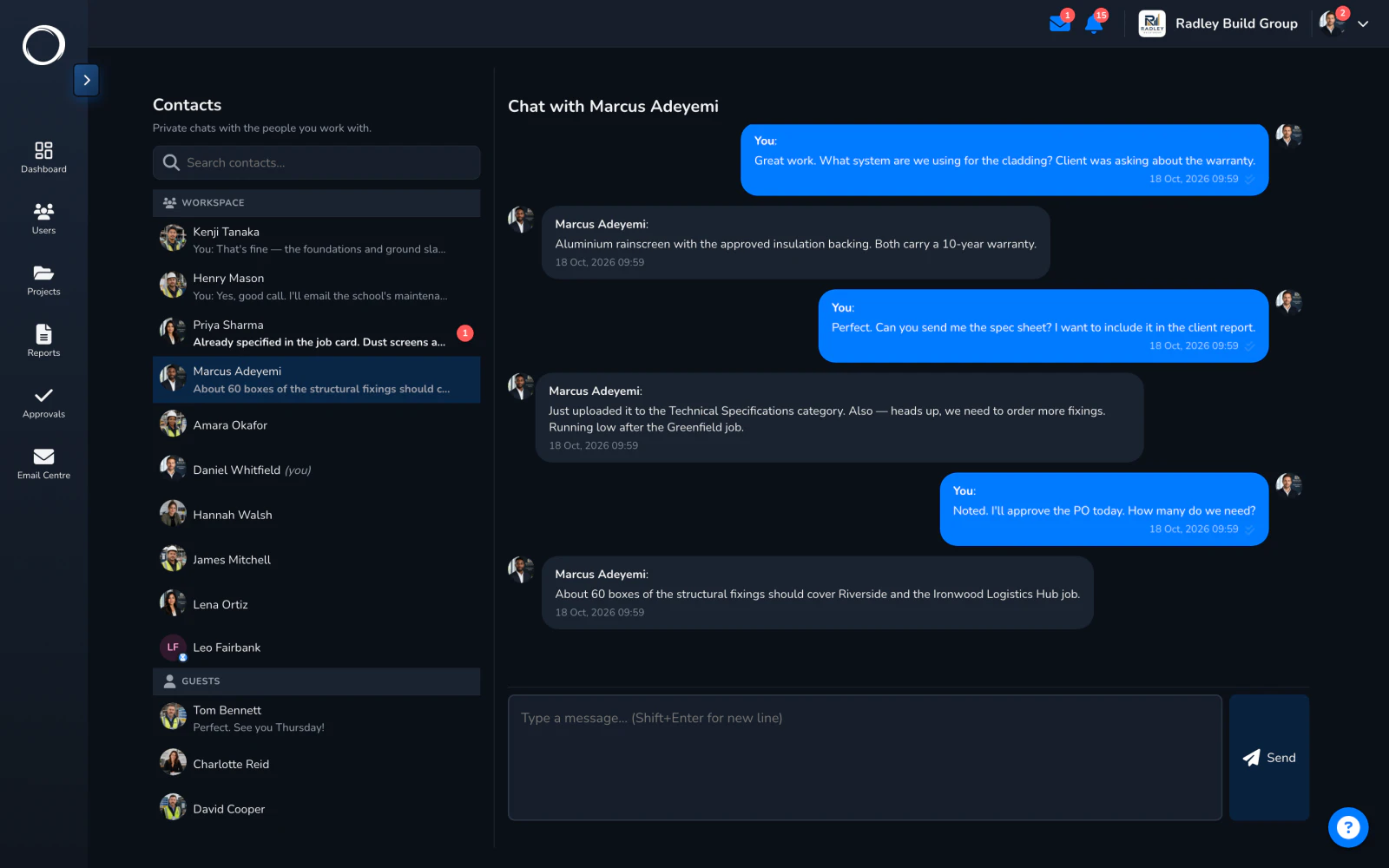
    One to one, with your team or with a client, guests included. Edit what you sent. The person is on the project's people list, so there's no number to find and no group to add them to.
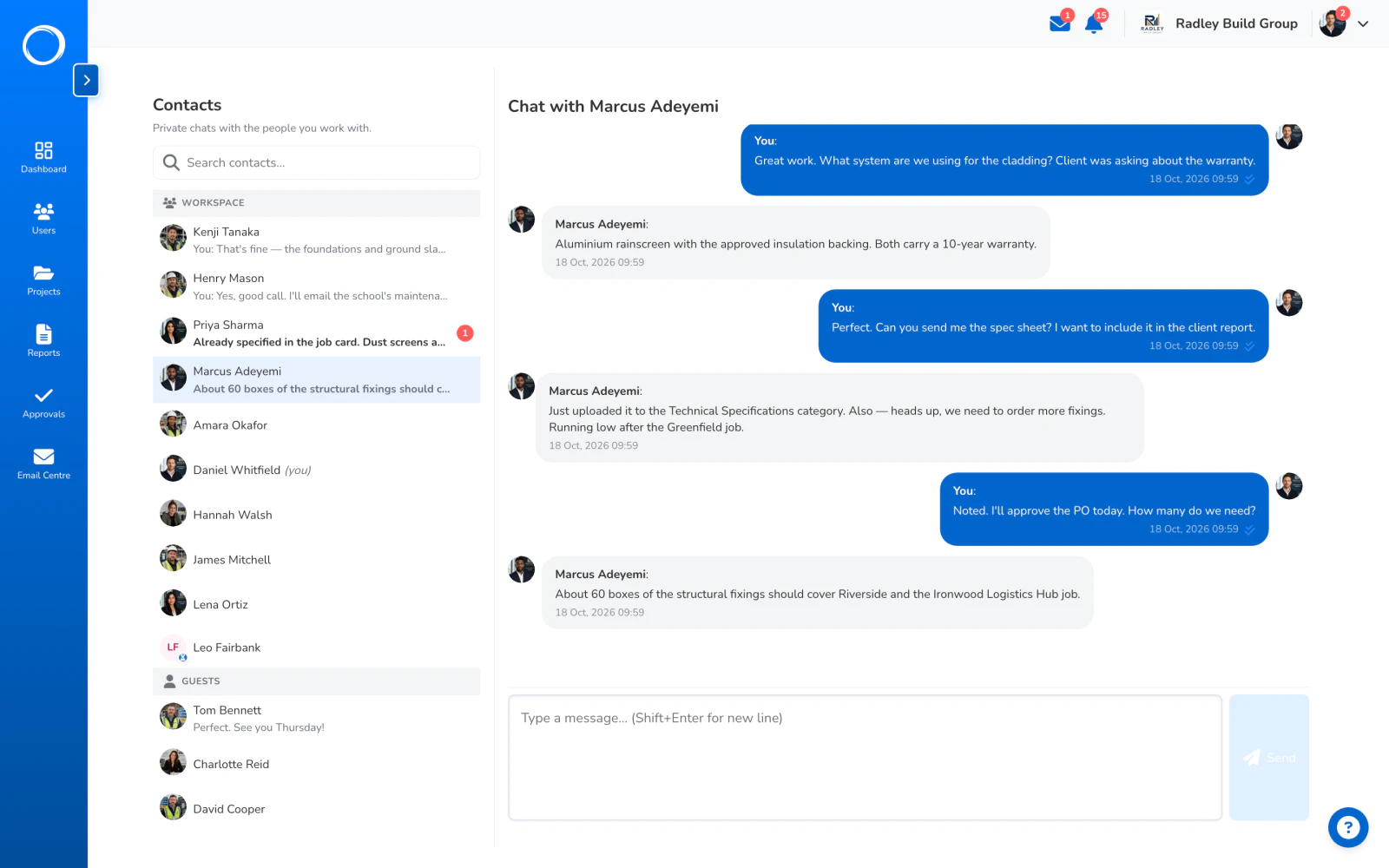
    A direct message with someone on the project: the contacts on the left, the conversation open
  3. A comment on the thing itself

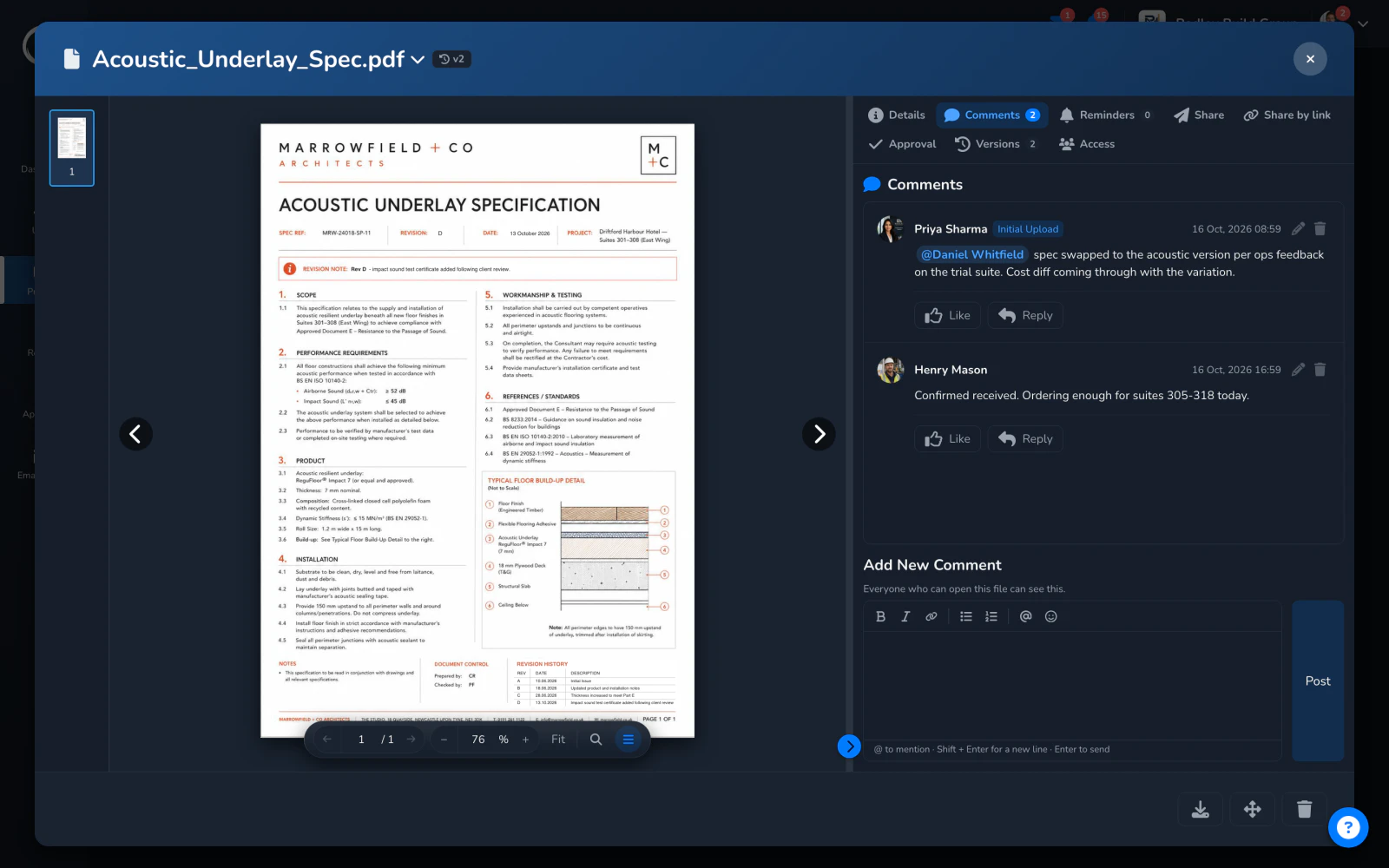
    On a document, a photo or a report, with replies and a mention when you need someone. The comment stays with the file, so the question about the junction detail is on the junction detail.
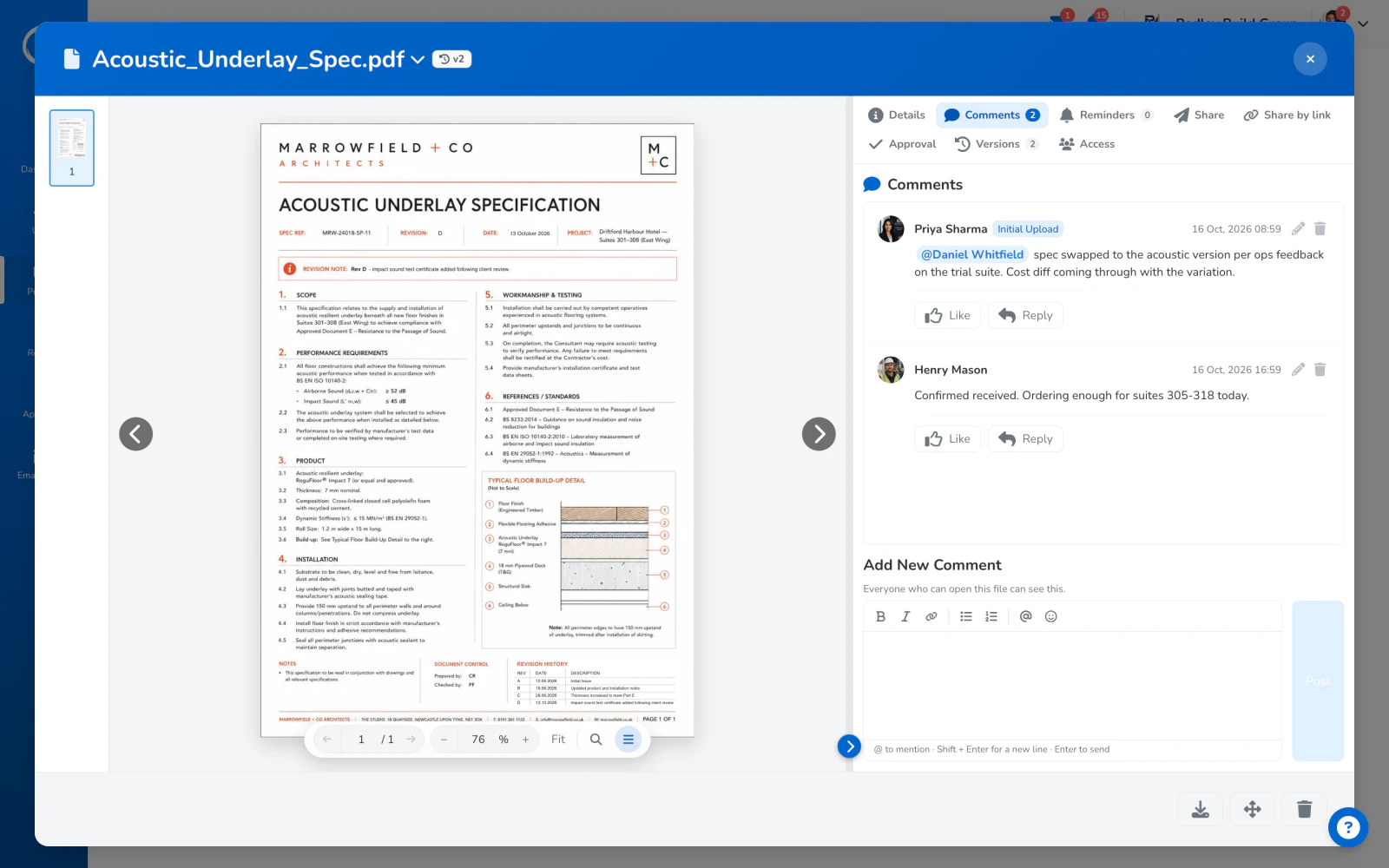
    The comments on a document: a question with a mention, and the reply, on the file itself

Who hears about it

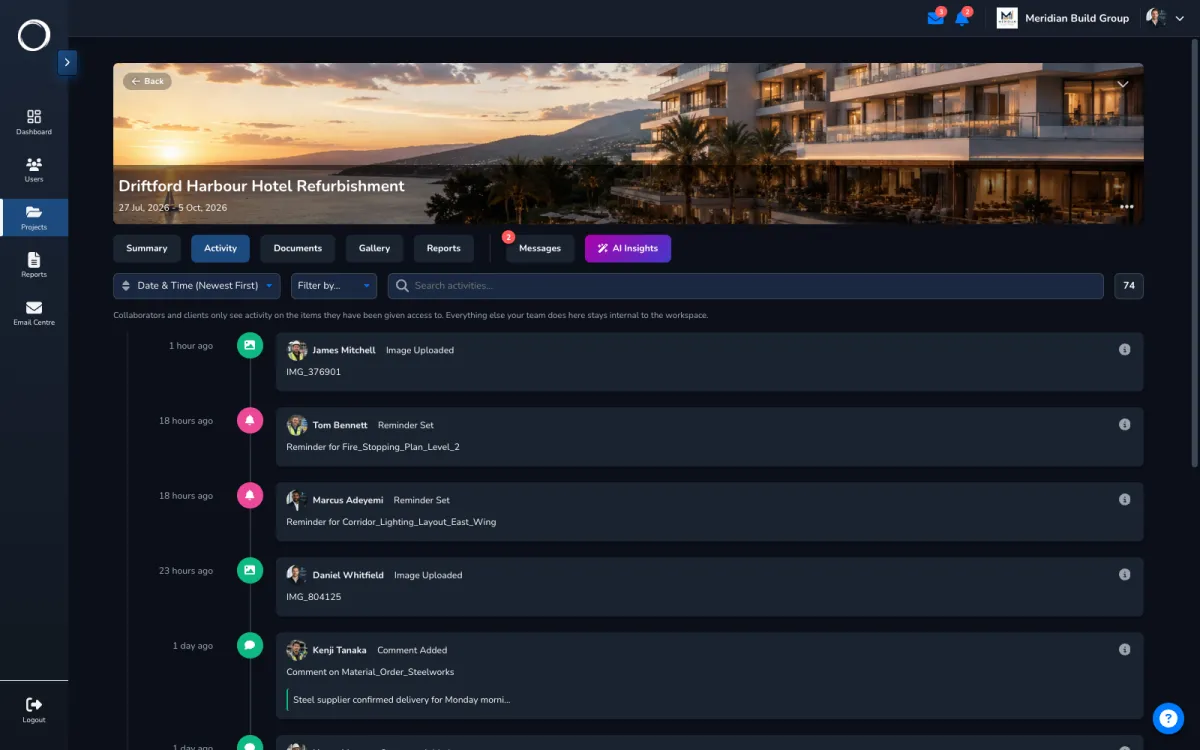
A mention is the notification. Nobody is emailed about a thread they didn't ask about, every notification type can be switched on or off per person, and each one deep-links to the message it's about. The activity trail keeps the rest.

Who sees what, in detail →
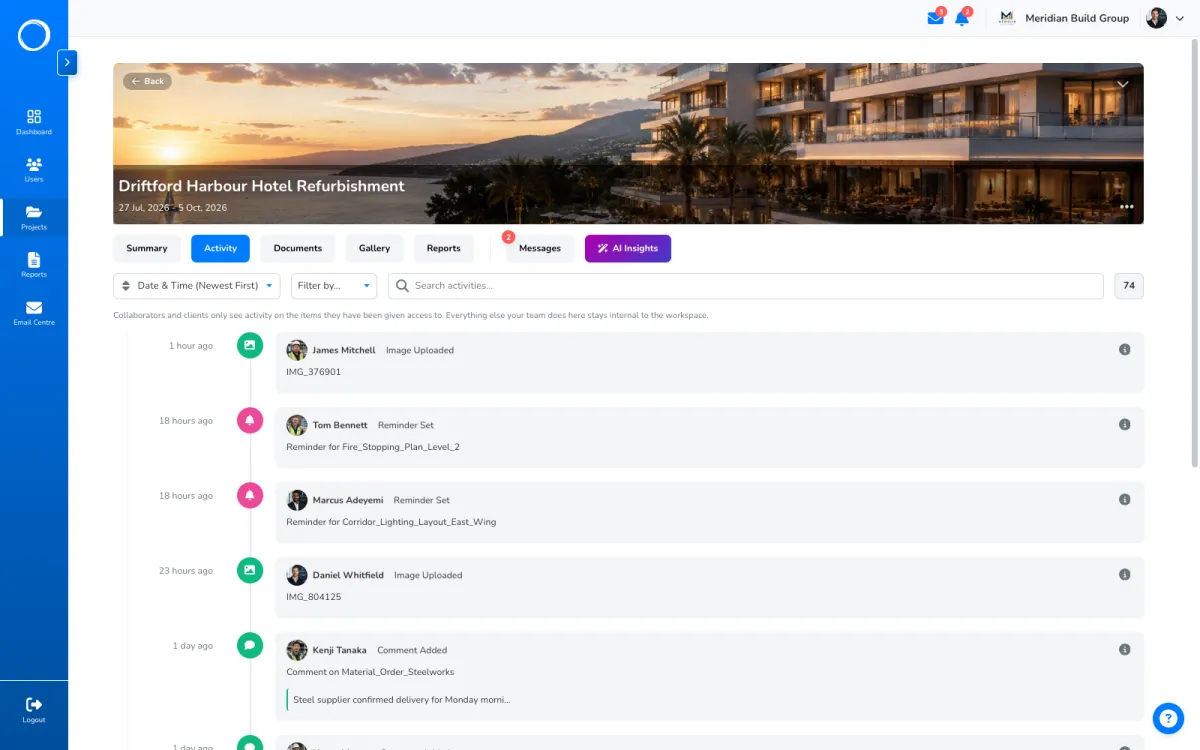
A project's activity trail, with the comments and messages listed as they happened

The parts people ask about

  • A thread per project, never workspace-wide; the people on the project are the people in the thread.
  • Direct messages with anyone on your projects, guests included, with edit.
  • Comments on documents, photos and reports, with nested replies, likes and @mentions.
  • Mention-only notifications, bell and email, switched on or off per type, each one a deep link.
  • Reactions and read state in threads, so you can see who has seen what.

Threads, direct messages and comments are on every plan. Users are unlimited, so every client and supplier is in.

Questions people ask first.

Can my client message me?
Yes. A client on the project can send you a direct message and can take part in the project thread they're on. They can't see threads on your other projects.
Will I get an email for every message?
No. A mention is what notifies you, and each notification type can be switched off. The bell in the app shows the rest.
Where does the conversation about a drawing live?
On the drawing. Comments sit on the document, photo or report they are about, with replies, so the decision stays with the thing decided.

Send the first one today.

Set up in minutes and send a drawing for sign-off before lunch. Free for 14 days, no card, cancel any time.