Portal Worx Logo

Temporary access, in detail

For the person who needs more than one tap.

A share link is one thing, once. A consultant on the project for a fortnight or an inspector for a week needs the run of it while they're there, and nothing after. Pick the projects and the end date; they sign in with a code sent to their email, see only those projects, and the access ends by itself.
Last reviewed

Giving someone outside the business chosen projects until a date, signed in by an emailed code

What happens, from the invite to the end date

  1. Pick the projects and the end date

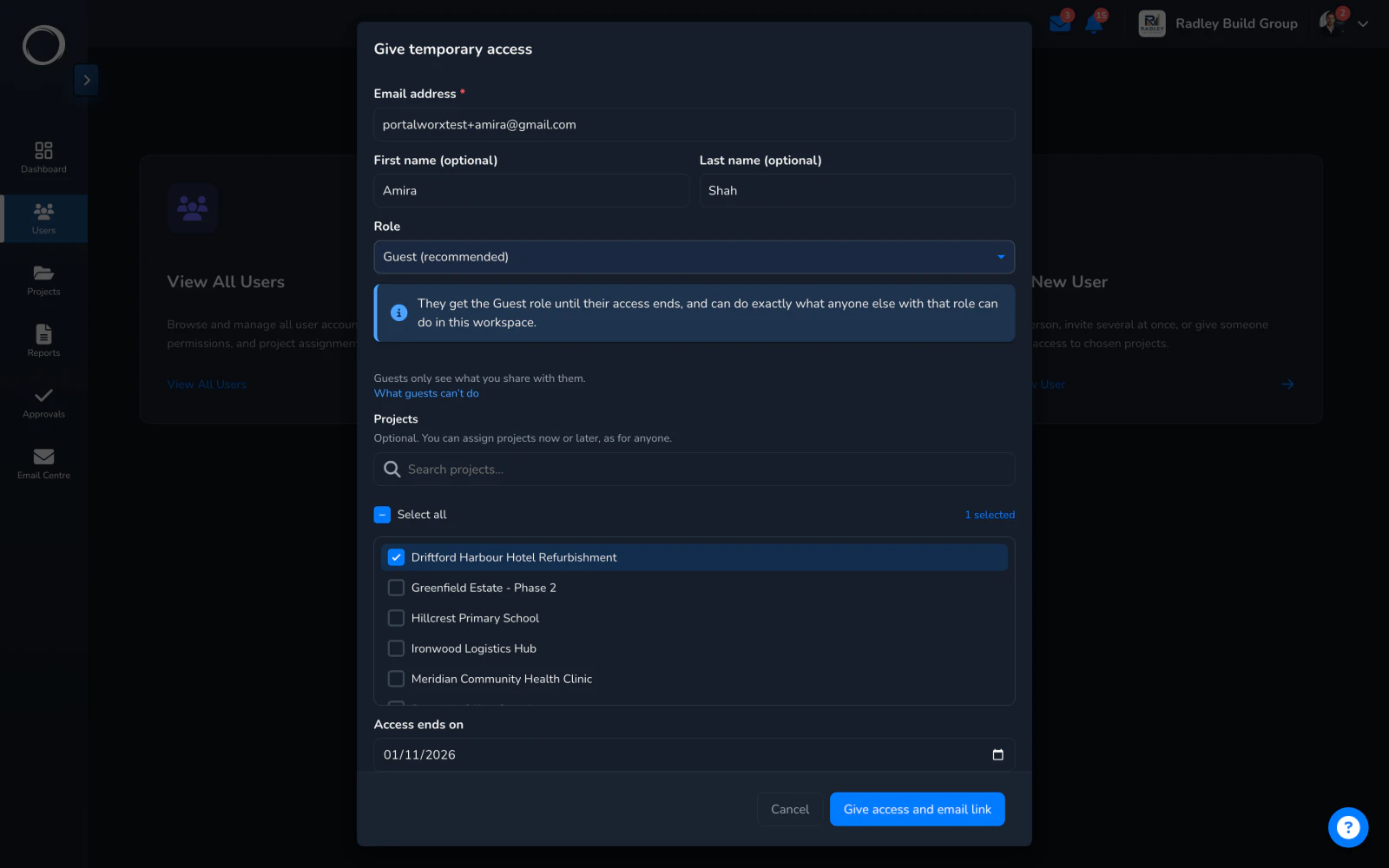
    Name the person, choose any number of projects and the date their access ends. Nothing else to set up: no password to issue, no role to tune.
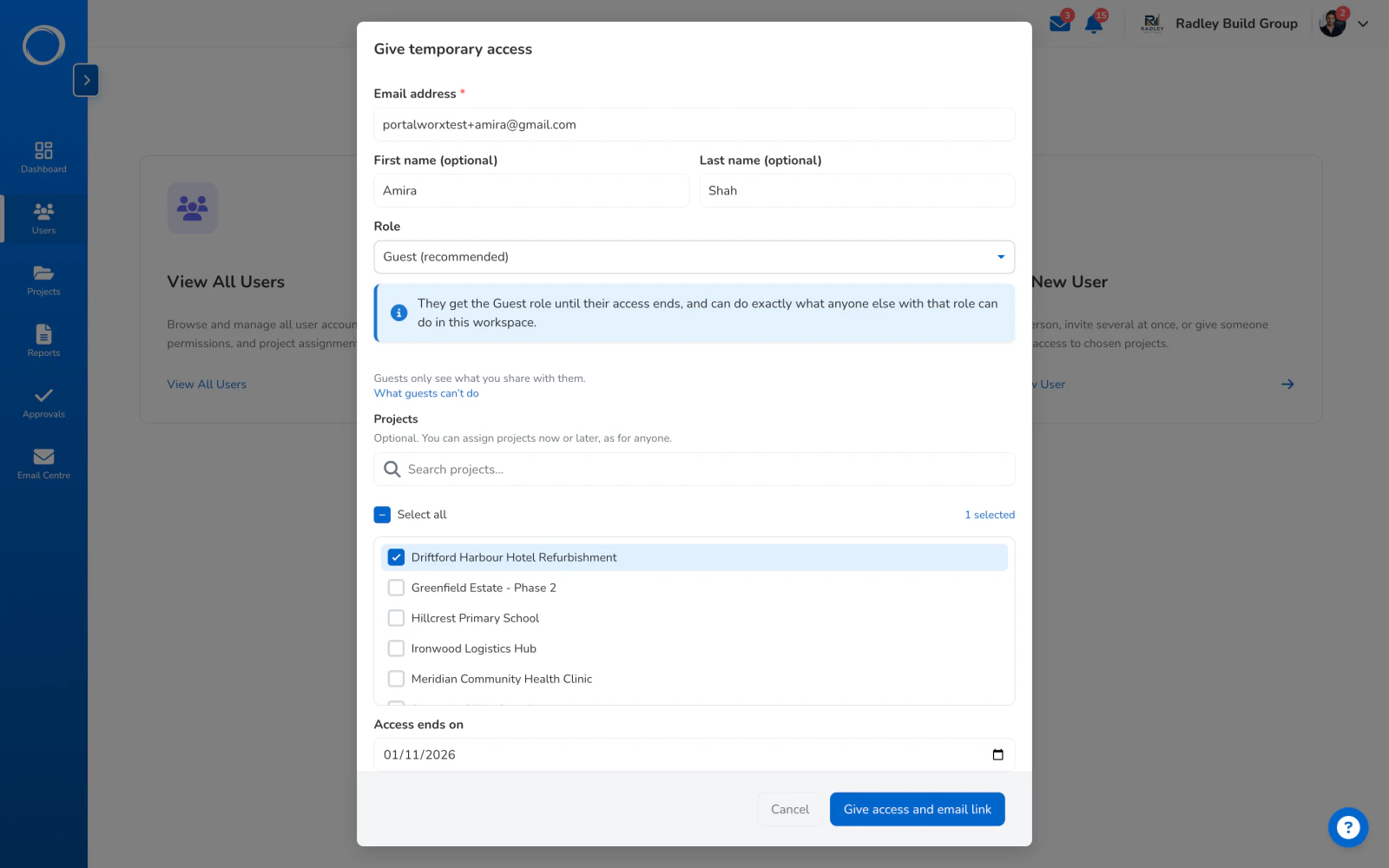
    Giving temporary access: an email, a name, the projects ticked and the date it ends
  2. They sign in with an emailed code

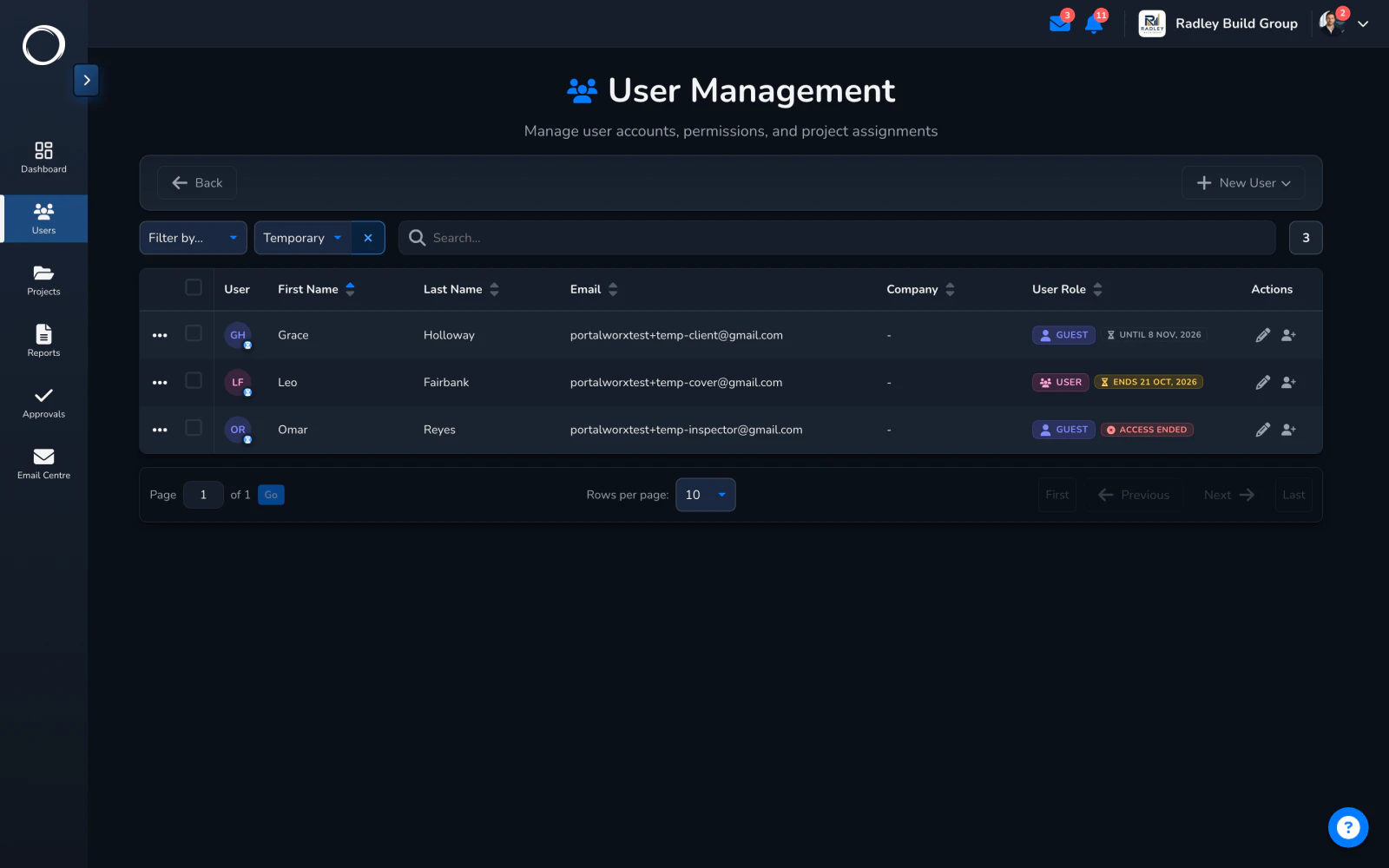
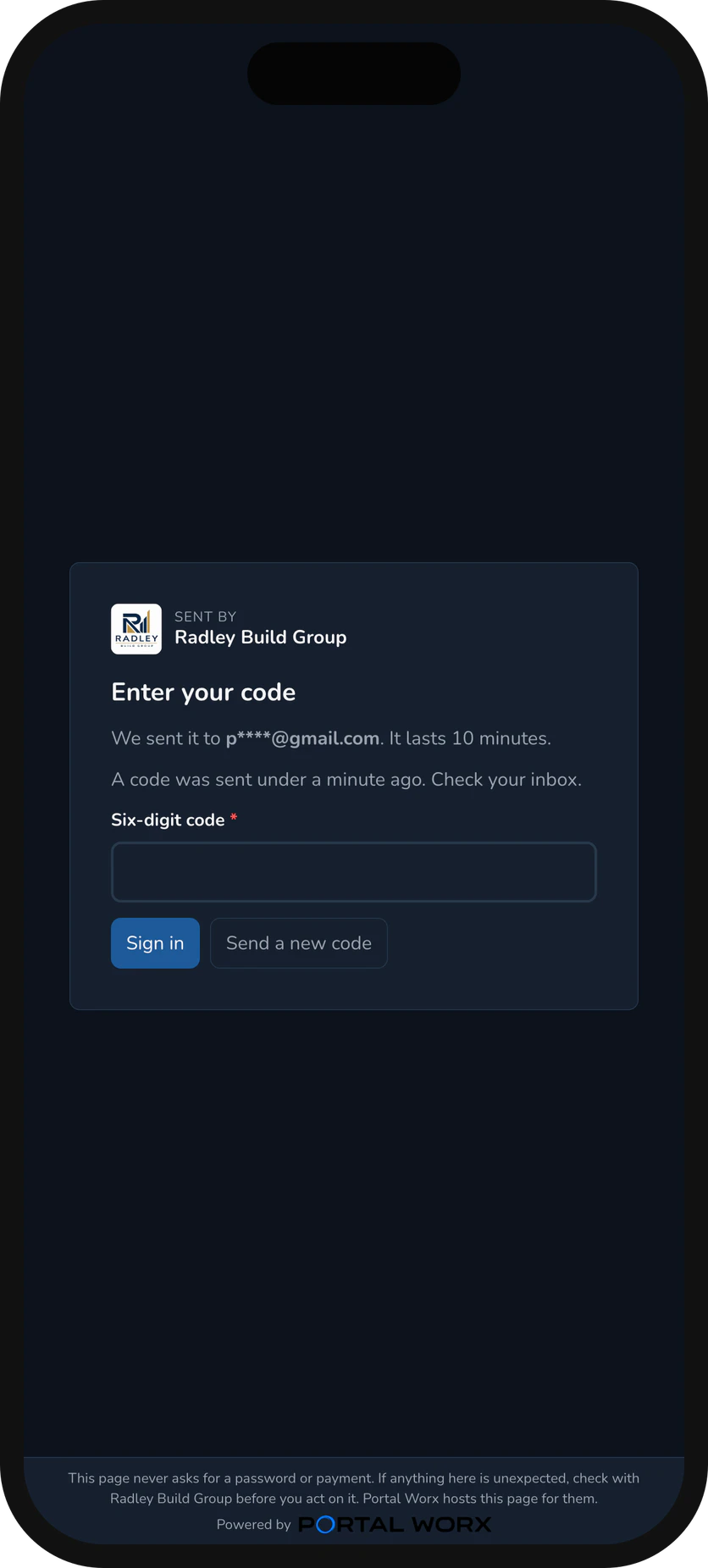
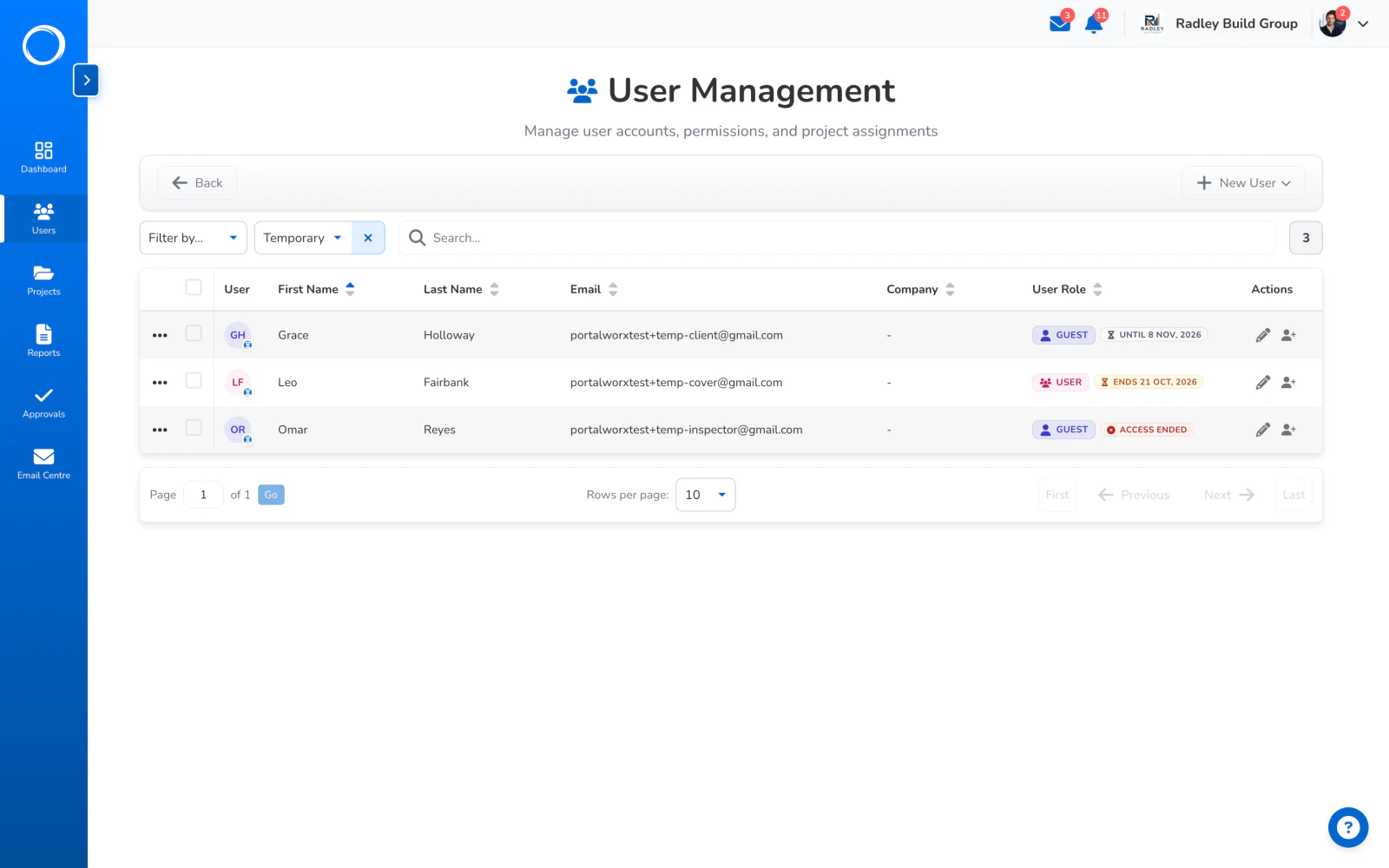
    No password to make or forget. Each sign-in sends a code to the address you invited, and the team list shows them as temporary, with the date, so nobody wonders who they are.
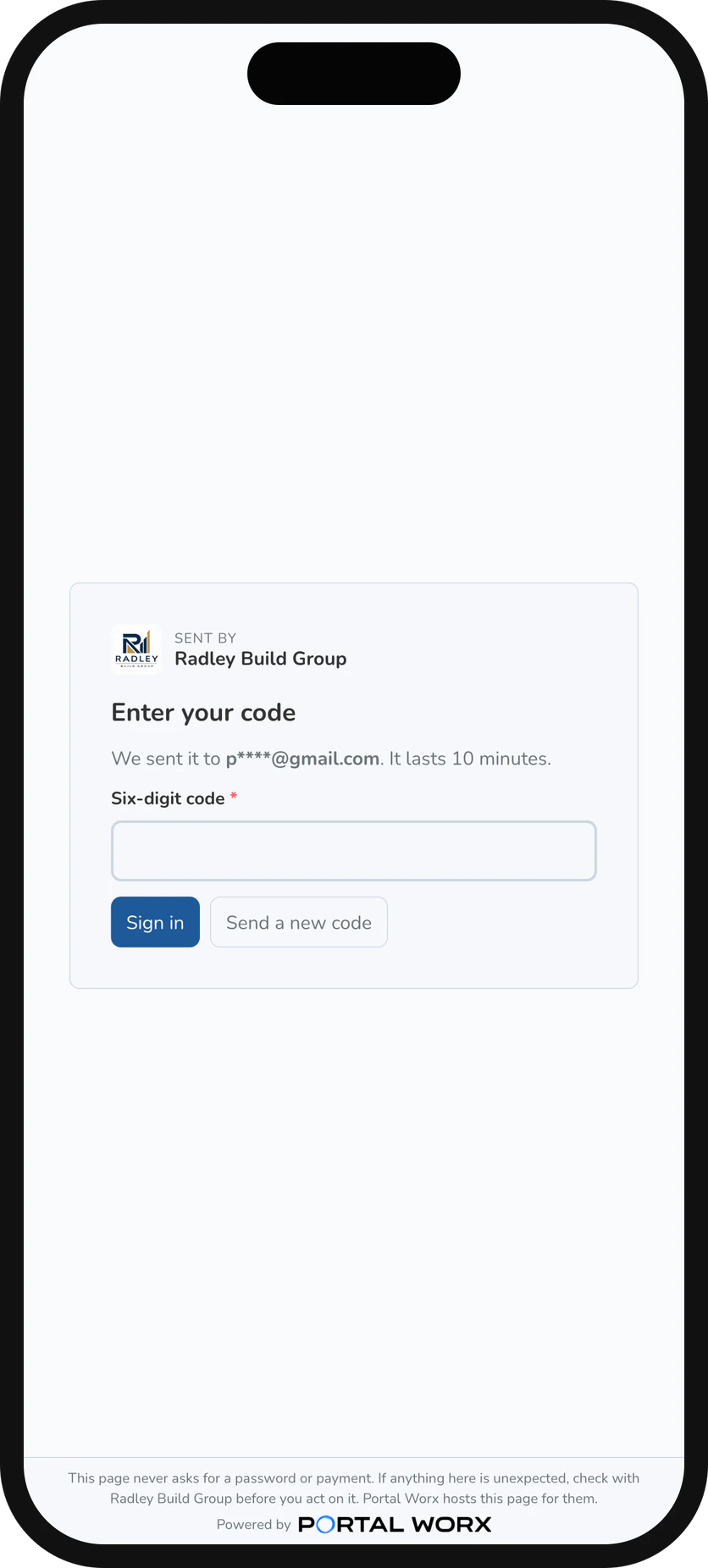
    Signing in with a six-digit code on a phone: no password, the code is in their email
  3. It ends by itself

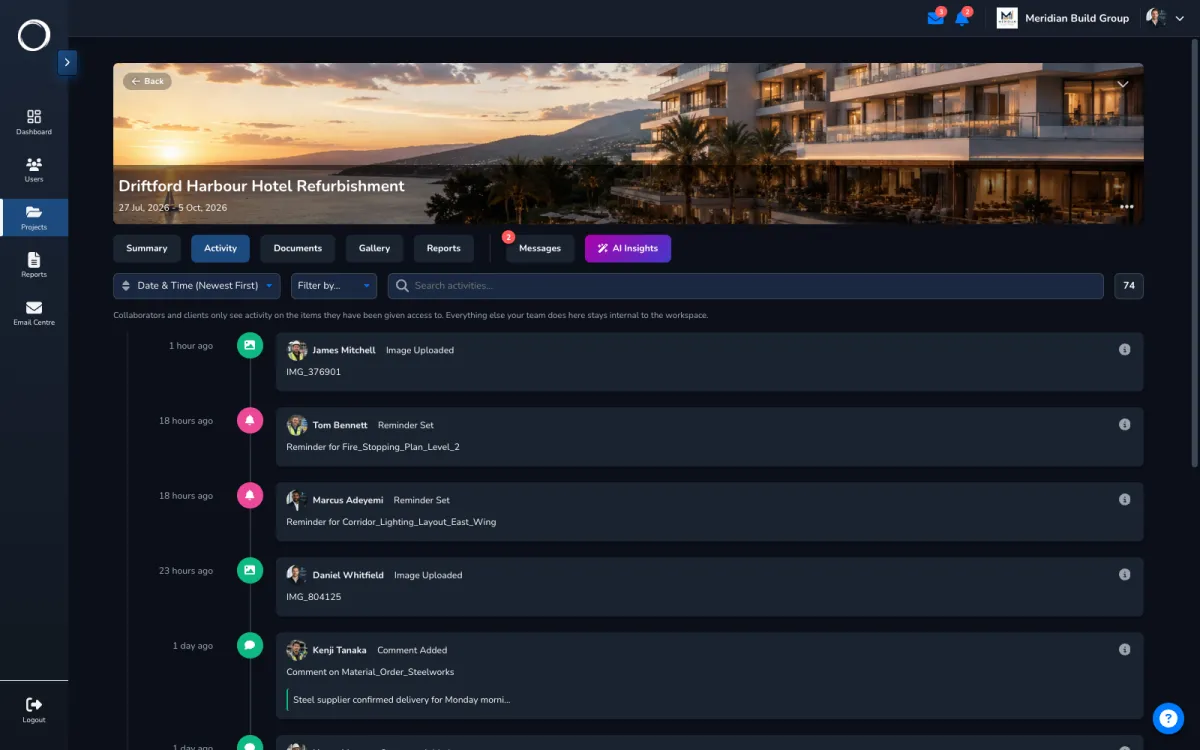
    On the date, the access is gone. Everything they did while they were on the project stays on the activity trail, filtered to what they could see.
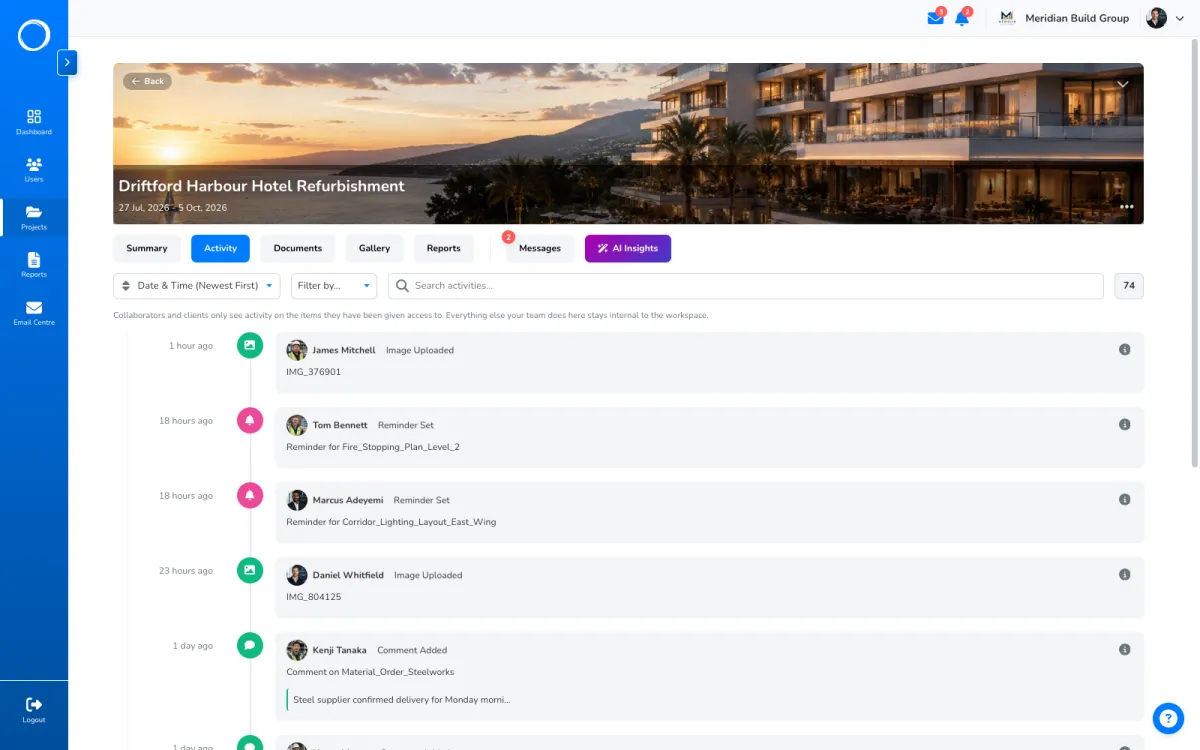
    A project's activity trail with the temporary member's actions on it

What they see

Their projects and nothing else: not your other projects, not your other clients, not each other. Within a project they get the guest's view, which is only what you've given them, and every look and change is on the trail.

Who sees what, in detail →
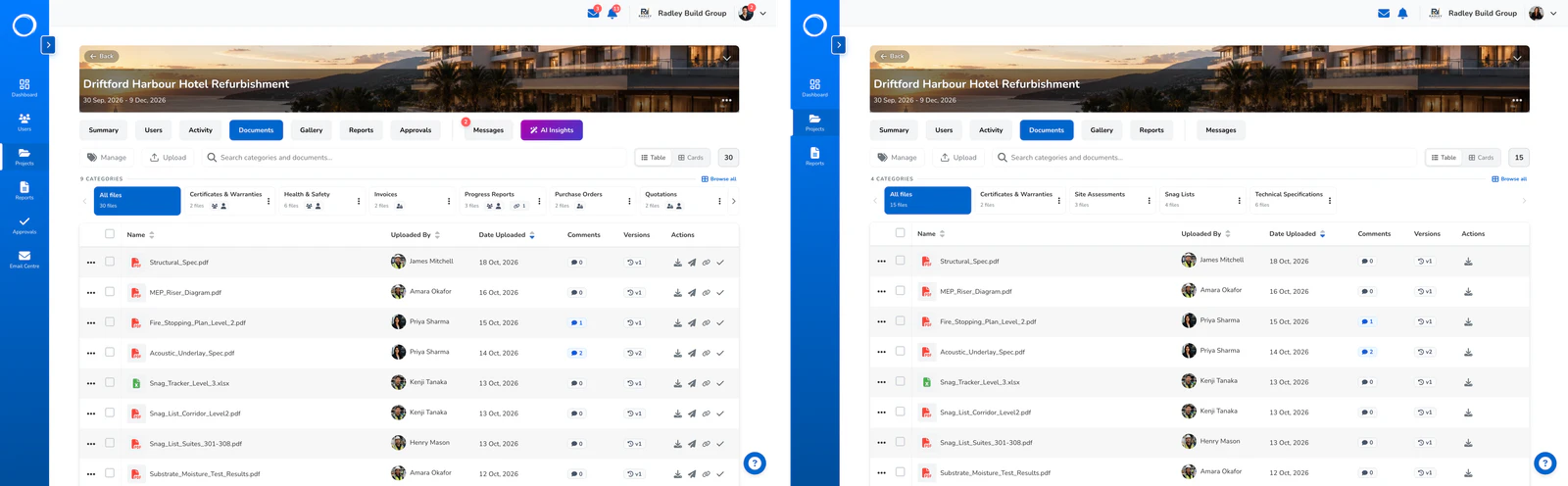
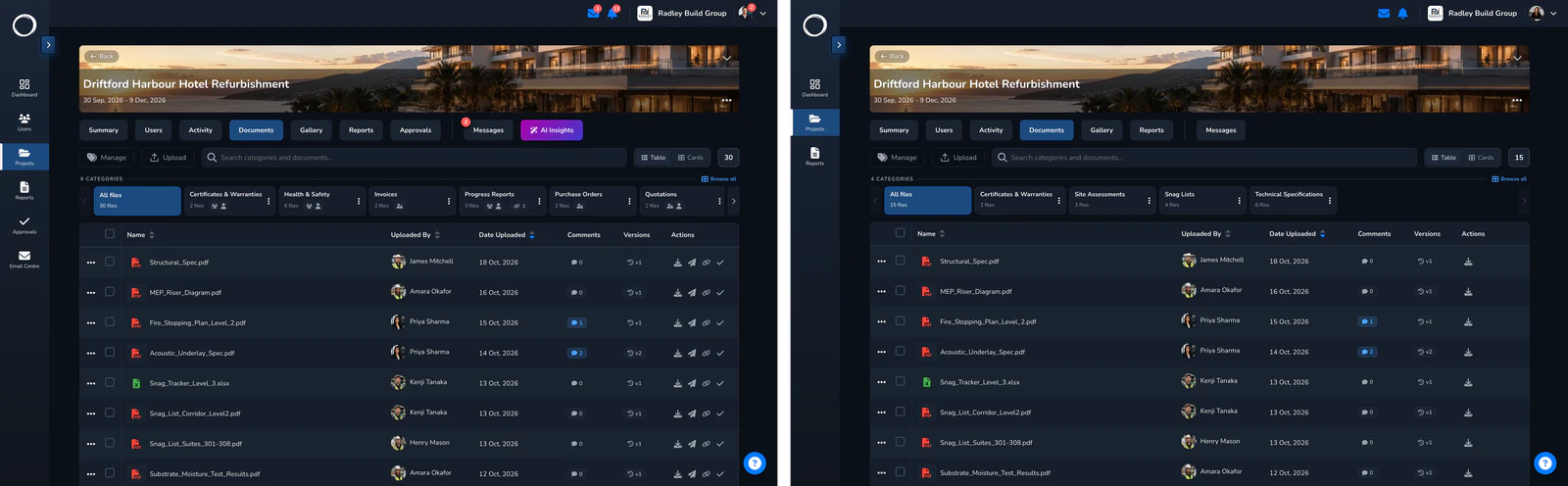
The same documents tab as your team sees it and as the client sees it, side by side

The parts people ask about

  • Any number of projects, one end date, per person.
  • Sign-in by emailed code, every time; no password exists to be shared or forgotten.
  • The team list shows temporary members with their end date.
  • They count as users, and users are unlimited on every plan, so a temporary member costs nothing.
  • A share link is for one thing once; temporary access is for someone who needs the run of a project for a while.

Temporary access is on every plan. Users are unlimited, so a temporary member costs nothing.

Questions people ask first.

What is the difference between this and a share link?
A share link opens one thing, with no sign-in. Temporary access signs someone in to chosen projects, as a guest, until a date, so they can work across the project rather than open one file.
What can they do while they have access?
What a guest can do on those projects: see what they've been given, comment, and answer anything sent to them. Nothing on your other projects, and nothing a guest can never be switched on for.
What happens on the end date?
The access ends by itself. Their actions stay on the activity trail. If they need longer, set a new date before it runs out.

Send the first one today.

Set up in minutes and send a drawing for sign-off before lunch. Free for 14 days, no card, cancel any time.