Portal Worx Logo

Reports, in detail

The report that gets you invited back, written before you reach the van.

A site diary, a snagging list, a RAMS or a handover checklist, started from a template and filled in on site with the photos from the walk. It's signed on screen, kept on the project, and goes out as a PDF with your logo on it, the same day, instead of being written up that evening from memory.
Last reviewed

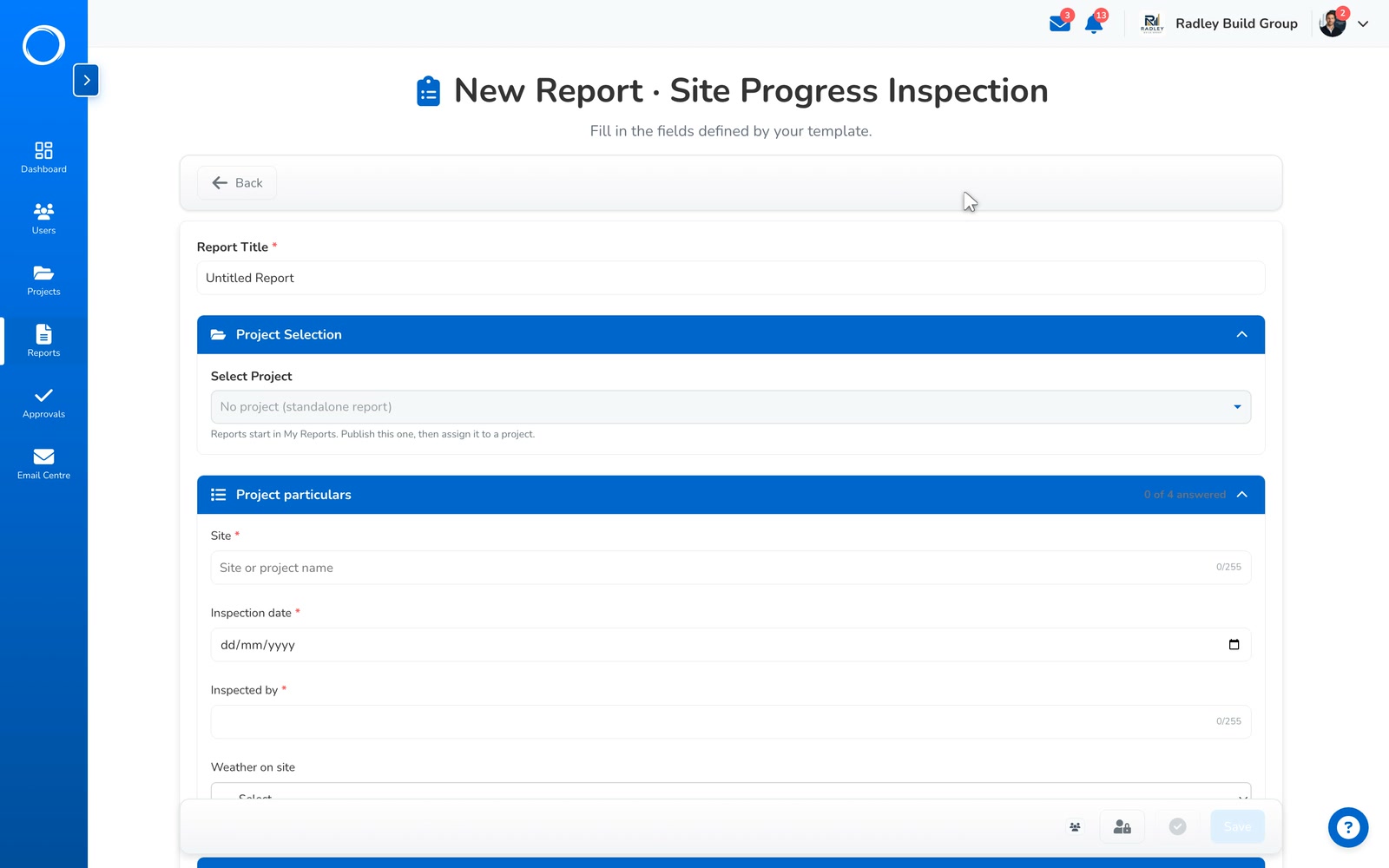
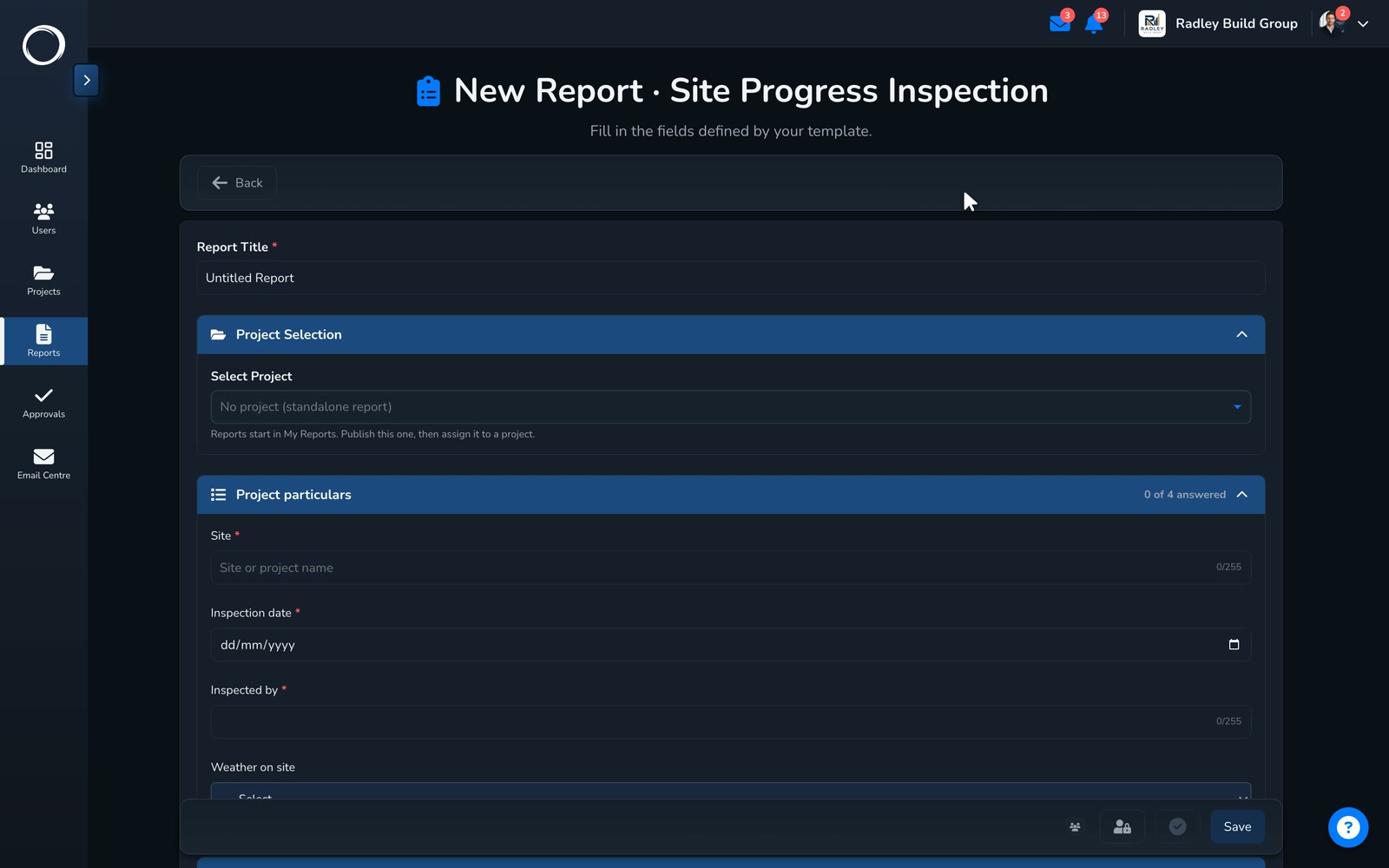
A site inspection filled in from the template: the particulars, progress, a line on what moved, and two photos going in

What happens, from the template to the PDF

  1. Build the form once

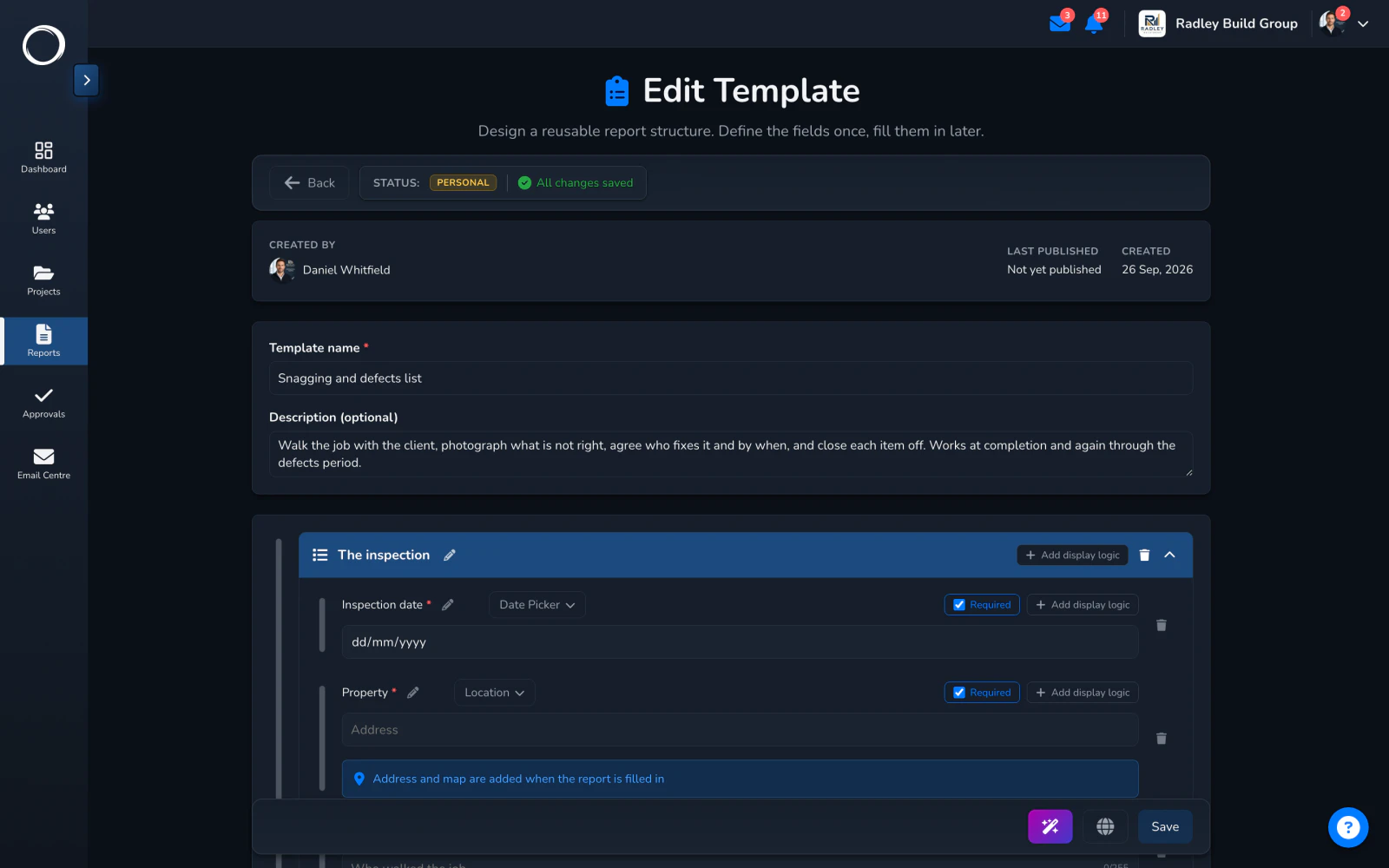
    Every firm has a form it fills in the same way every time. Build it once: sections, then fields from eleven block types (text, numbers, dates, choices, checklists, ratings, progress, tables, photo galleries, signatures and locations), mark the ones that must be answered, and let a section show, hide or become required depending on the answers. Publish it and it's on every phone in the workspace.
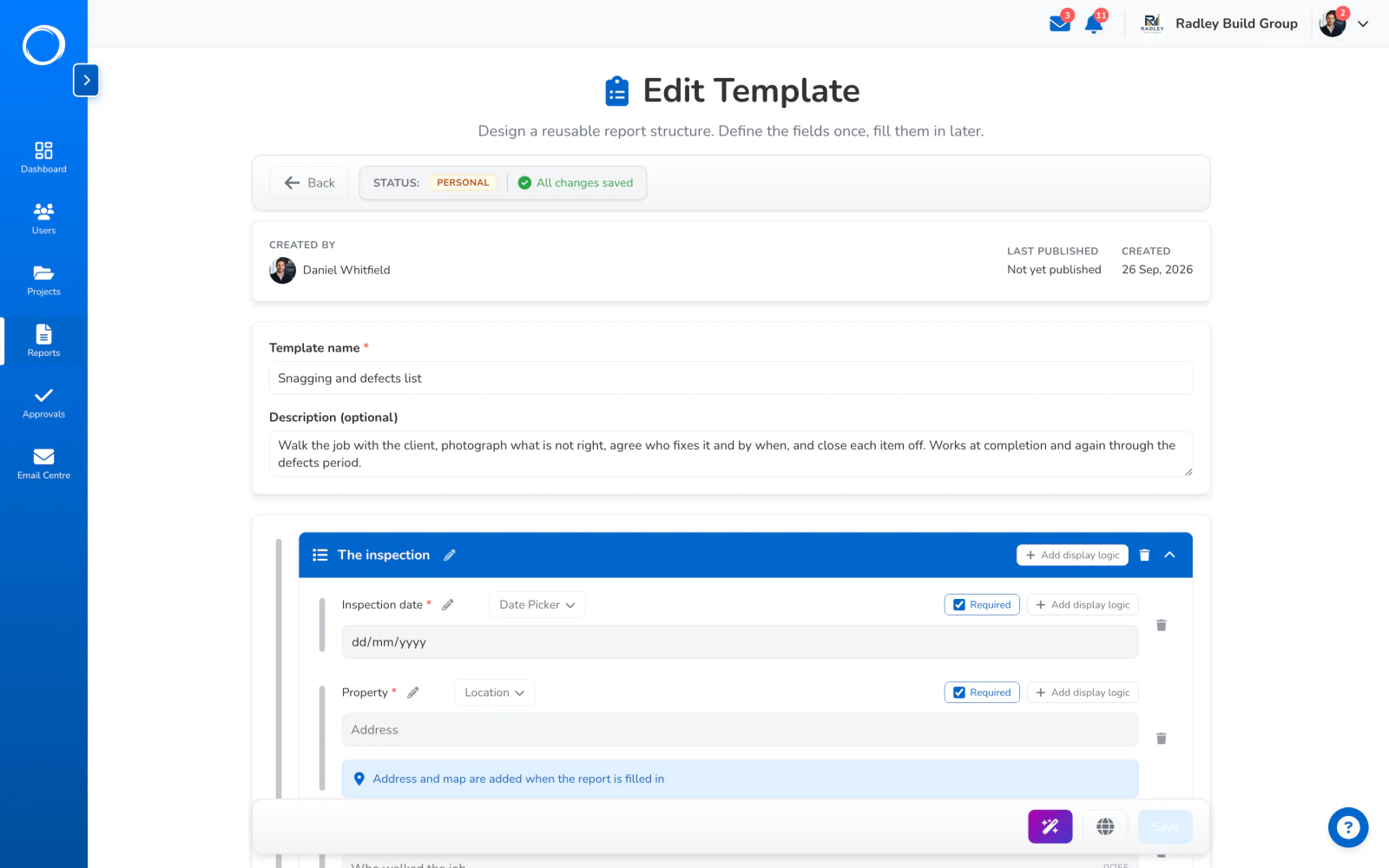
    The template builder: a section with a required date and a location, each with its own display logic
  2. Or start from one of ours

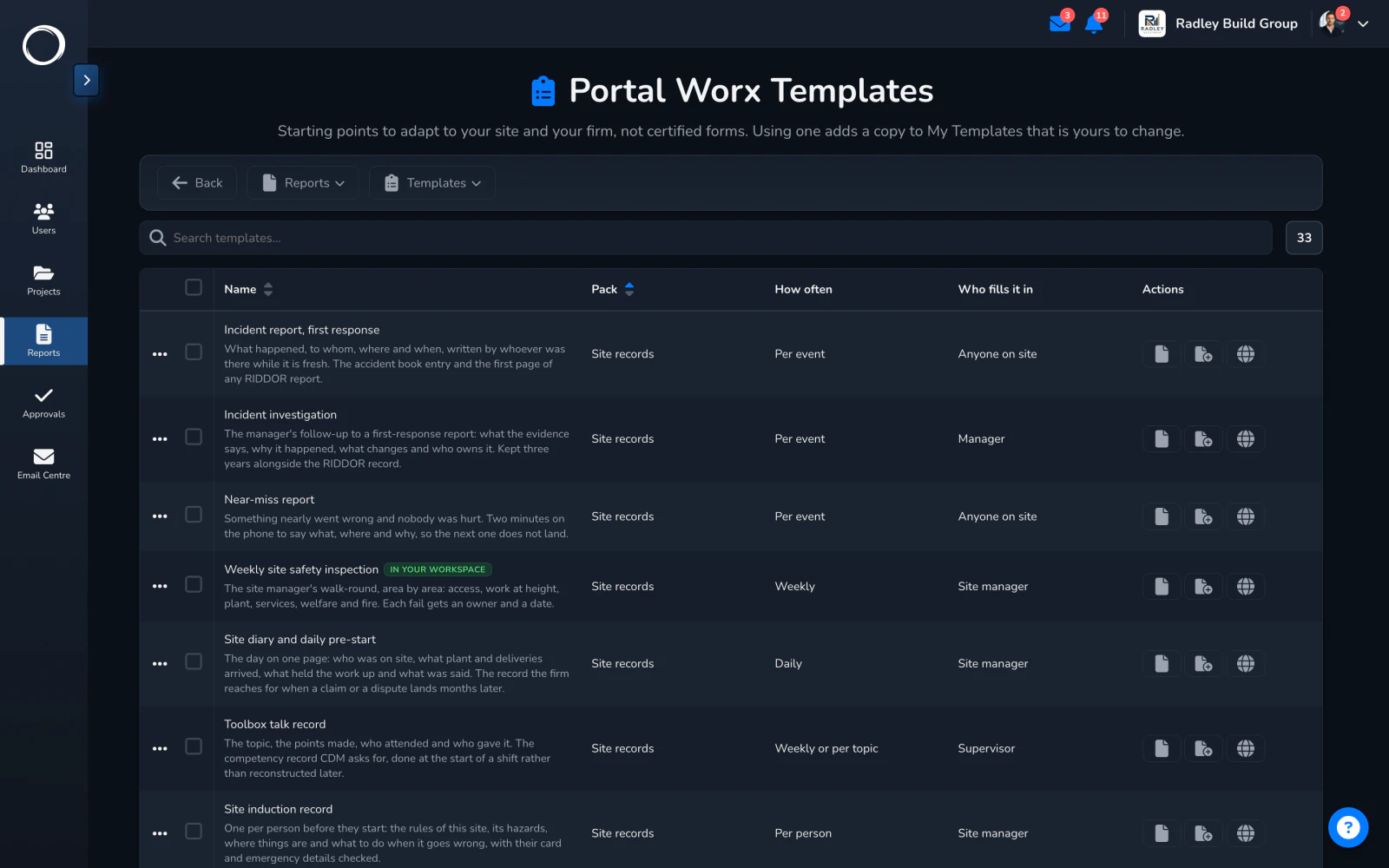
    33 ready-made site, safety and handover records: site diary, snagging list, handover checklist, RAMS, toolbox talk and the rest. Start a report from one, or copy it into your workspace and change it; your edits never touch the original.
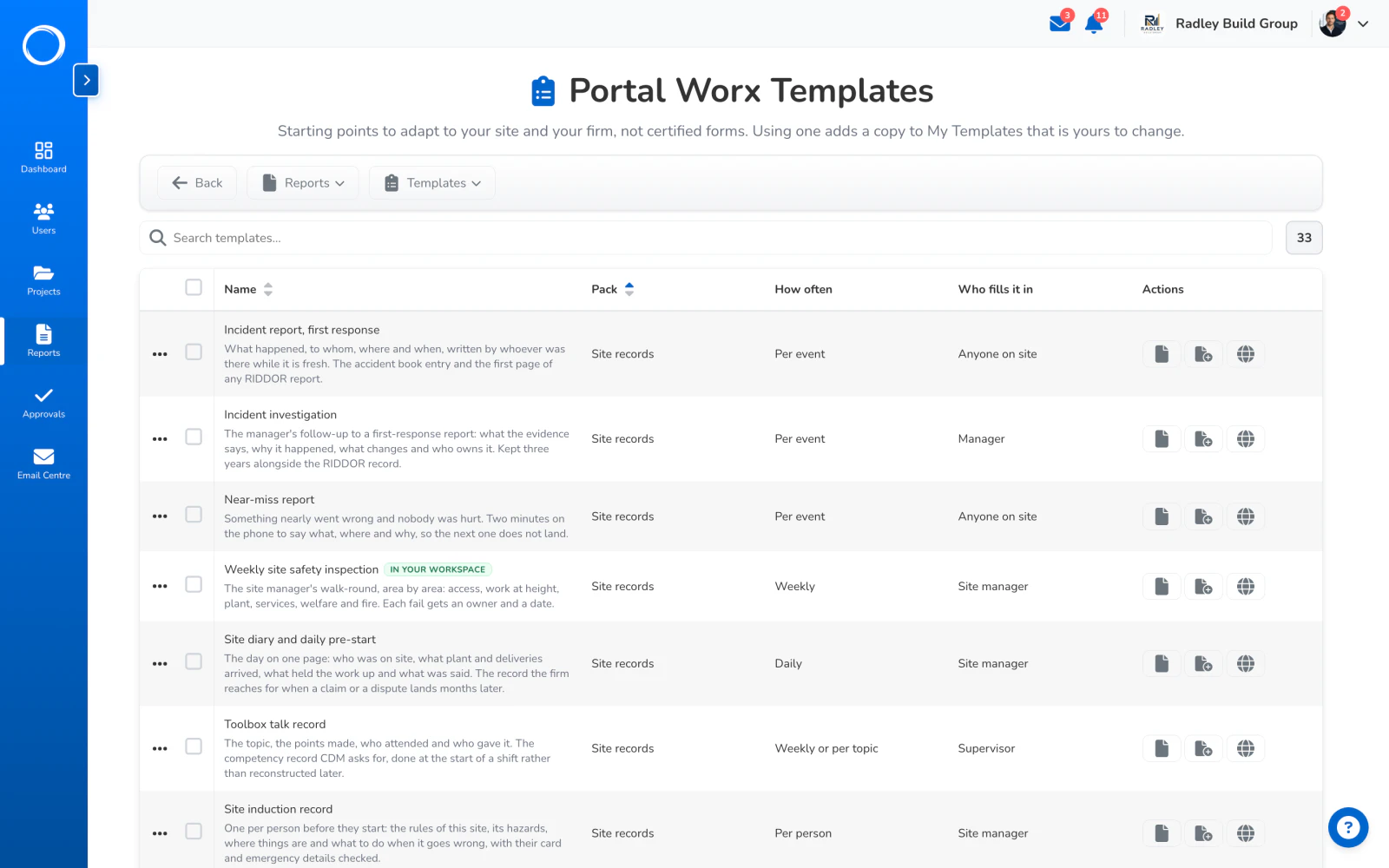
    The template library: thirty-three report forms to start from
  3. Fill it in where you stand

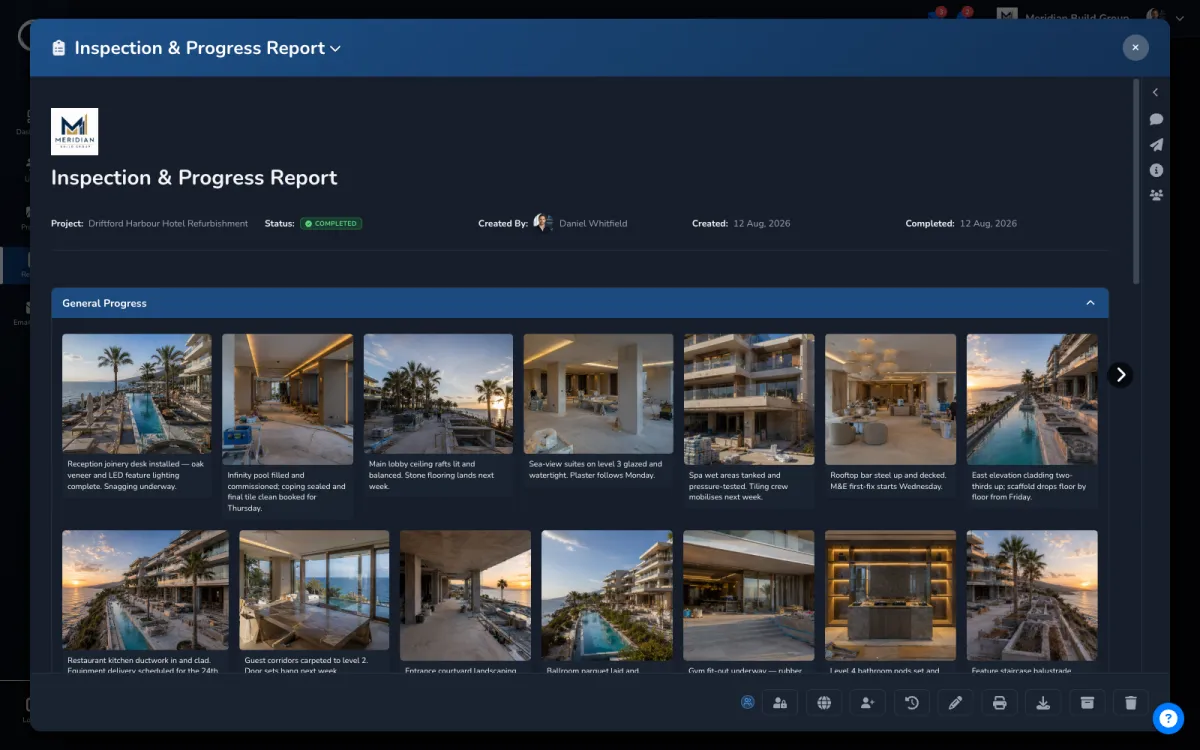
    The particulars, the progress figure, what moved, the checks agreed on site, and the photos from the walk straight into the gallery block. Save as you go; it stays a draft until you complete it.
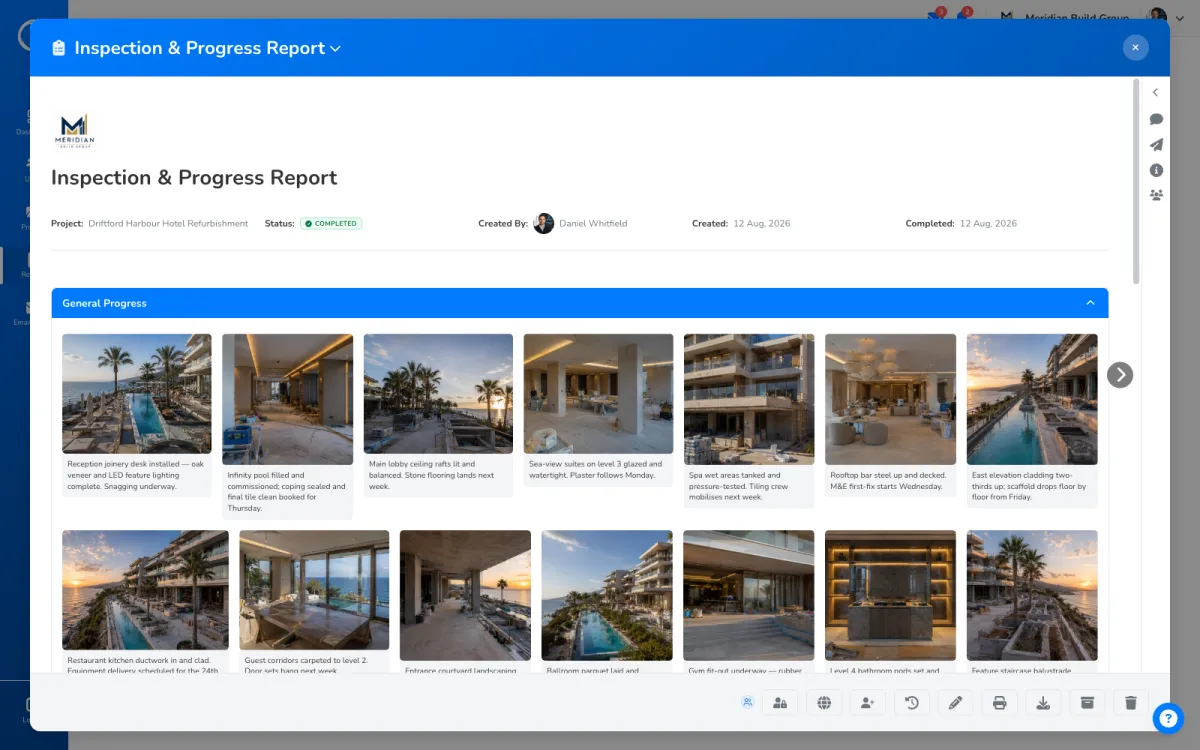
    A completed site report with the company logo, its photos and captions
  4. Two ways out: the PDF, and the report itself

    Sign it on screen and complete it. Export the PDF with your logo on it for the people who want a document, or give the report itself to anyone on the project and they read it in the app, photos and all. The full edit history stays on a completed report, and the report stays on the project beside the drawings and the sign-offs it relates to.
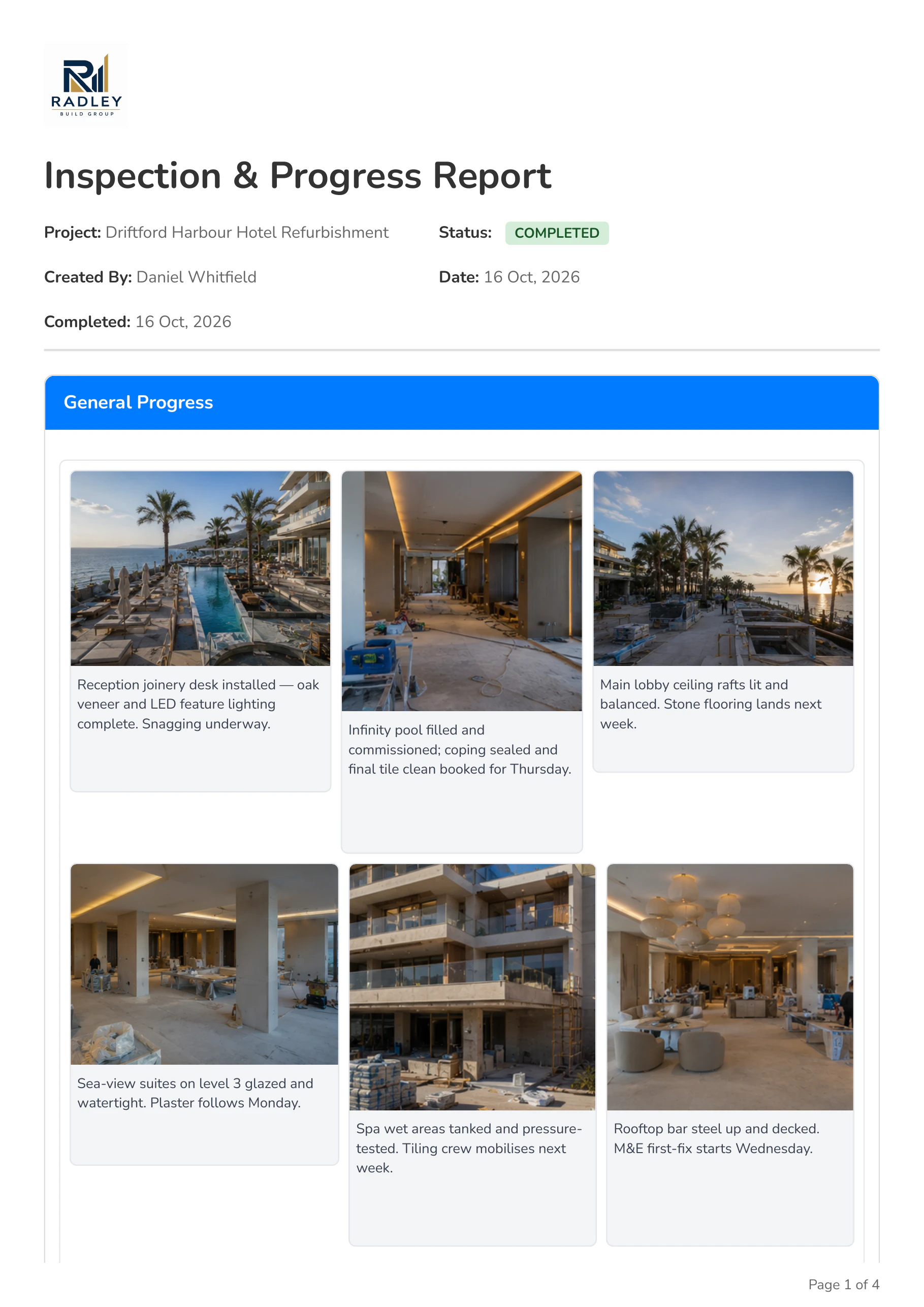
    Page one of the exported inspection report, with the company logo and the first photos

What goes out

A PDF that looks like it came from your office, not from a form builder: your logo at the top, the photos at print size with their captions, the checks ticked, the signature at the foot. Share it by link with the client, or by email on Professional and Business, and it stays on the project where the next person will look for it.

See which plans export a PDF →
Page one of the exported inspection report, with the company logo and the first photos

A template from a sentence

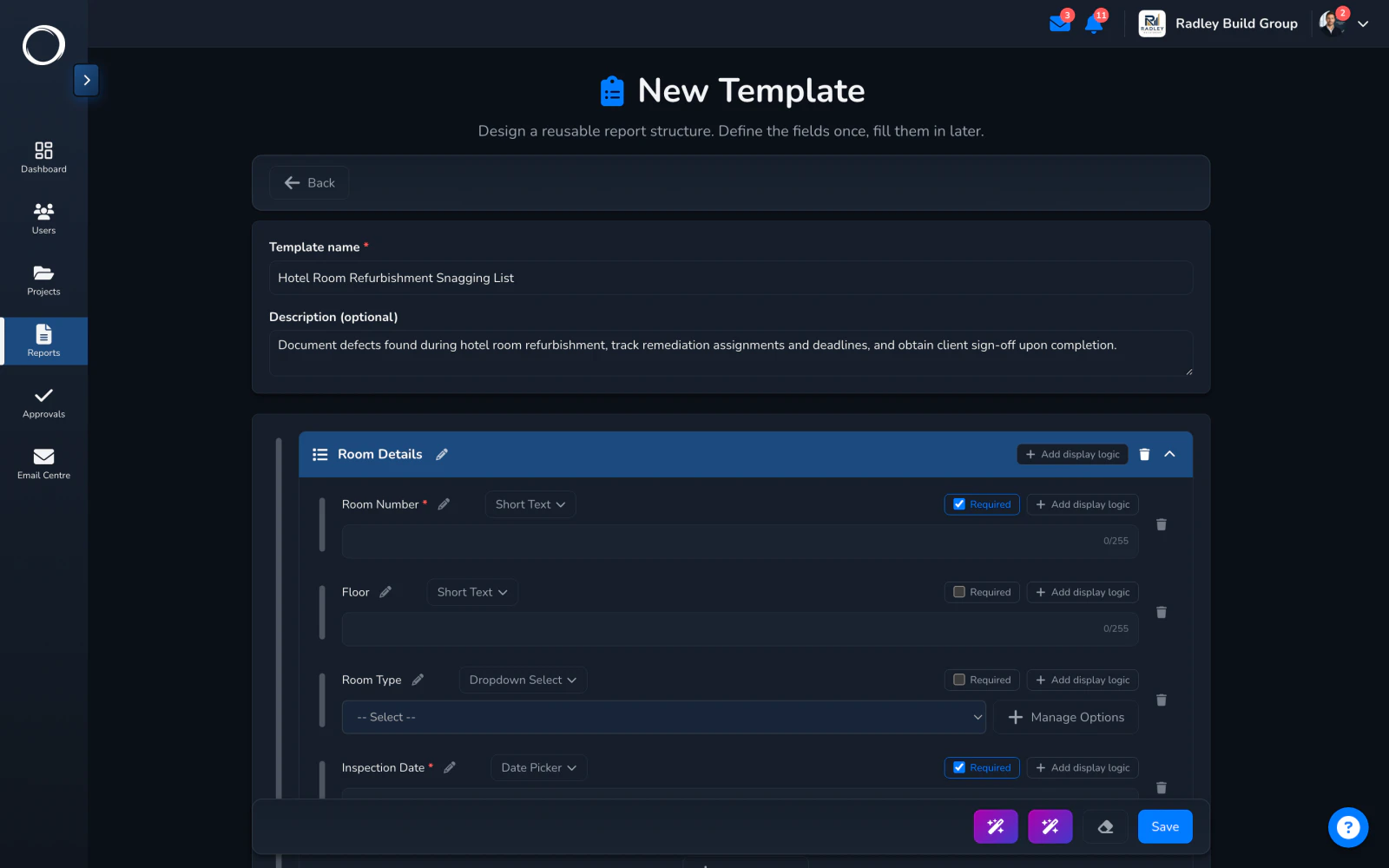
Describe the report you need, a snagging list for a hotel refurbishment with a photo per defect and the client's signature when the room is done, and the AI drafts the template: sections, the right block types, the fields that must be answered. You check it in the builder and keep what's right. Describe what should change in a template you already have, and it edits that instead.

  • Drafts from the same eleven block types you'd build with by hand
  • Edits an existing template from a sentence about what should change
  • Nothing is published until you save and publish it

On Professional and Business. A credit a draft, from the monthly bundle.
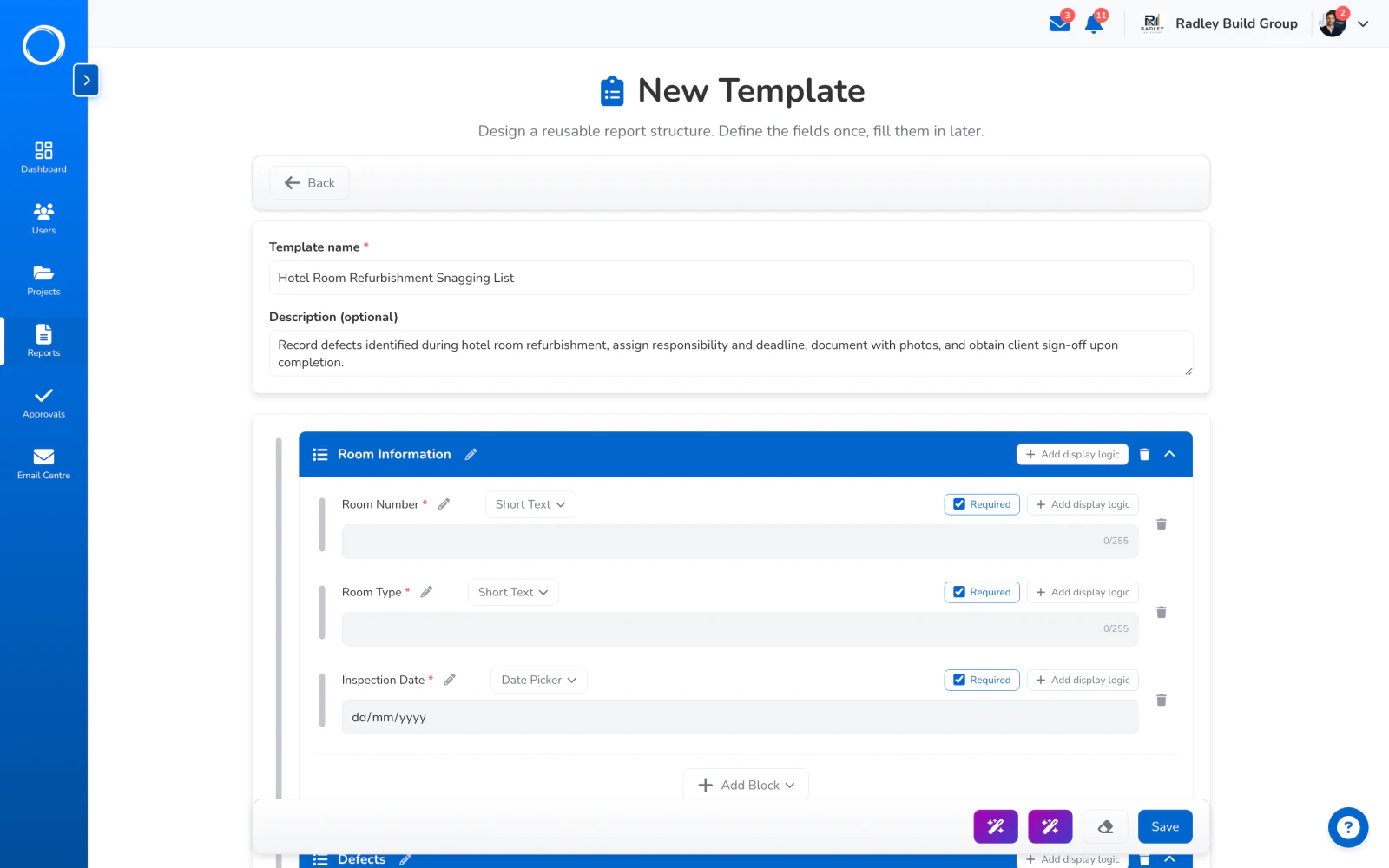
A report template drafted by AI from one sentence, open in the builder to check and keep

The parts people ask about

  • Eleven block types, never more: text, numbers, dates, choices, checklists, ratings, progress, tables, photo galleries, signatures and locations.
  • 33 ready-made records in the library, copied into your workspace when you use one, so your edits never touch the original.
  • Conditional sections: show, hide or require a section based on the answers given, so a failed check opens the questions that follow it.
  • Draft, then complete. A completed report keeps its full edit history.
  • A report is assigned to a project after it's published, so it sits beside the project's documents and photos.
  • Describe the template you want in a sentence and AI drafts it, on Professional and Business; a summary of any project is a credit on every plan.

Reports and the template library are on every plan. Exporting a PDF and sharing a report by email are on Professional and Business.

Questions people ask first.

Can my client sign a report?
No. A report is shared with them by link, not signed by them. If you need a signed yes, send the document for sign-off; the report can be attached to the project beside it.
Can I use my own forms?
Yes. Build a template once from the eleven block types, or start from one of the 33 in the library and change it. Every report from it then follows your form.
Does the PDF carry my branding?
Your logo goes on the app, on every report PDF and on every email, on every plan. PDF export itself is on Professional and Business.
What happens to photos I add?
They go into the report's gallery block with a caption each, print in the PDF at a size you can read, and stay with the report on the project.

Send the first one today.

Set up in minutes and send a drawing for sign-off before lunch. Free for 14 days, no card, cancel any time.