Portal Worx Logo

Versions, in detail

"Which one did you approve?" The record names the revision.

A detail can be rejected three times before it's signed, and the old drawing keeps circulating. Here every upload of a document is a new version with its history kept, an approval is pinned to the version that was signed, and when revision C replaces revision B the sign-off on B stays exactly as it was.
Last reviewed

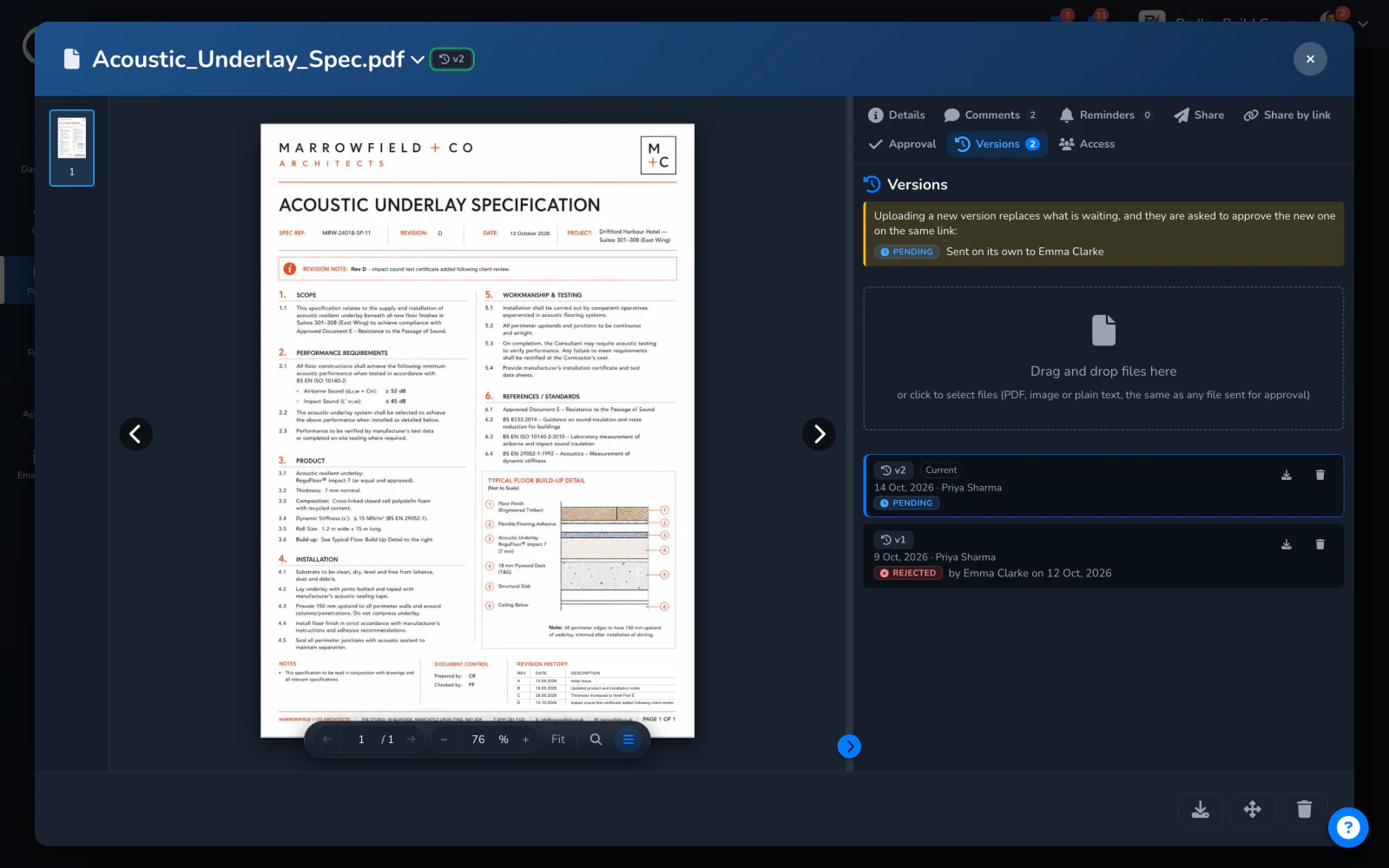
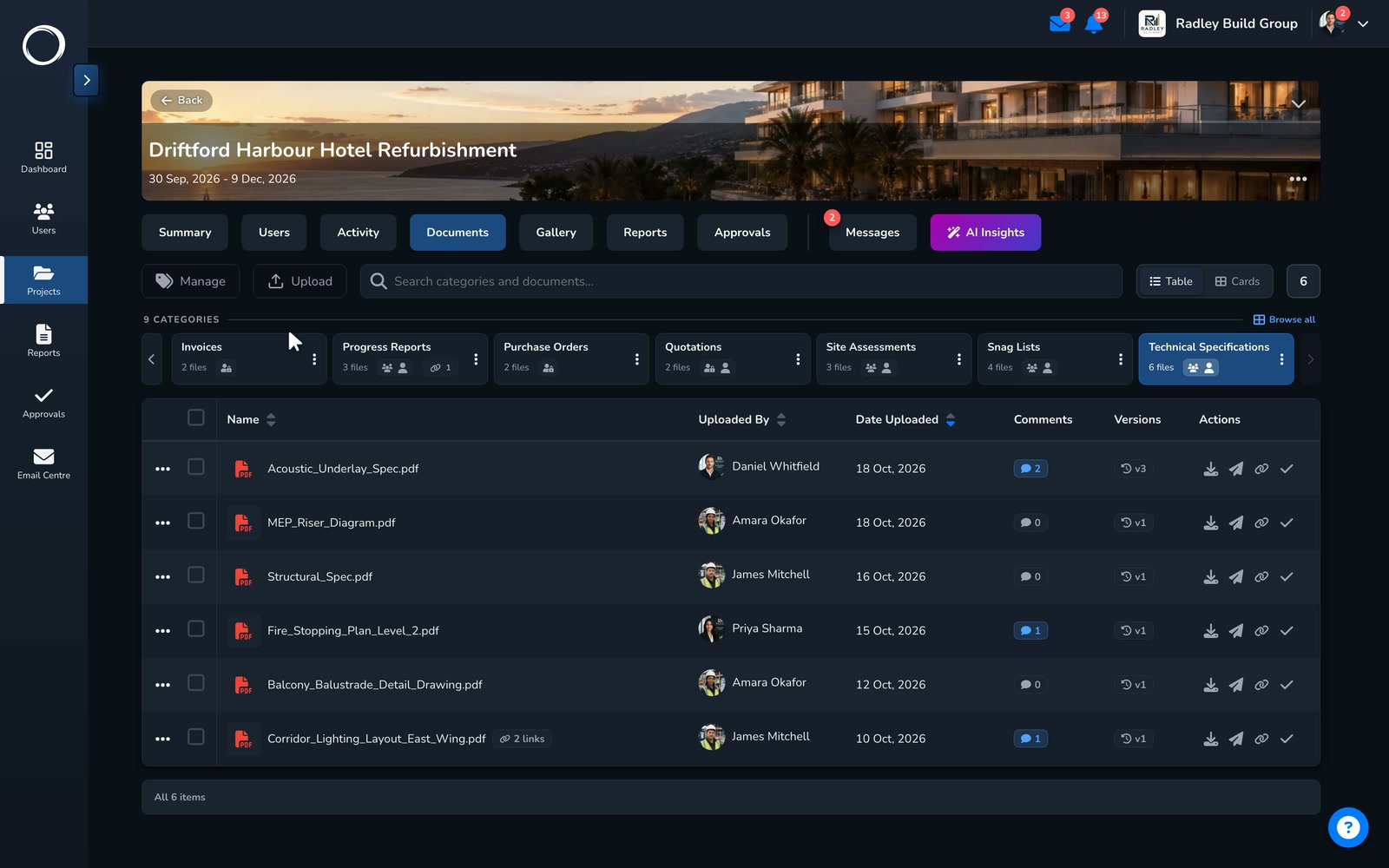
A spec the client rejected, revised: its versions listed with the approval each carried, and a new version uploaded while the old ones keep theirs

What happens when a drawing changes

  1. Every upload is a new version

    Upload the revised file against the same document and it becomes current. The panel lists every version, who uploaded it and when, and the version badge on the row and in the header says which you are looking at.
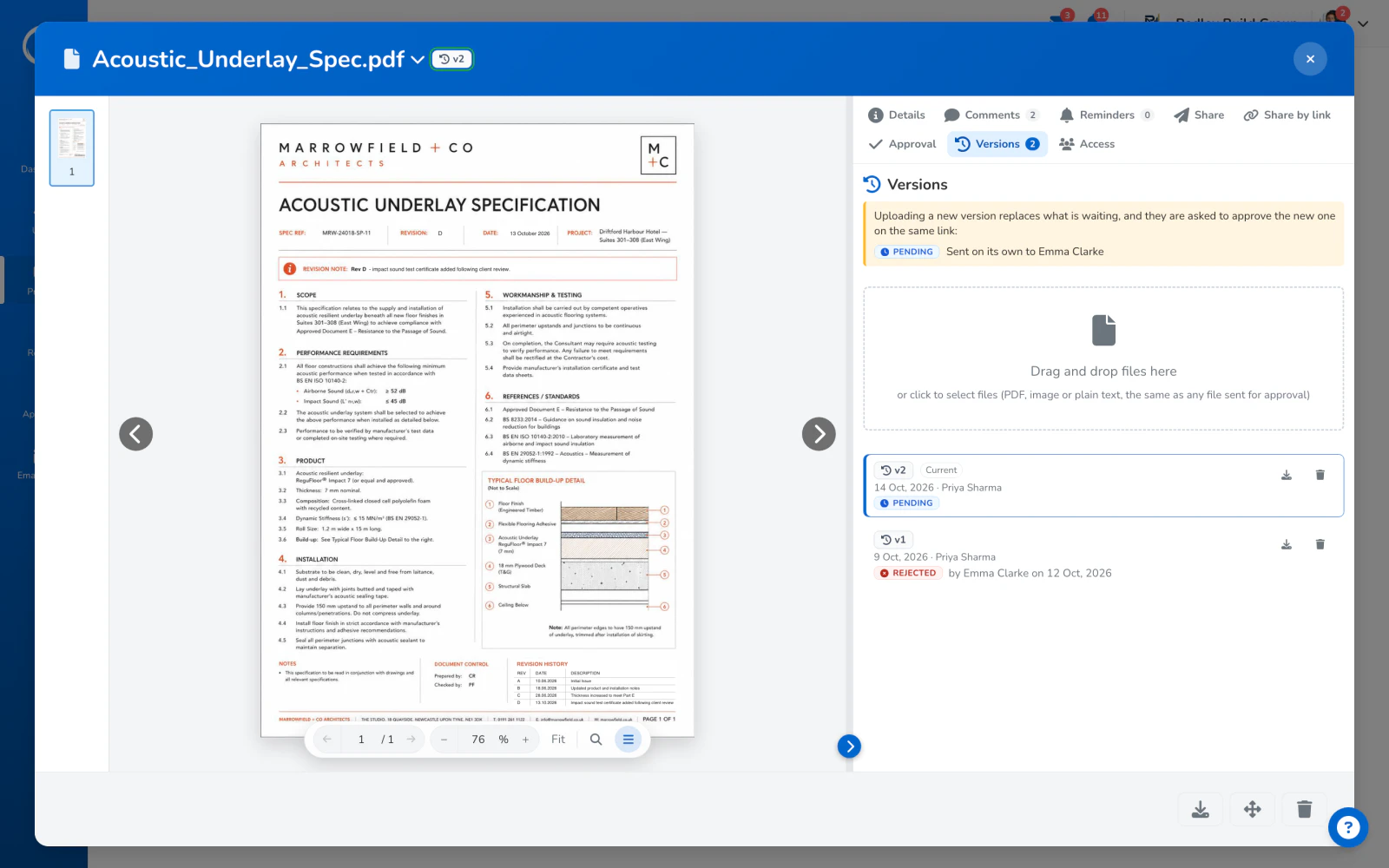
    A document with its versions listed, the current one marked and the approval each one carried
  2. The approval stays where it was

    A sign-off is pinned to the version that was signed. The record names the file and the version, carries that file inside, and prints its fingerprint, so the wrong revision can't be argued in later.
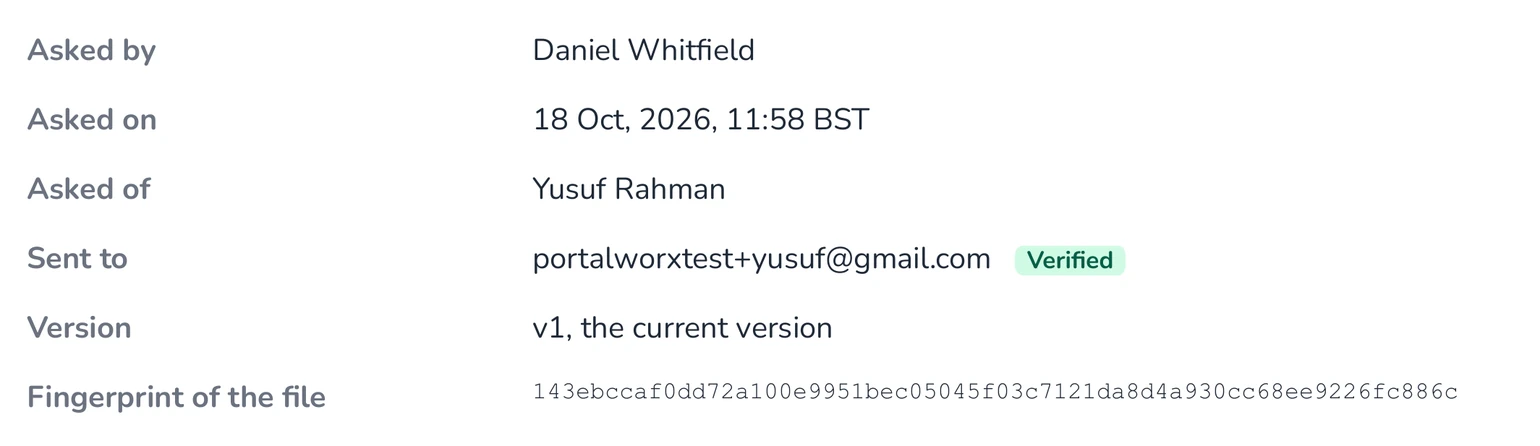
    The request block of a real record: who asked, when, the address it went to, verified, the version, and the fingerprint of the exact file
  3. Download any earlier version

    When the argument needs it, the earlier version is one click away in the panel, and the activity trail says who uploaded what and when.
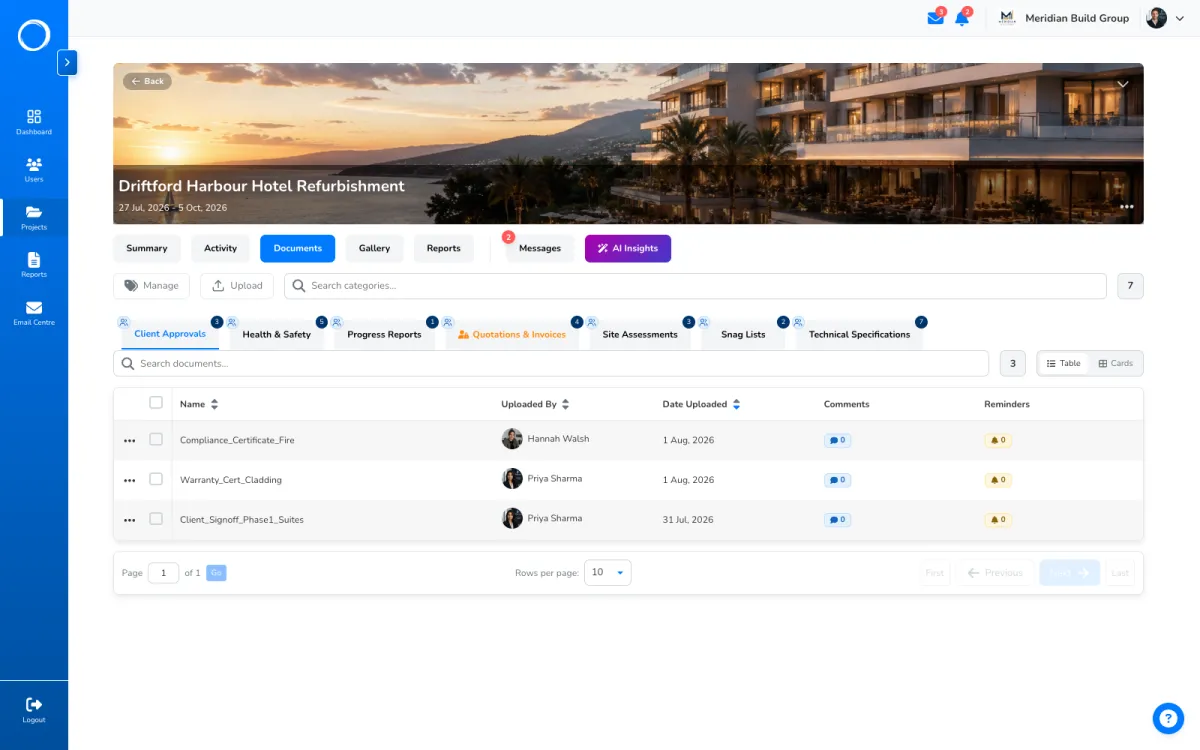
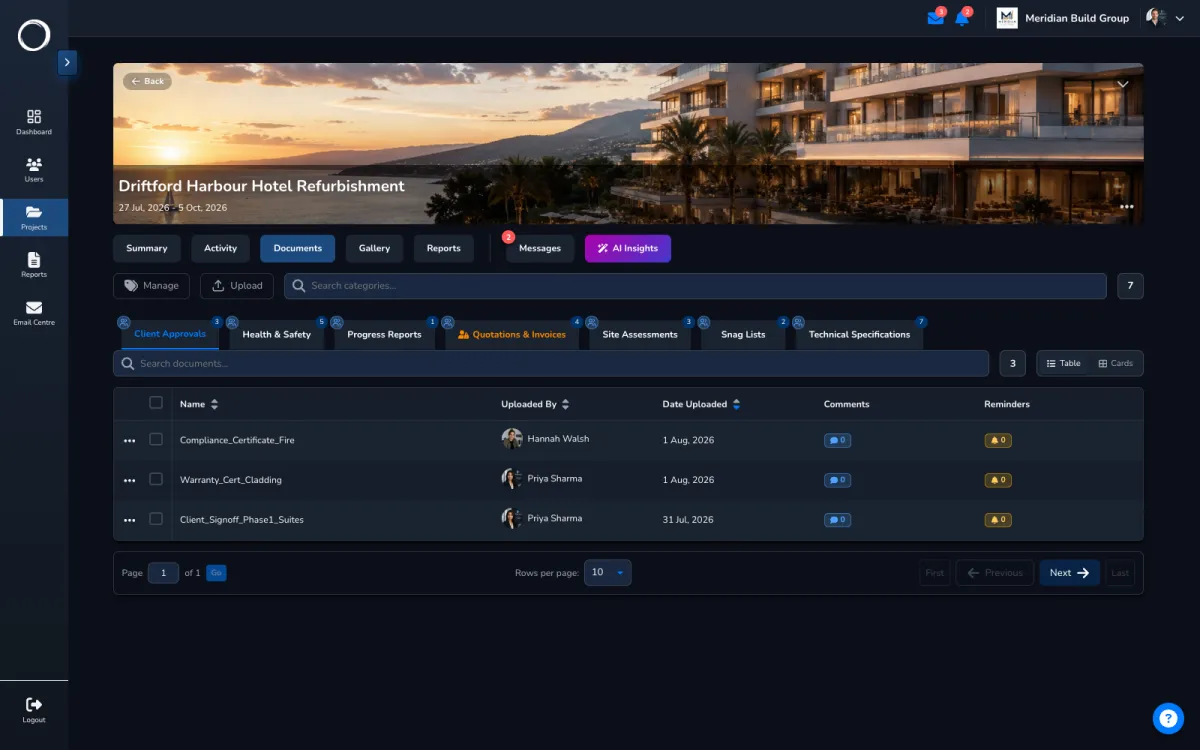
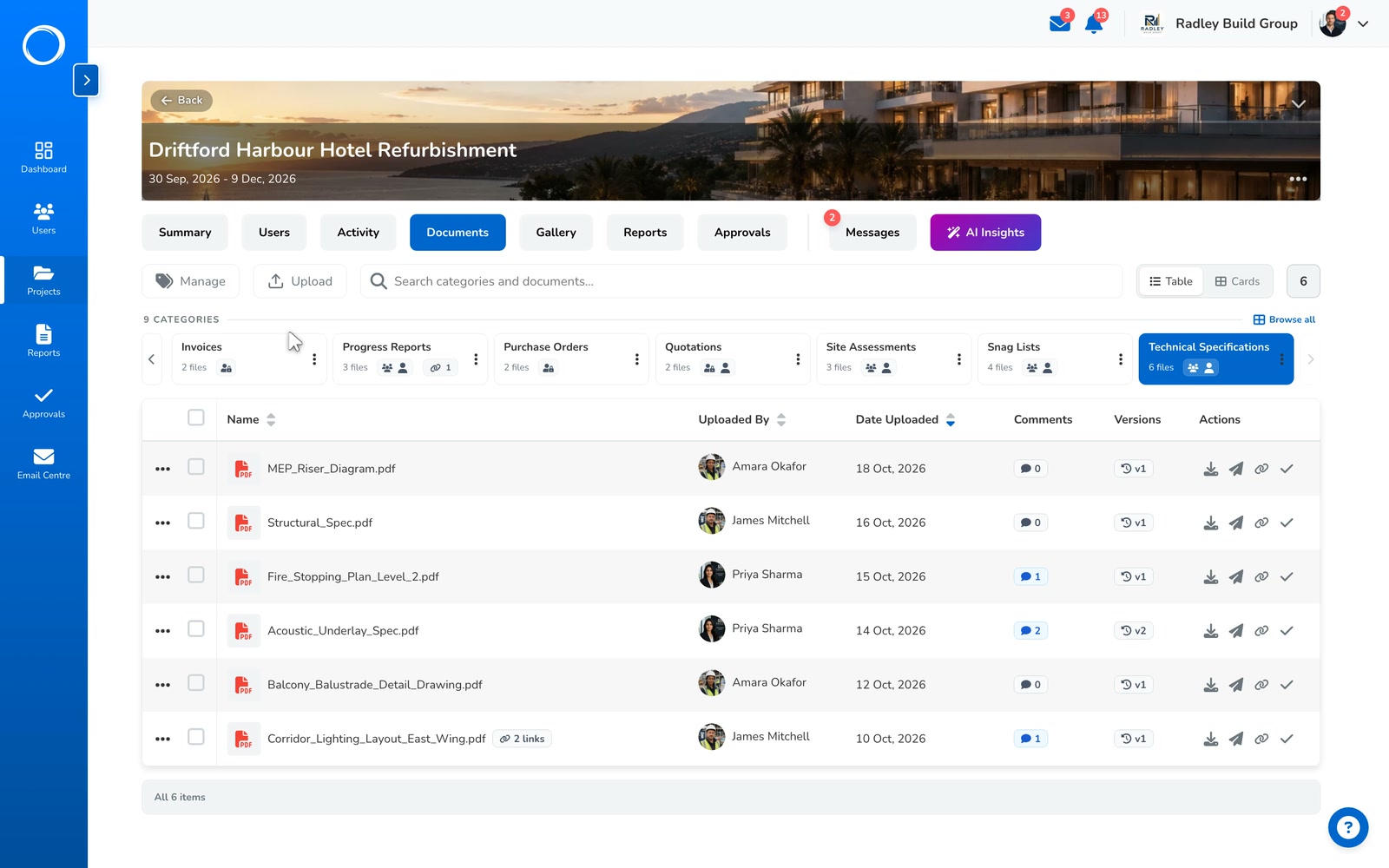
    A project's documents, each row carrying its version count

What the record names

The file name, the version they signed and whether it's still the current one, and the SHA-256 fingerprint of the exact bytes they saw. The original file is embedded in the record, so if the drawing on the server changes later, the record still holds the one that was signed and proves it.

See a real record, annotated →
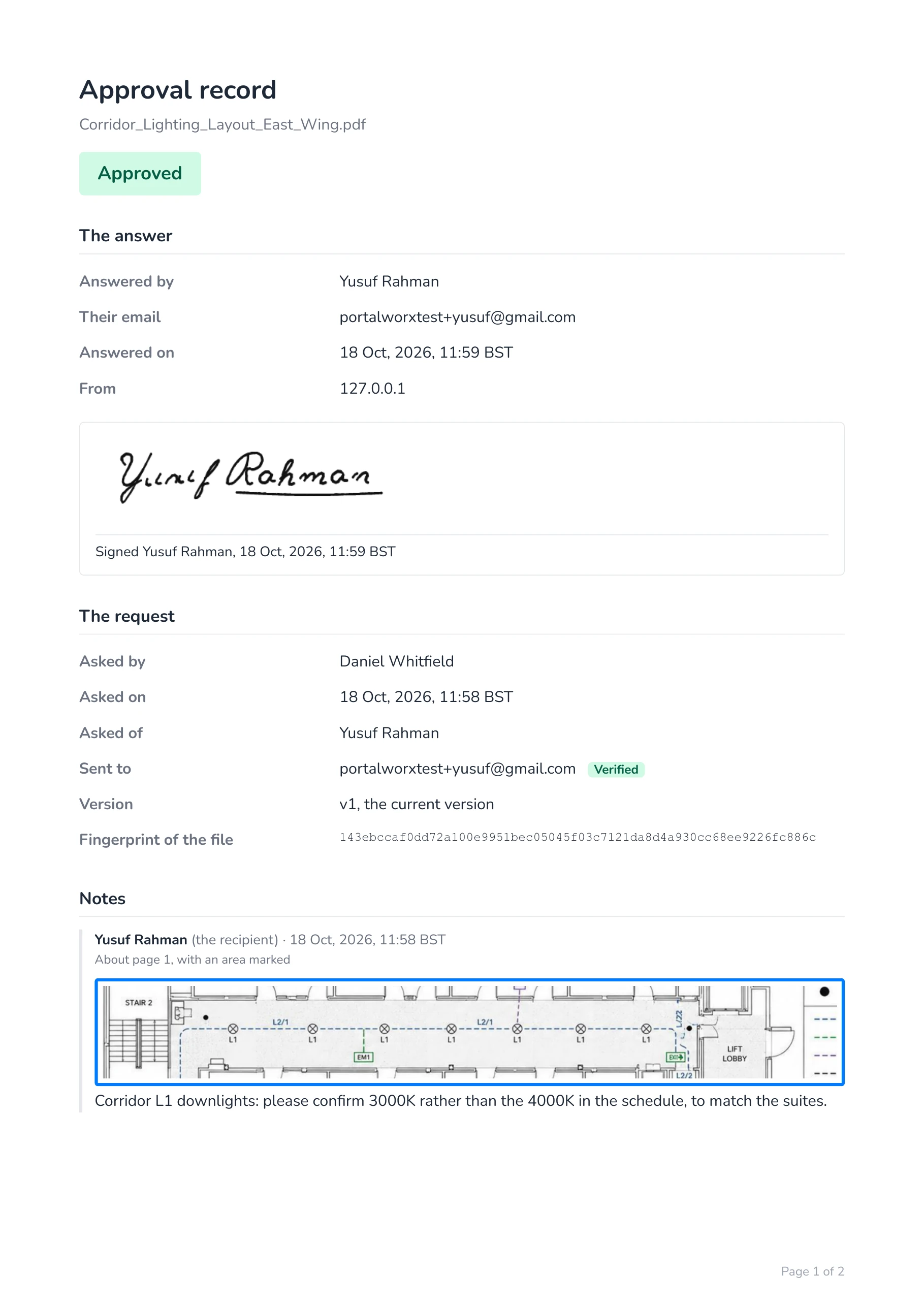
Page one of a real approval record, naming the file, its version and its fingerprint

What changed between versions, read for you

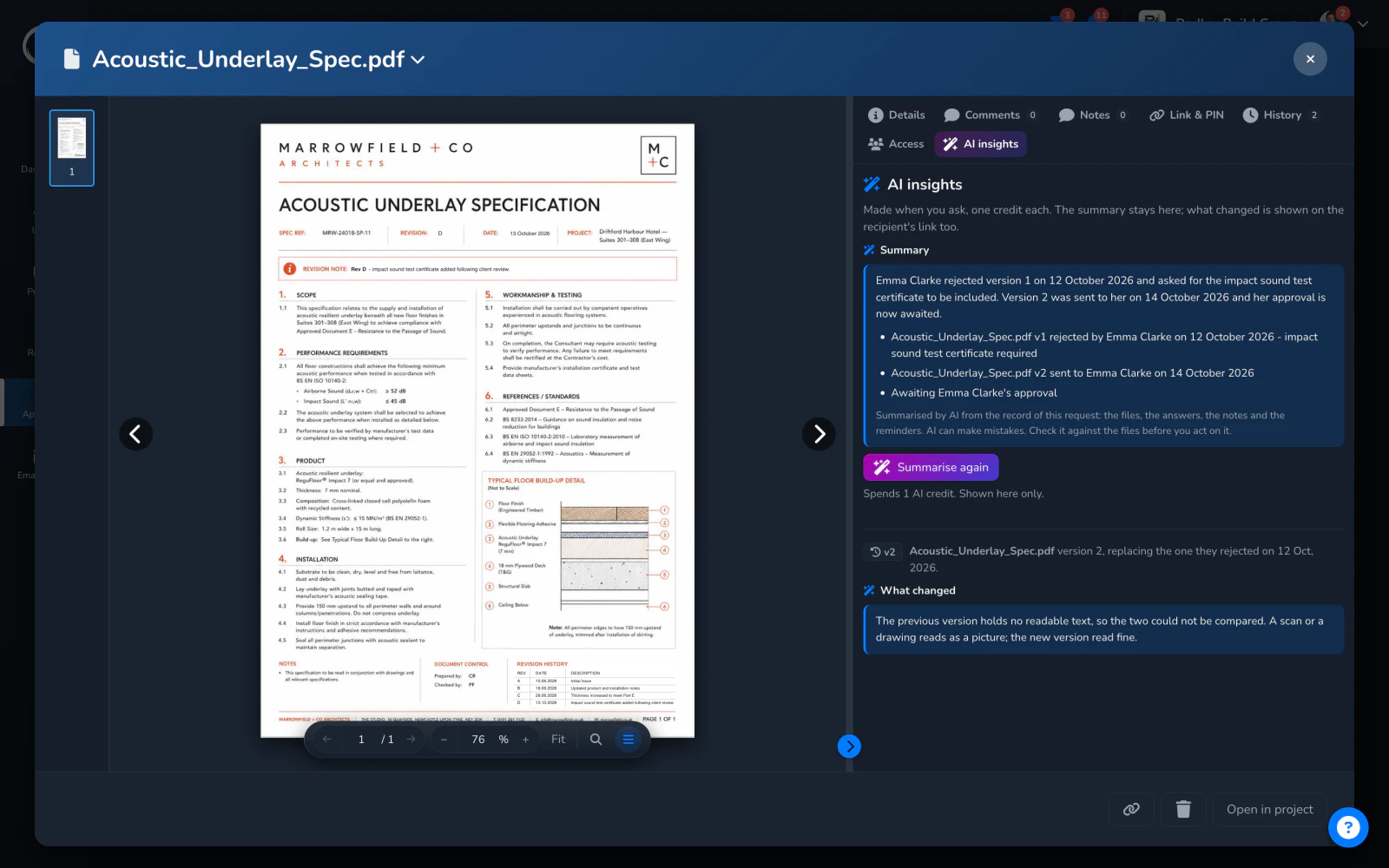
Upload a new version, send it for sign-off, and one press compares it with the one they saw before. The reading names the old version by what they did with it, the version you rejected on the 7th, and says what moved. The client gets the same reading on their link, so the question "what's different?" is answered before it's asked.

A credit a press, from the monthly bundle every plan includes. AI can make mistakes: check it against the files before you act on it.
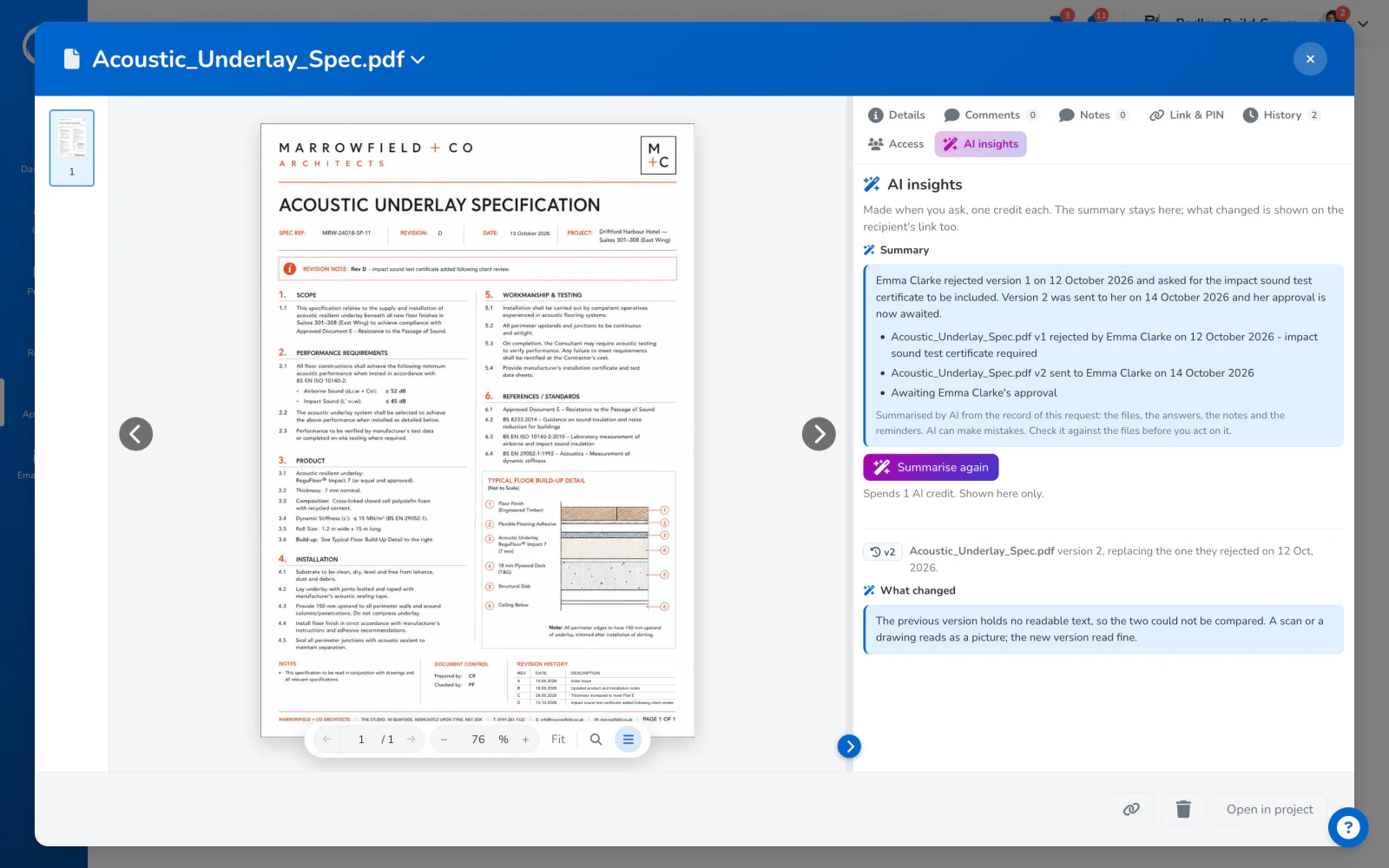
The AI insights tab of a sign-off request: a summary of where it stands and what this version changed

The parts people ask about

  • Versions are per document: upload against the row and the history grows; upload a new document and it starts its own.
  • The version badge on the row and in the document header says which version is current and how many there are.
  • The approval each version carried sits beside it in the panel.
  • A share link opens the current version; a sign-off link opens the version that was sent.
  • The activity trail logs every upload with who and when, for a year.

Versions are kept on every plan. Storage is what the plans are cut on; the limits are on the pricing page.

Questions people ask first.

What happens to an approval when I upload a new version?
Nothing. The approval stays pinned to the version that was signed, and the record still names that version and its fingerprint.
Can the client see old versions?
A share link opens the current version. The record they were sent for sign-off holds the version they signed, embedded in the PDF.
Can I get an old version back?
Yes. Any earlier version downloads from the panel. Uploading it again makes it the current version, with its own entry in the history.

Send the first one today.

Set up in minutes and send a drawing for sign-off before lunch. Free for 14 days, no card, cancel any time.