Portal Worx Logo

AI, in detail

AI that reads the project, and stops there.

Ask any project for a catch-up and get it in plain language: progress against the dates, what moved, what's flagged, in four lengths from a headline to a write-up. It's built only from what you're allowed to see, it reports rather than advises, and it never sees another client's project.
Last reviewed

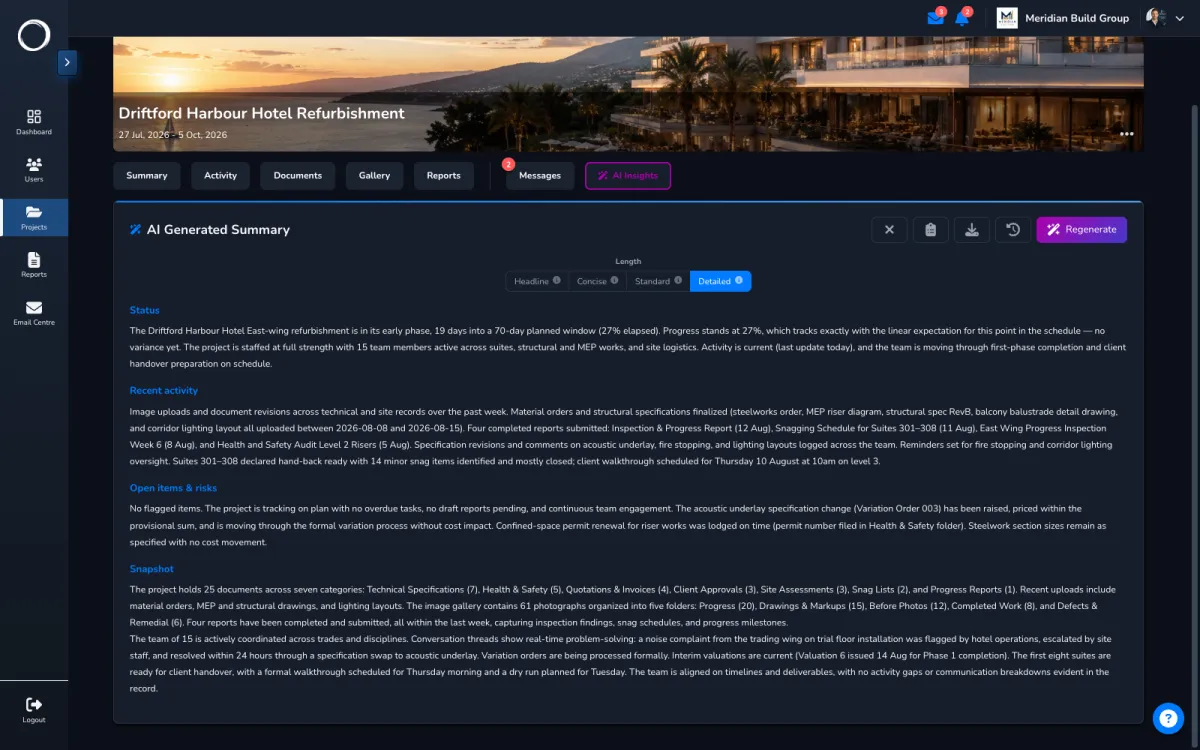
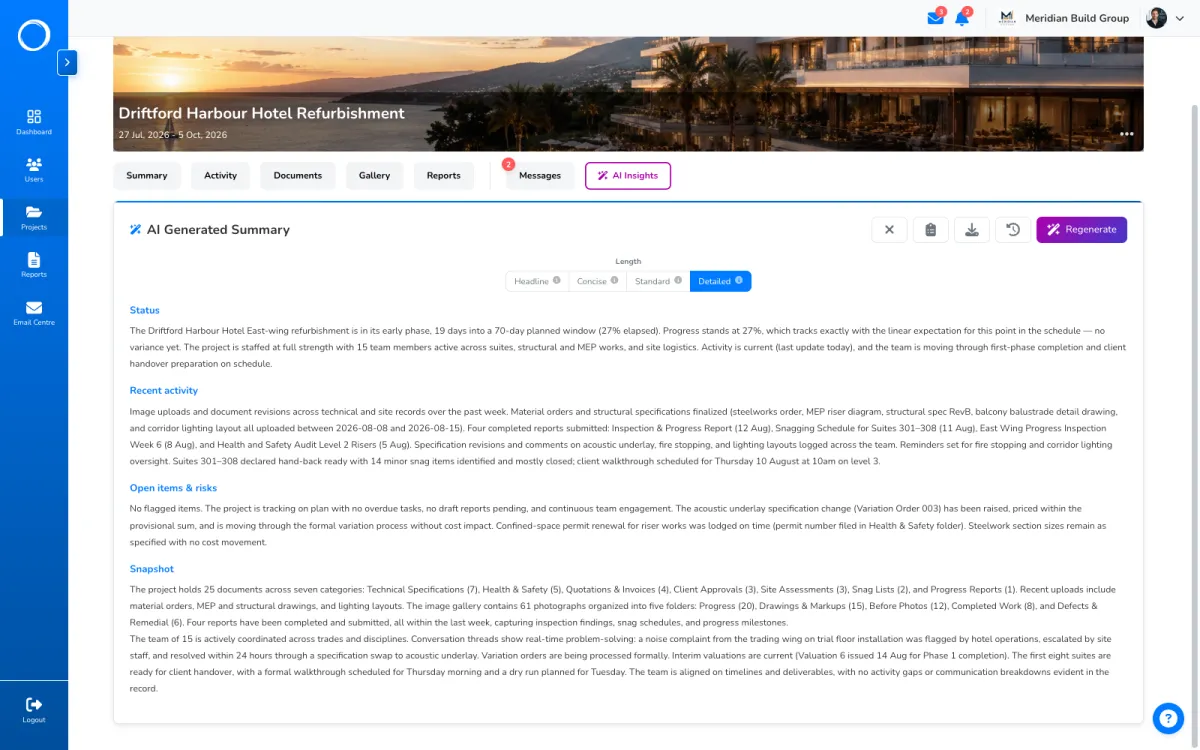
A plain-language summary of where a project stands, generated on the AI Insights tab

The three things it does

  1. A catch-up on any project

    On the project's AI tab, ask for a headline, a short summary, a standard one or a detailed write-up. It reads the documents, photos, reports, threads and activity you can see, says where the project stands, and can be downloaded as a PDF.

    A plain-language summary of where a project stands, generated on the AI Insights tab
  2. A report template from a sentence

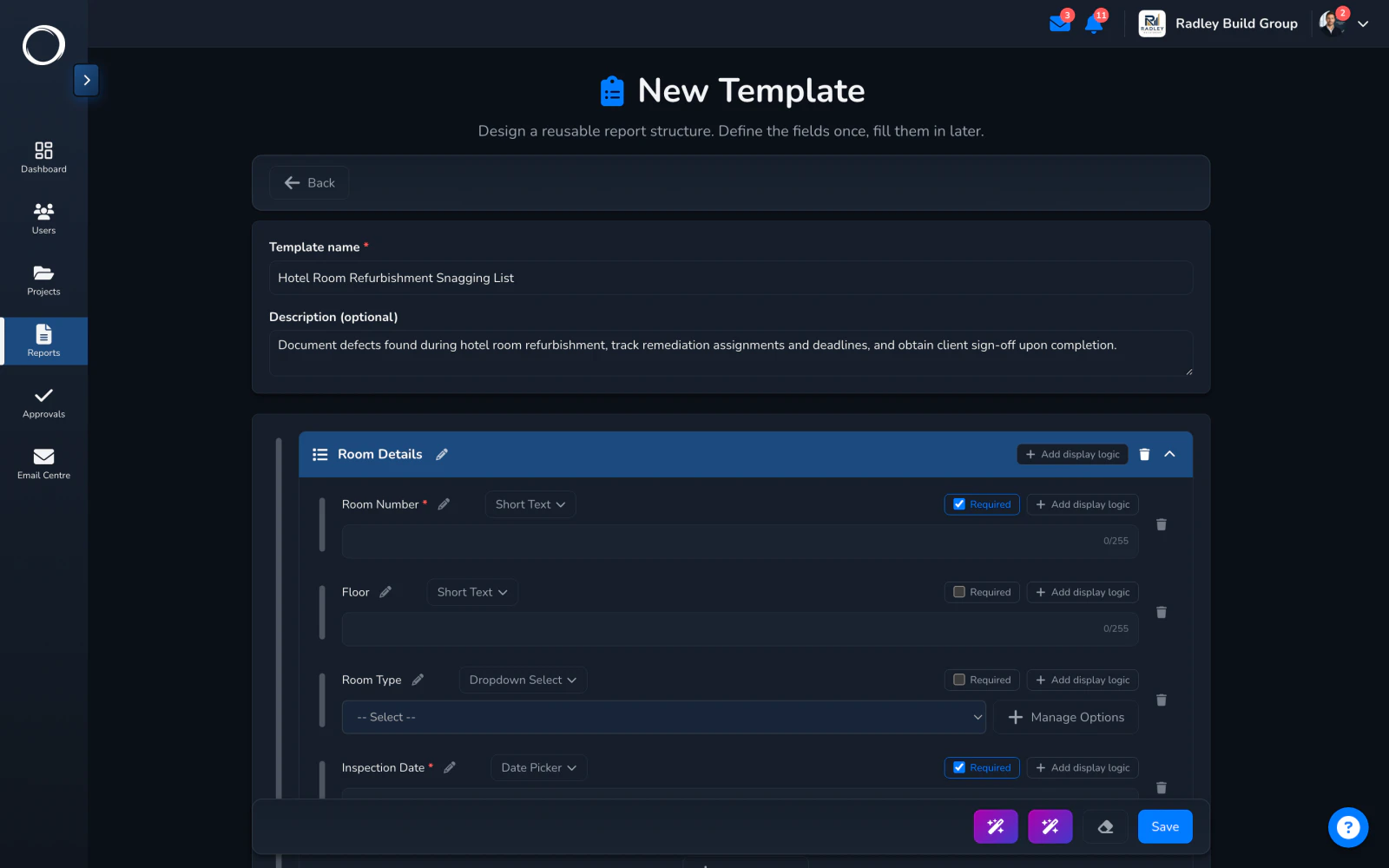
    Describe the form you want and it drafts the template from the eleven block types; describe what should change in one you have and it edits it. You check it and keep what is right. On Professional and Business.
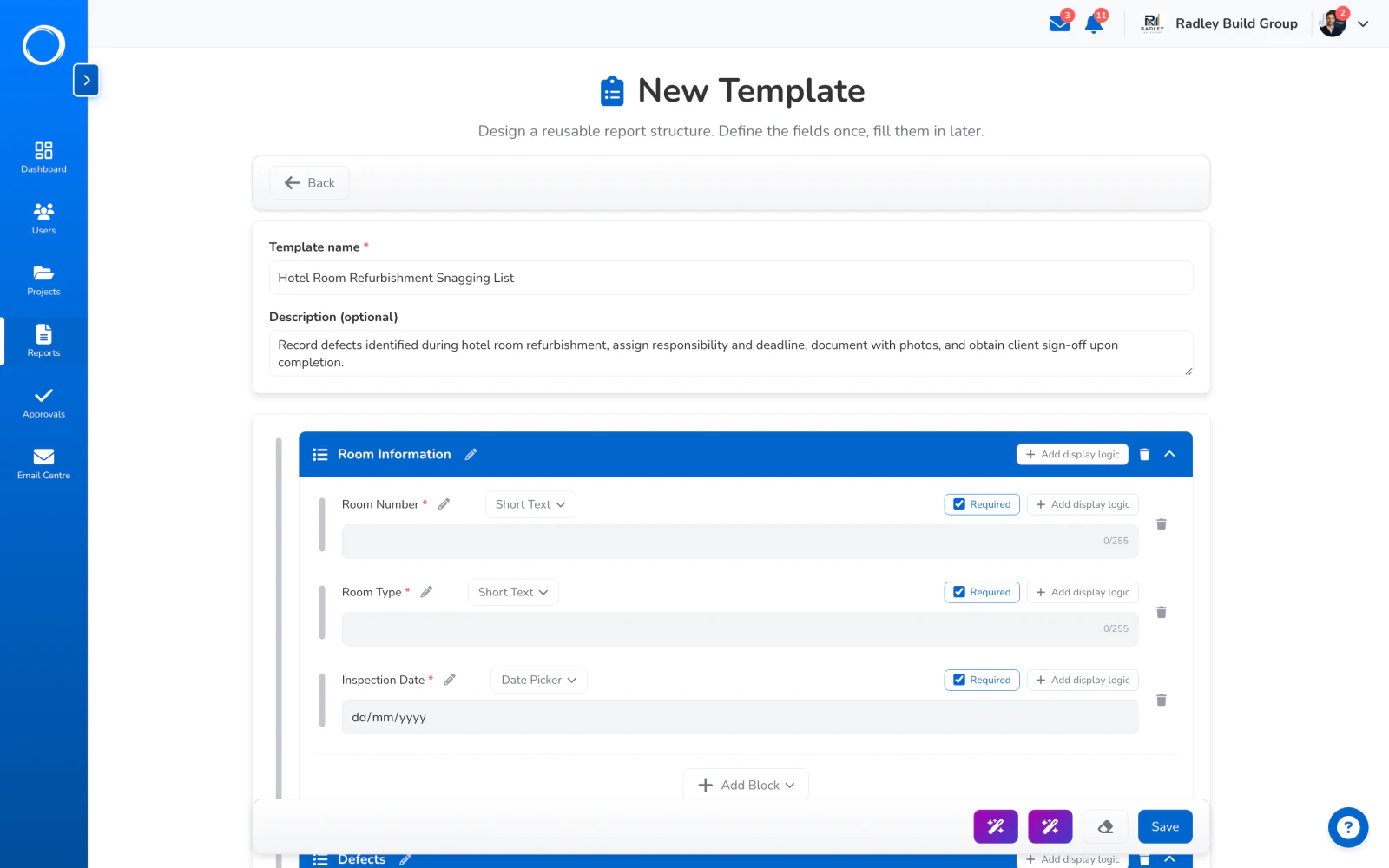
    A report template drafted by AI from one sentence, open in the builder to check and keep
  3. Names when you set a project up

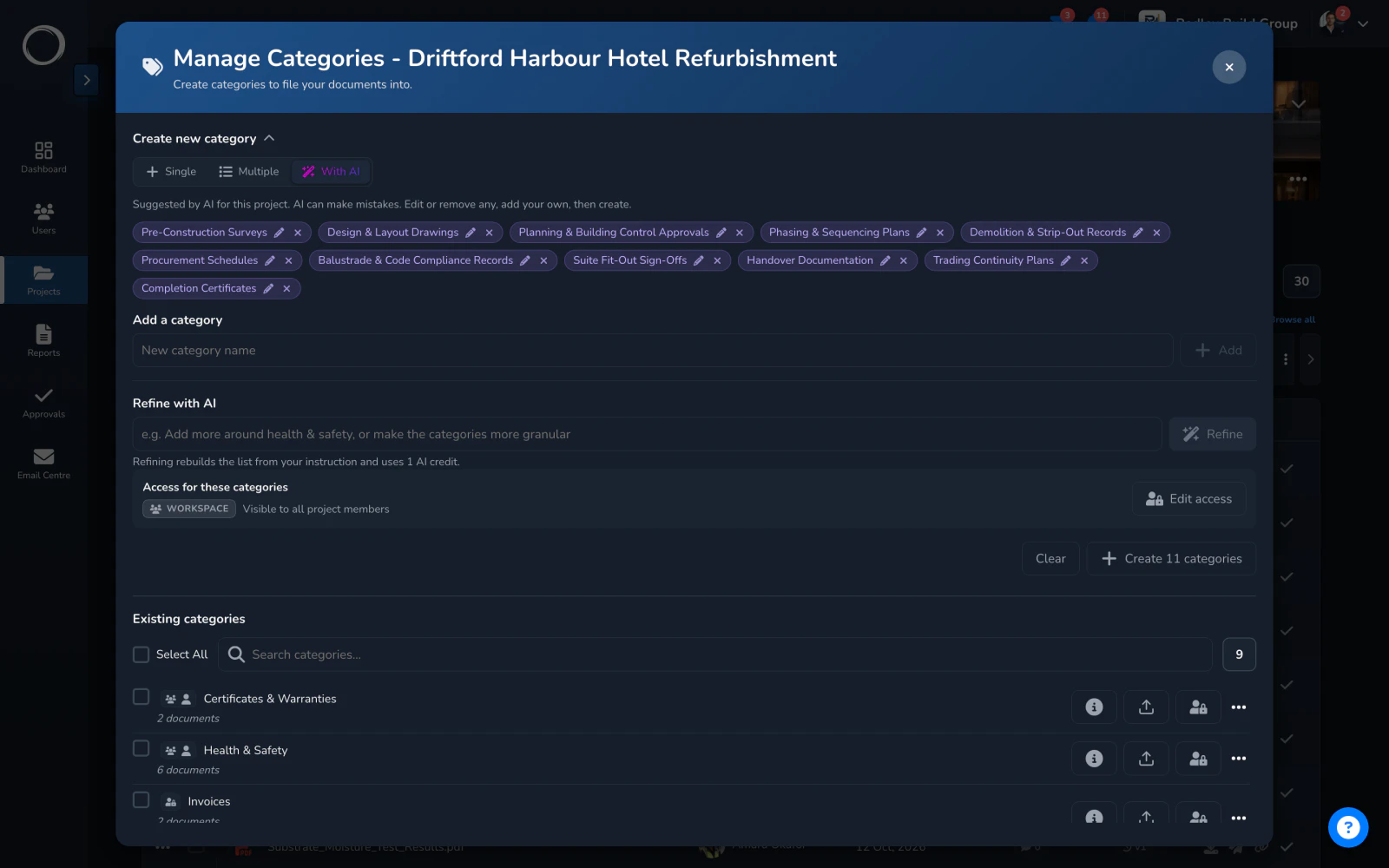
    Suggested category and folder names for a new project, from what the project is, so the filing is sensible from day one and the next person can find things.
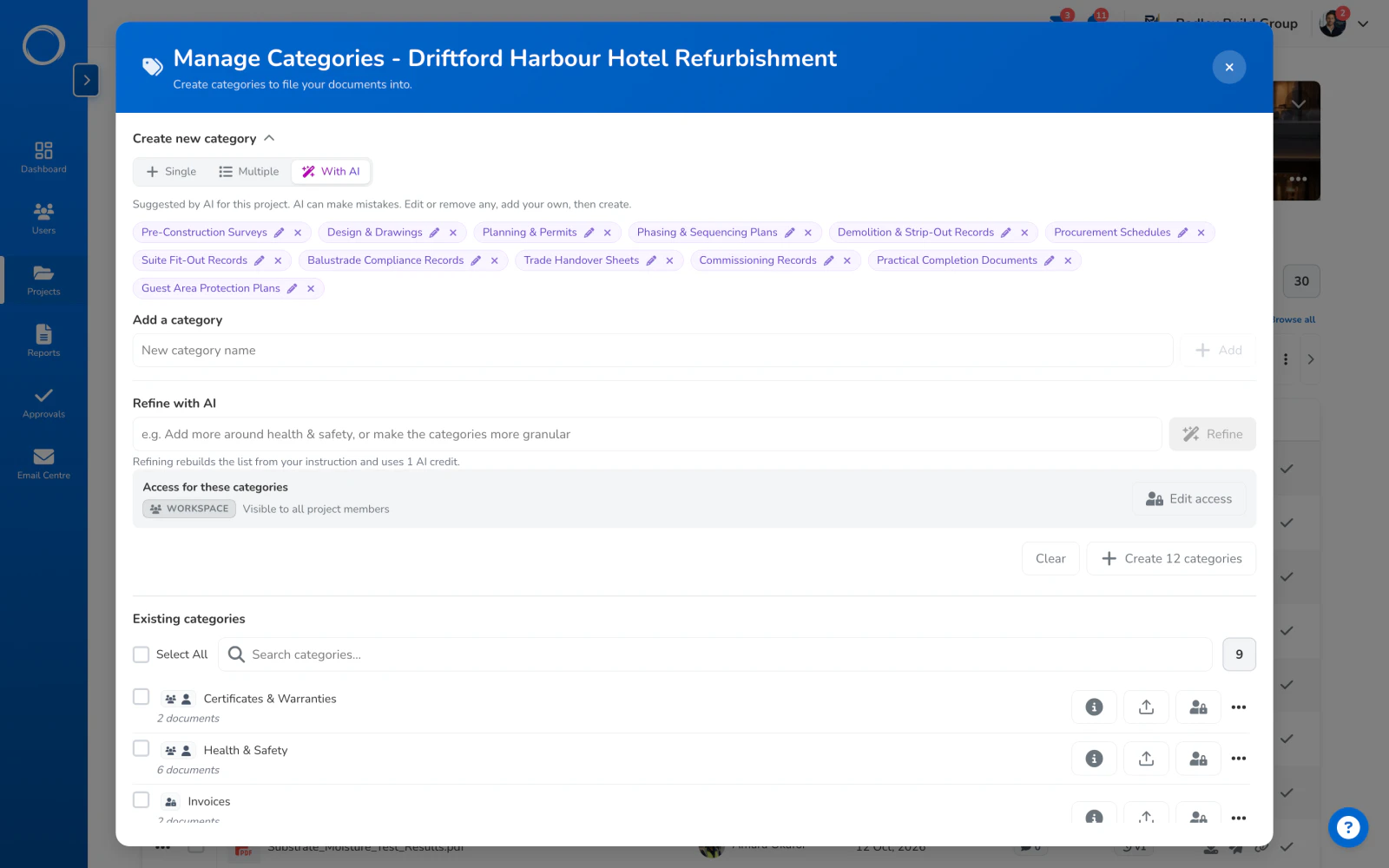
    Category names suggested by AI for a project, from the industry and how the firm files things, ready to create in one go

What it's built from

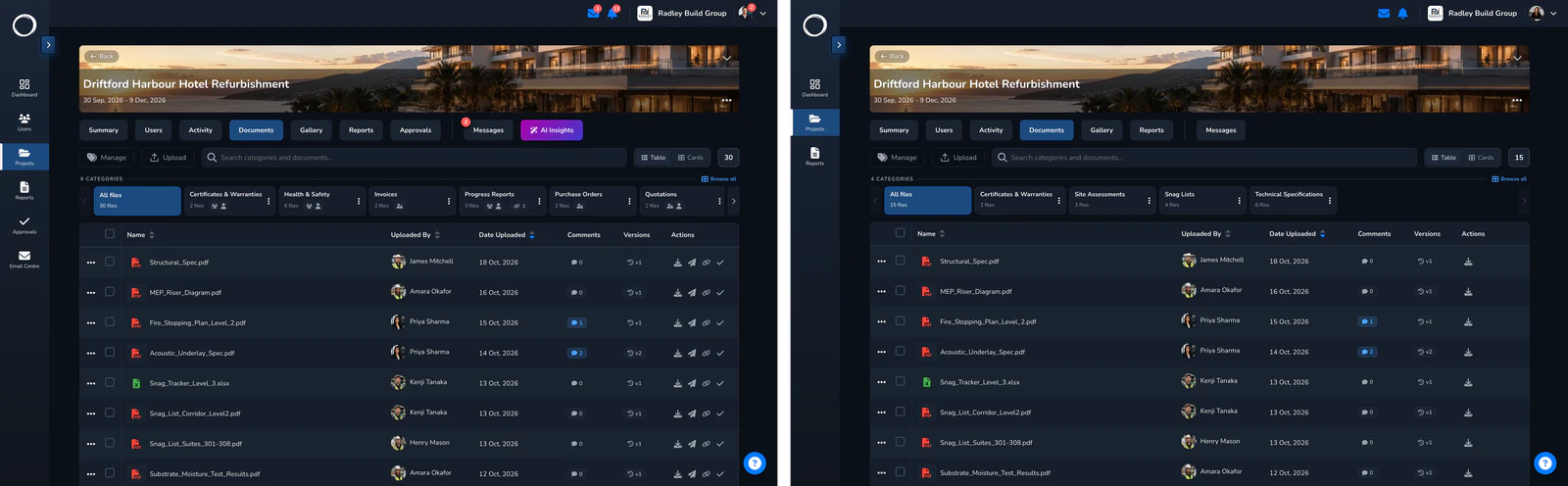
Only what the person asking may see. A client asking for a catch-up gets one from their own files and nothing else; your team's internal thread isn't in it. It reports what's there and doesn't advise, and a summary is a credit: one for a summary, two for the detailed one, from the monthly bundle every plan includes.

Trust and security, in full →
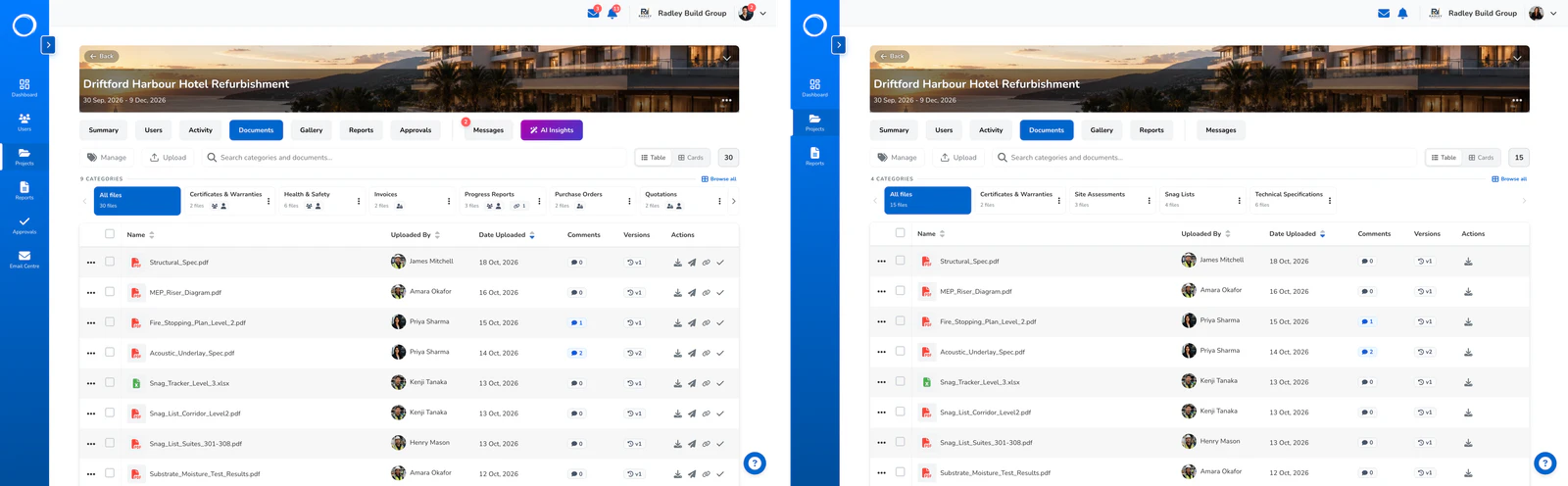
The same documents tab as your team sees it and as the client sees it: the catch-up each gets is built from their own view

The parts people ask about

  • Four lengths of catch-up, downloadable as a PDF, from the project's own tab.
  • A summary of a sign-off request, readable by both sides, made on a press.
  • Template drafting and editing from a sentence, on Professional and Business.
  • Suggested category and folder names when a project is set up.
  • Ask Scout, a help assistant that answers only from our own guides, free and without credits.
  • Credits: every plan includes a monthly bundle; top-up packs of 100 for £7 or 500 for £30 last 12 months.

Every plan includes a monthly bundle of credits; a summary costs one, two for detailed. Template drafting is on Professional and Business. Top-up packs from £7.

Questions people ask first.

Does the AI see my other clients' projects?
No. Every answer is built only from what the person asking is allowed to see. A client's catch-up is built from their own files; it never reaches another project.
What does a summary cost?
One credit, or two for the detailed length, from the monthly bundle on every plan. Top-up packs are 100 credits for £7 and 500 for £30, lasting 12 months.
Who can ask for a catch-up?
Anyone on the project, and each person's answer is built from their own view of it. Your client's catch-up never contains your team's internal thread.
Can it write the report for me?
It drafts the template, not the report. What happened on site is yours to put in; the form it goes into is what it builds.

Send the first one today.

Set up in minutes and send a drawing for sign-off before lunch. Free for 14 days, no card, cancel any time.