Portal Worx Logo

Documents, in detail

Every drawing filed where the next person will look. Every version kept.

A project's documents live in categories you name. Every upload is a new version with its history kept, so the signed variation sits beside the drawing it changed, the question about it sits on the file, and all of it is still there in eighteen months.
Last reviewed

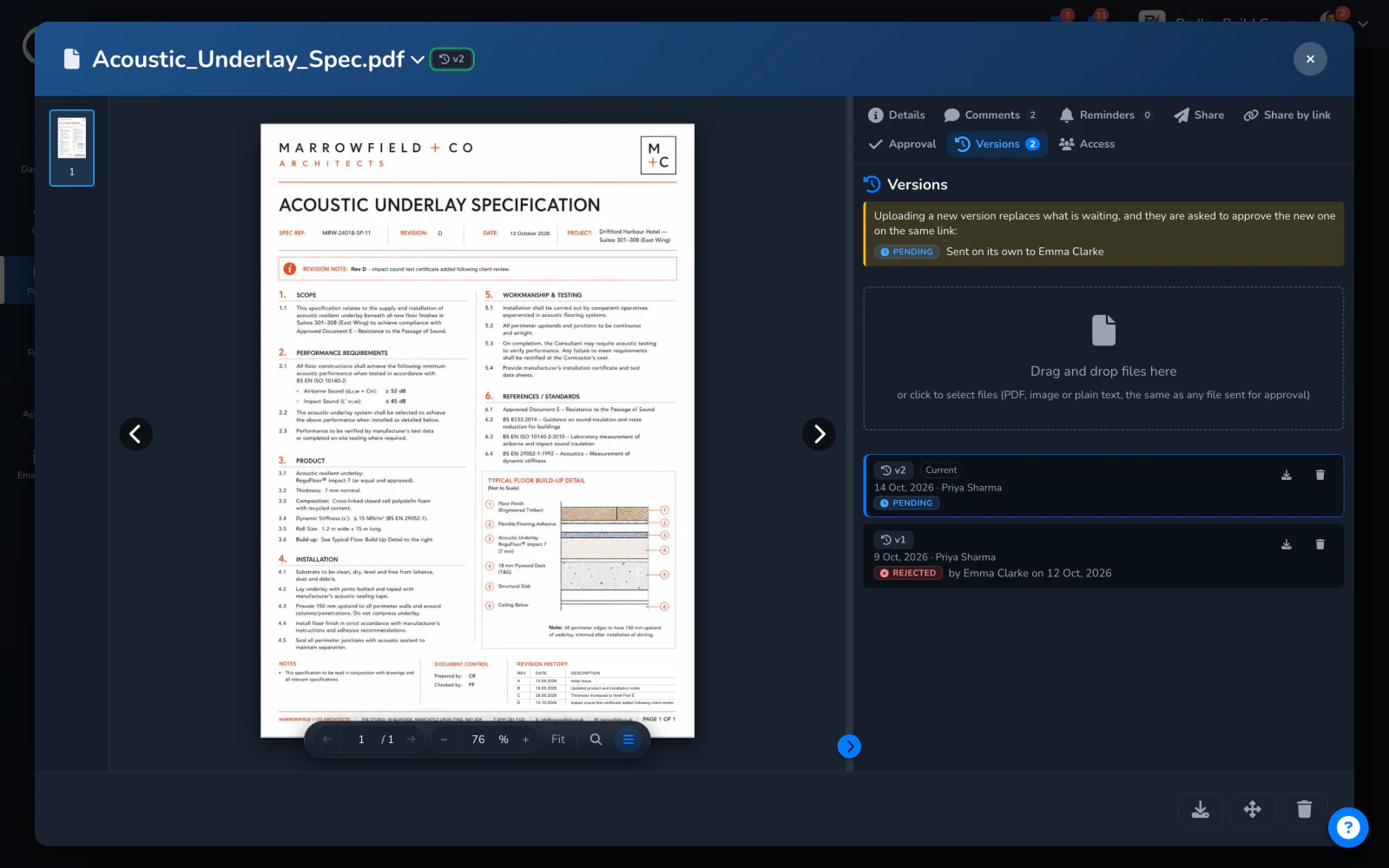
A spec the client rejected, revised: its versions listed with the approval each carried, and a new version uploaded while the old ones keep theirs

What happens to a document here

  1. Documents filed where the next person will look

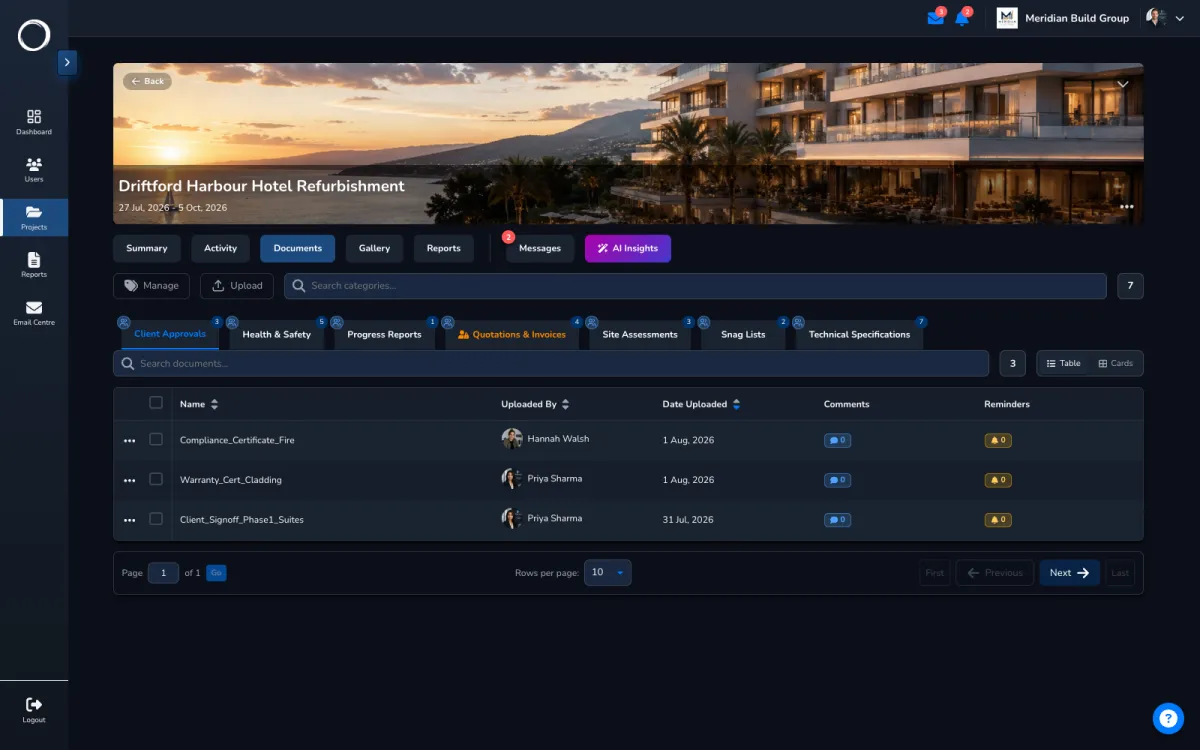
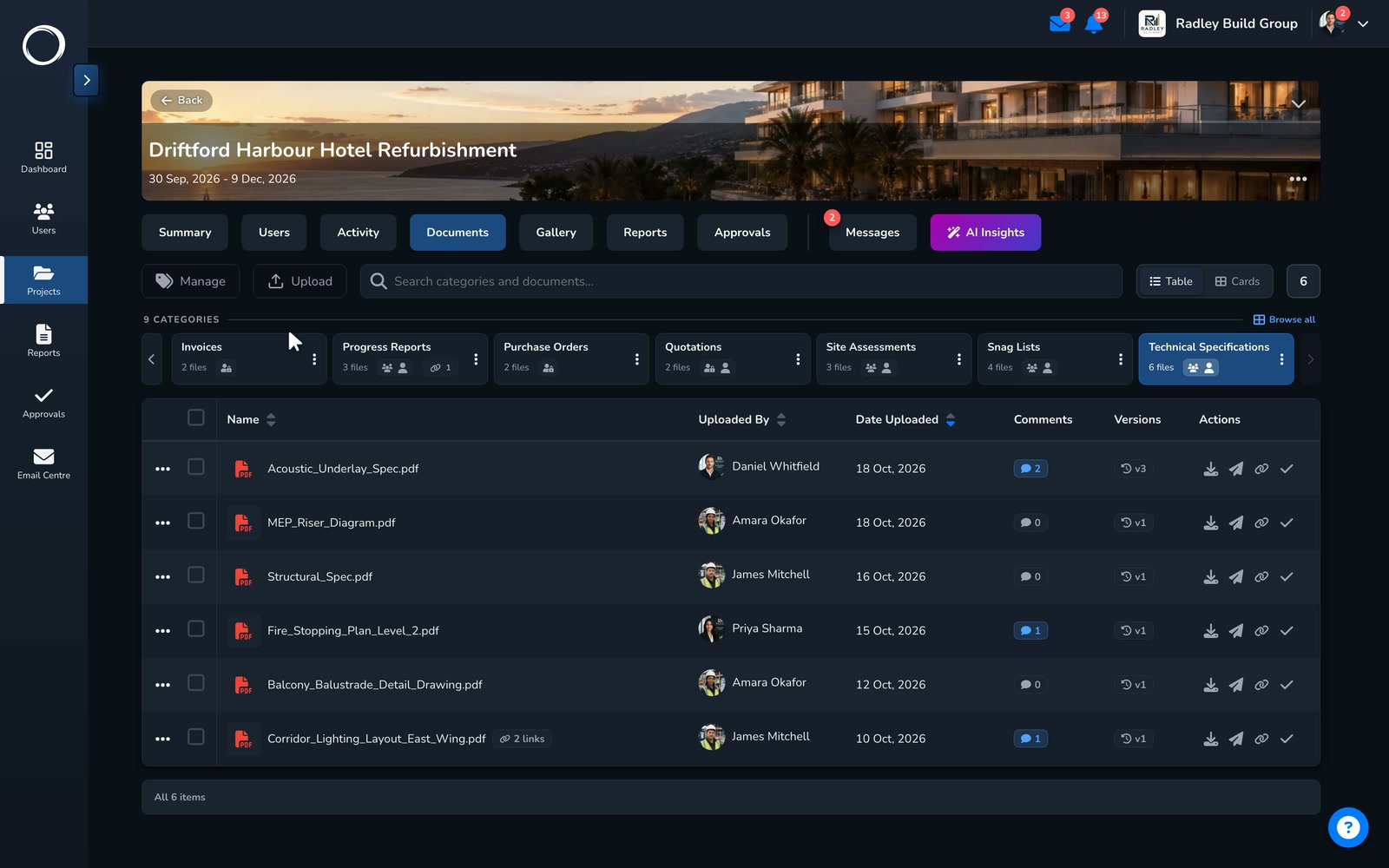
    Categories you name, uploaded singly or in bulk, renamed and moved, with a comment thread and a reminder on each. PDFs, Word and Excel open in the browser; images zoom. Nothing has to be downloaded to be checked.
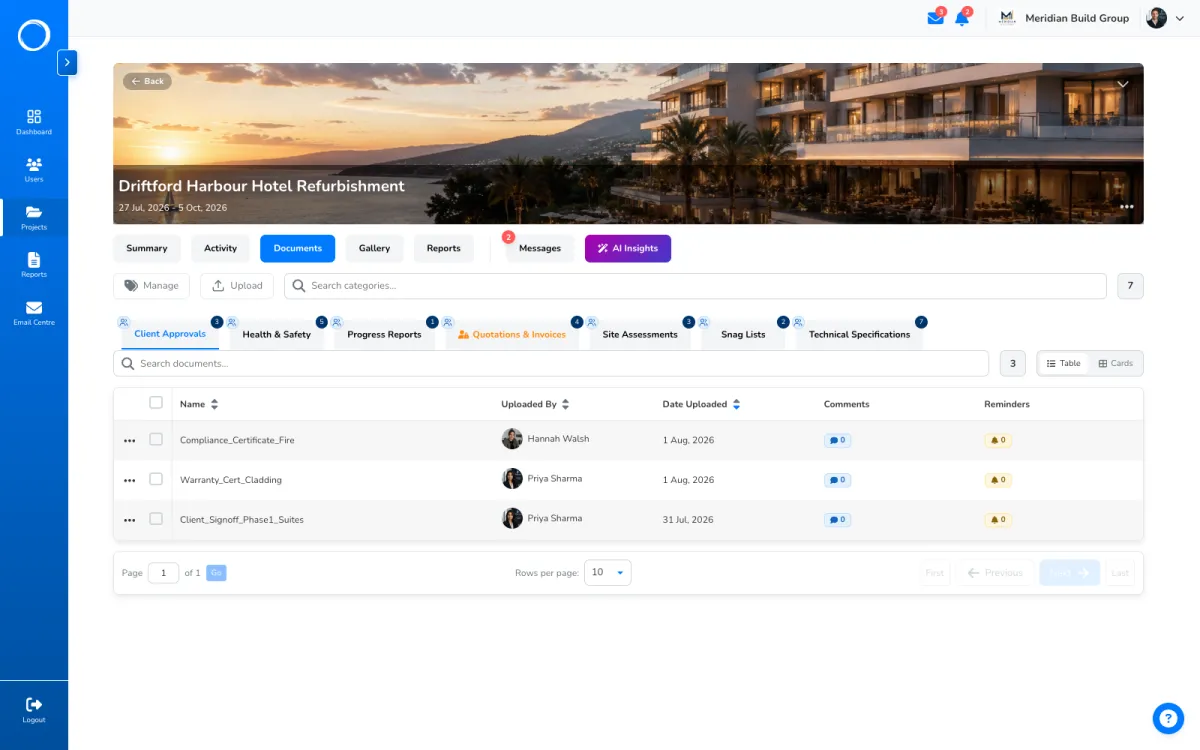
    A project's documents filed in named categories, each row with its version, comments and actions
  2. Every upload is a new version

    The version panel lists every upload, who made it and when, and the approval each one carried. Upload revision C and it becomes current; the sign-off on revision B stays exactly as it was, and any earlier version can be downloaded when the argument needs it.
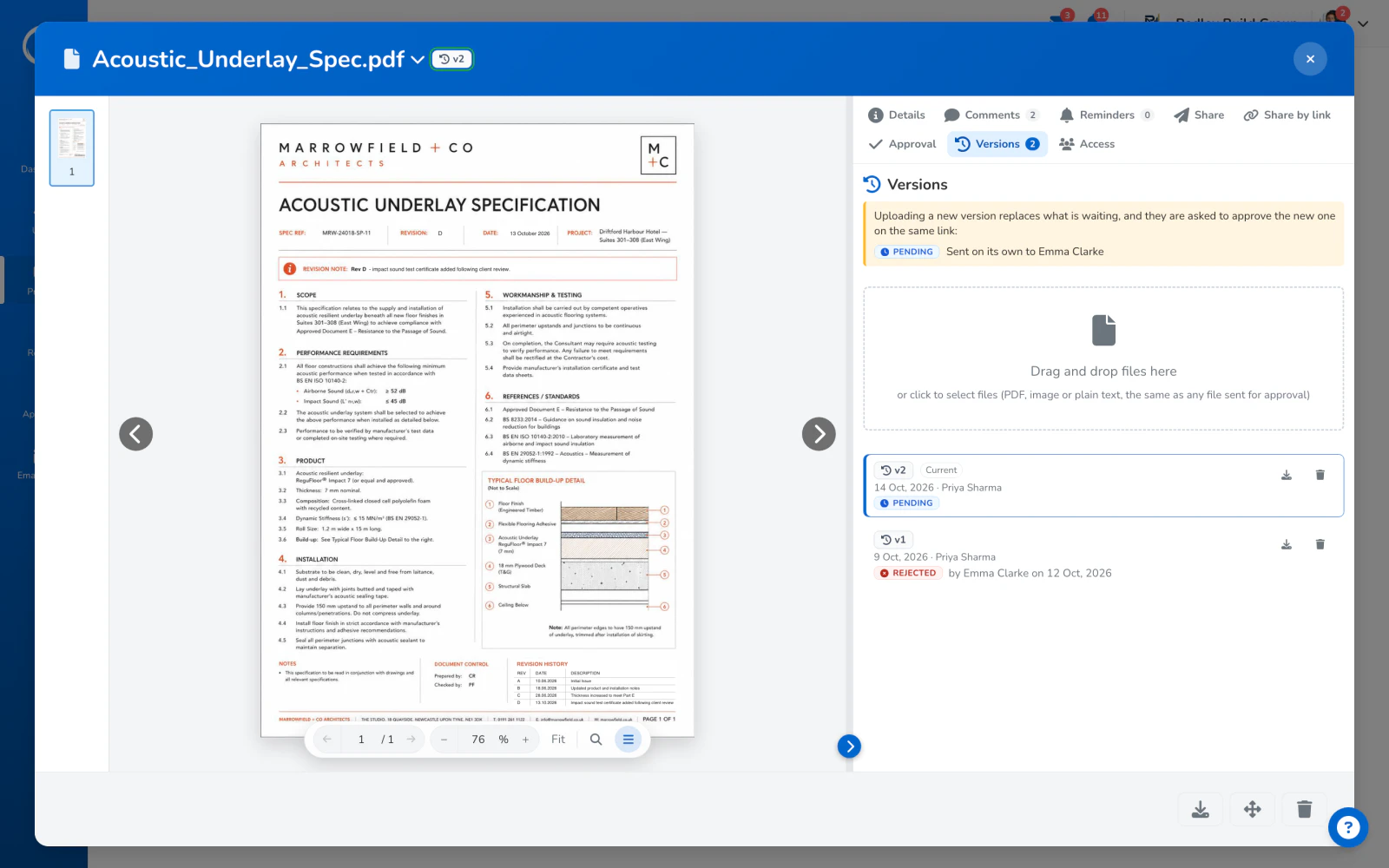
    A document with its versions listed, the current one marked and the approval each one carried
  3. The conversation on the file

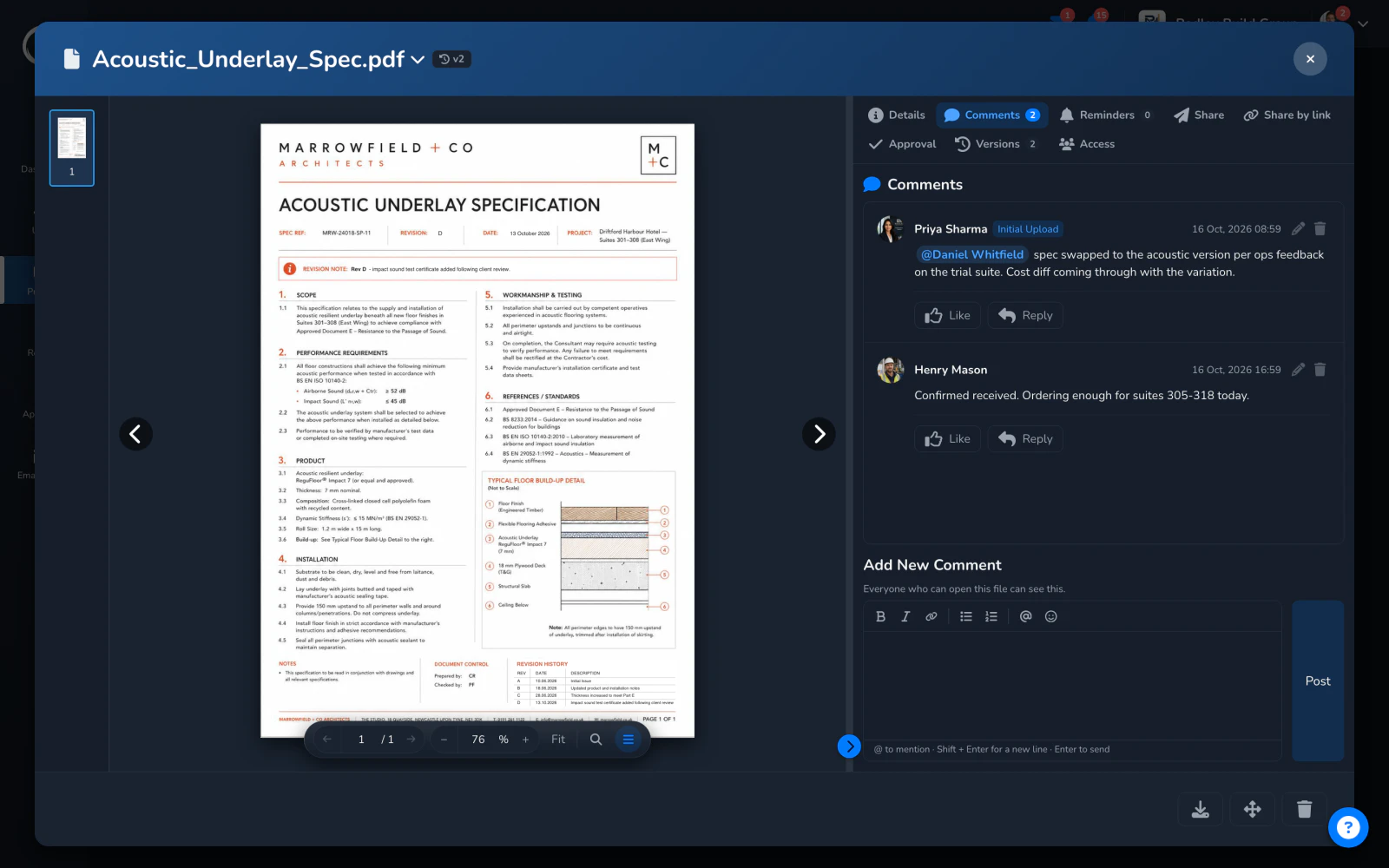
    A question about a drawing goes on the drawing, with a mention so the right person hears, and a reminder if it needs an answer by a date. Nobody has to dig it out of a chat.
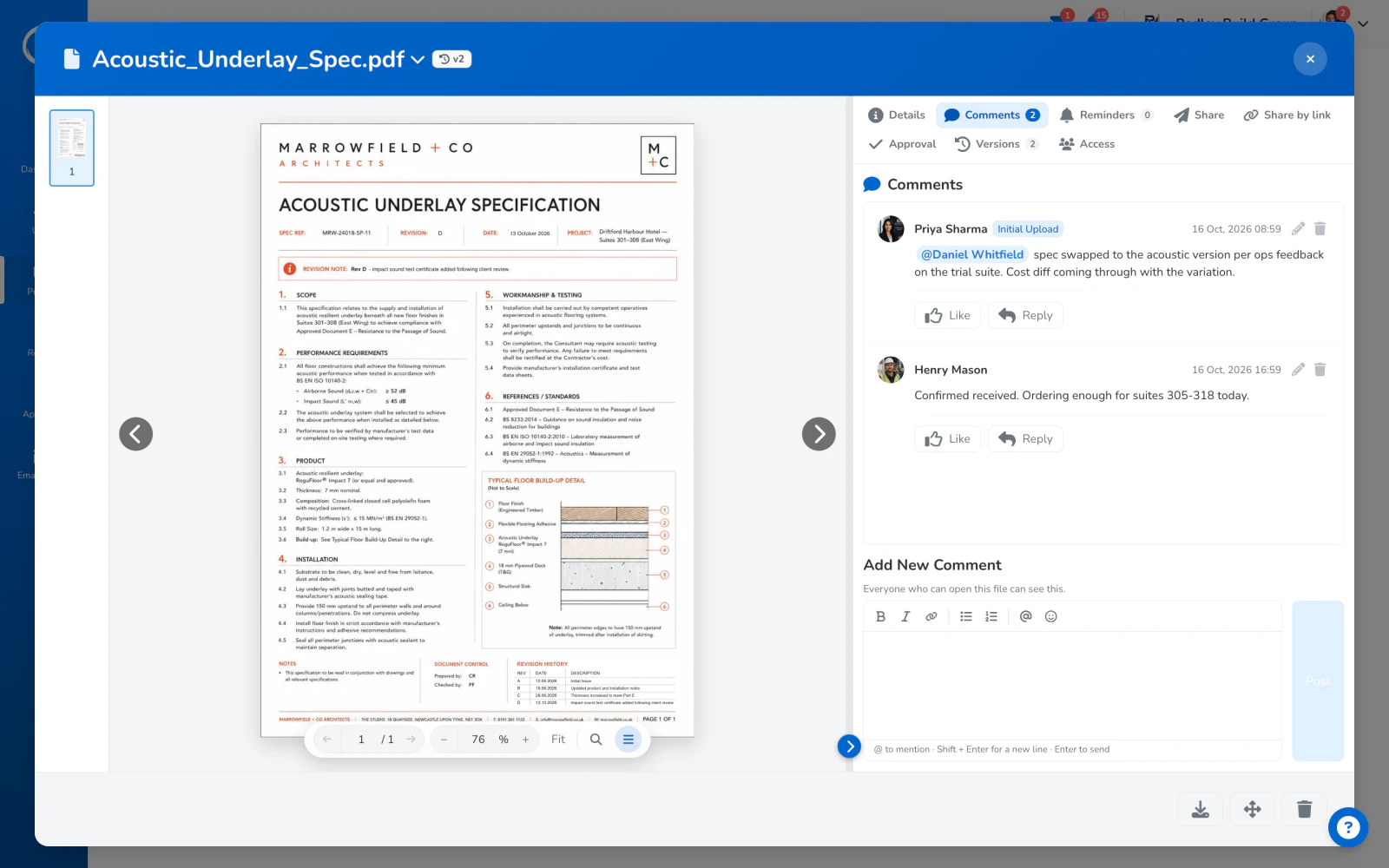
    The comments on a document: a question with a mention, and the reply, on the file itself
  4. A category only some people see

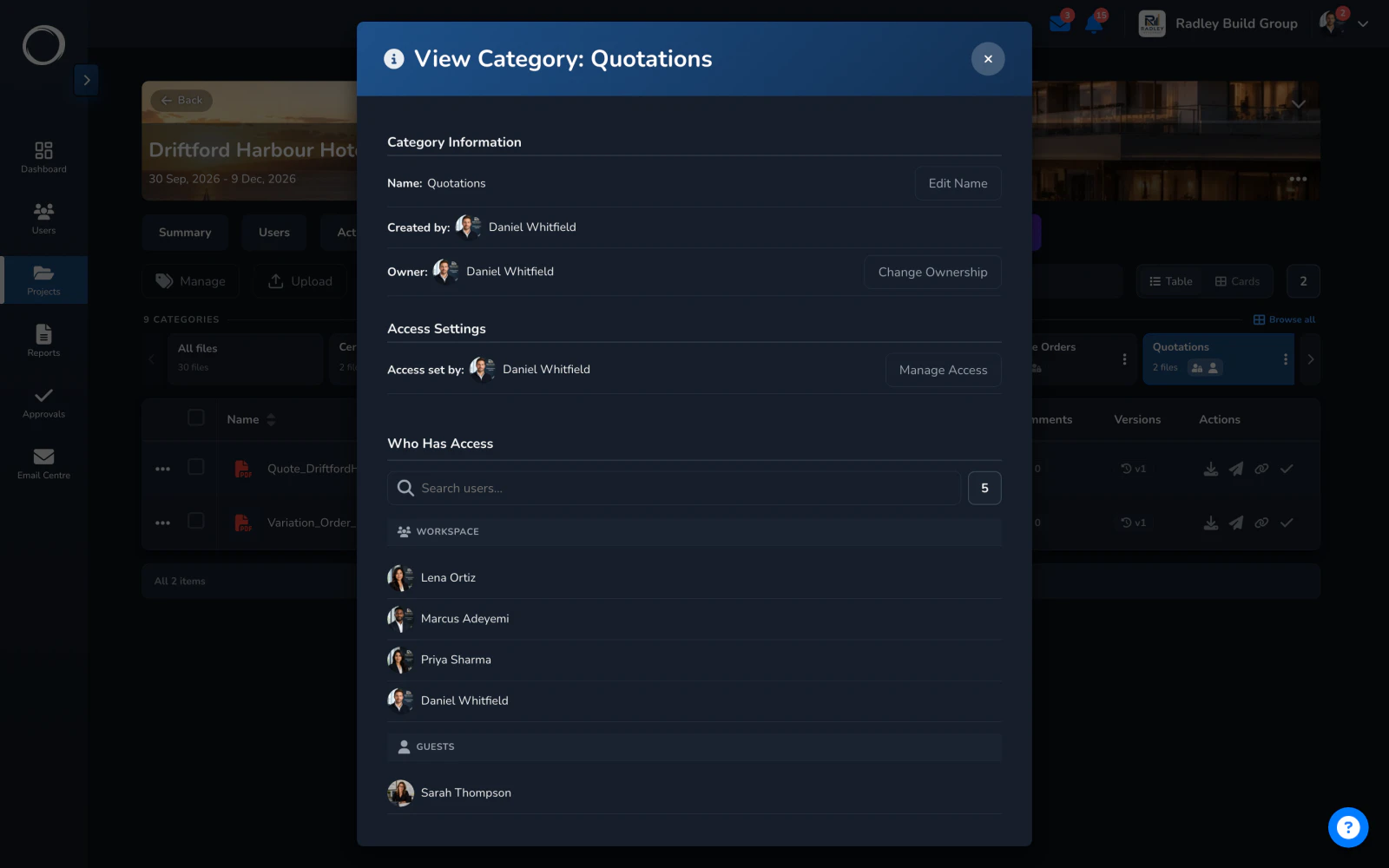
    Name a category and restrict it: a few staff and one named client, while the rest of the project doesn't move. The finance folder is the usual one.
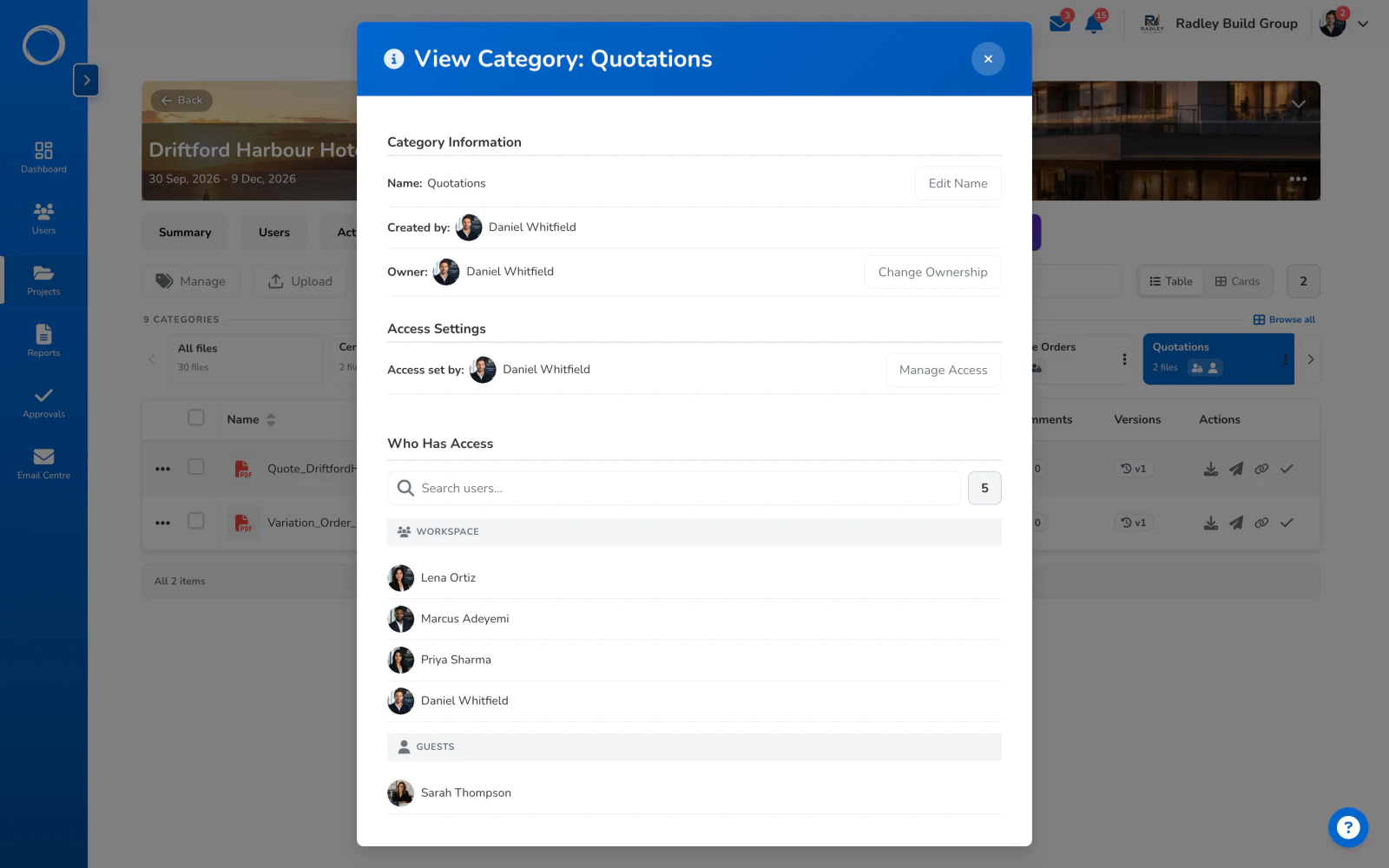
    Who has access to one category: four people in the business and one named guest, the quantity surveyor

What stays with the document

Every version, who uploaded it and when, the approval each one carried, every comment, and every share, move and deletion in the activity trail with who did it. Deleted categories can be restored for 30 days, and a finished project is archived and stays readable. That's why the record's better here than in a signing tool: it's kept with the file it's about.

Why the record's better here →
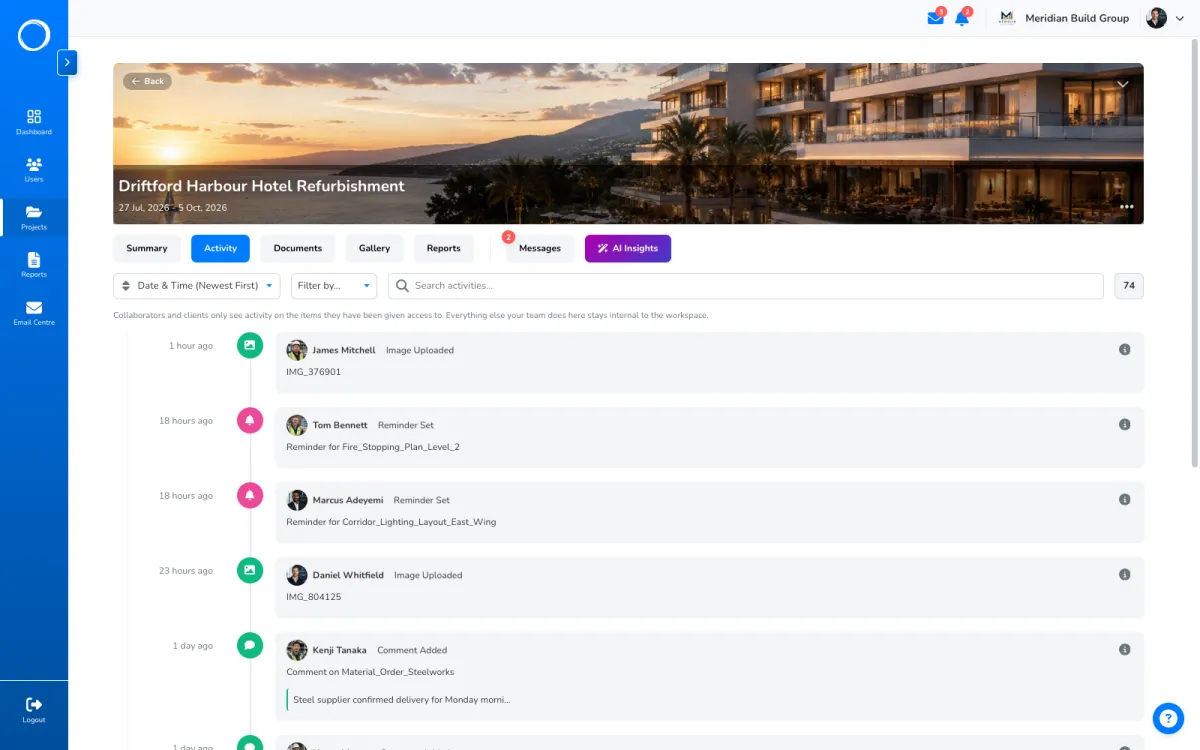
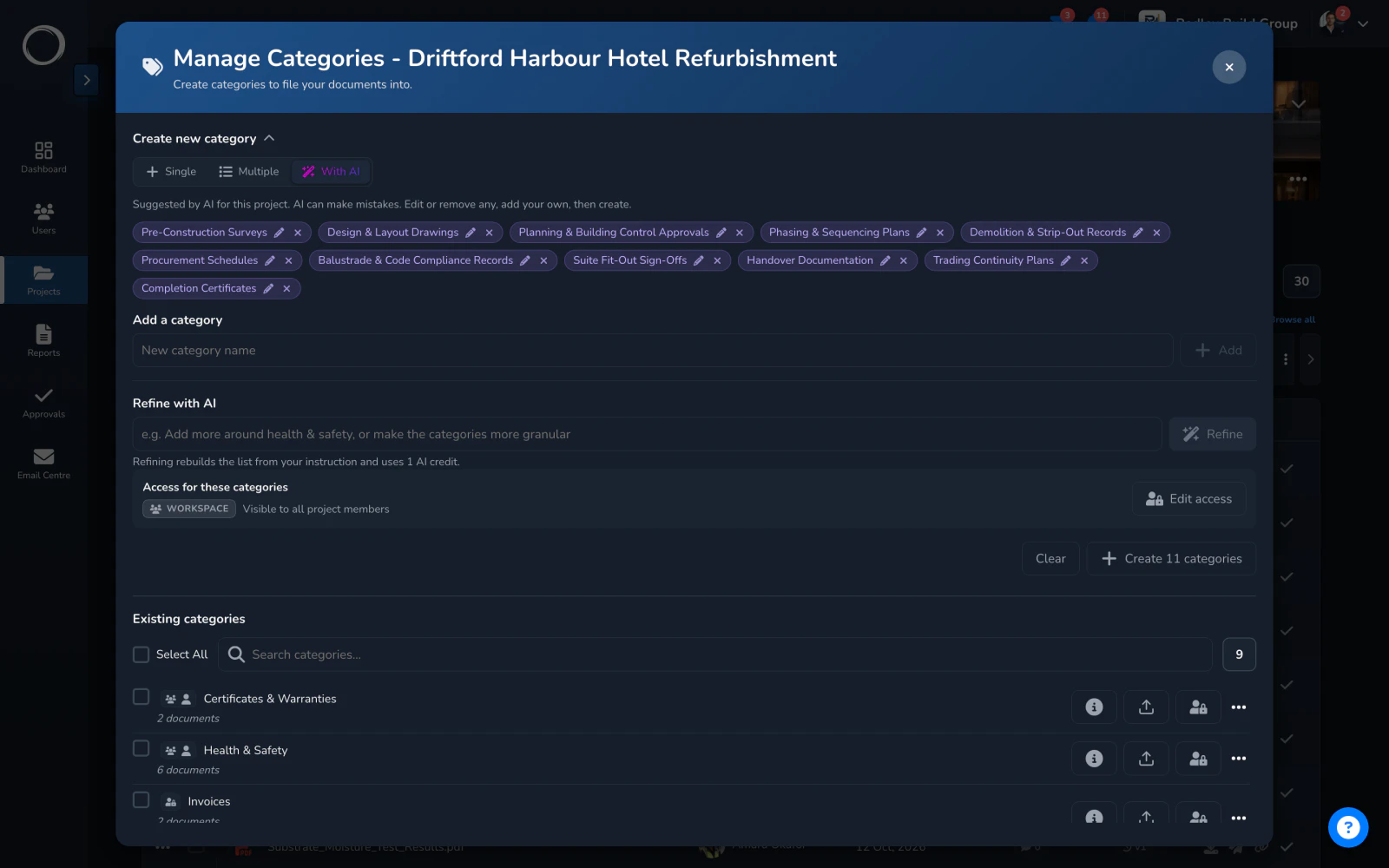
A project's activity trail: every upload, edit, move and share, with who did it and when

Categories named from what the project is

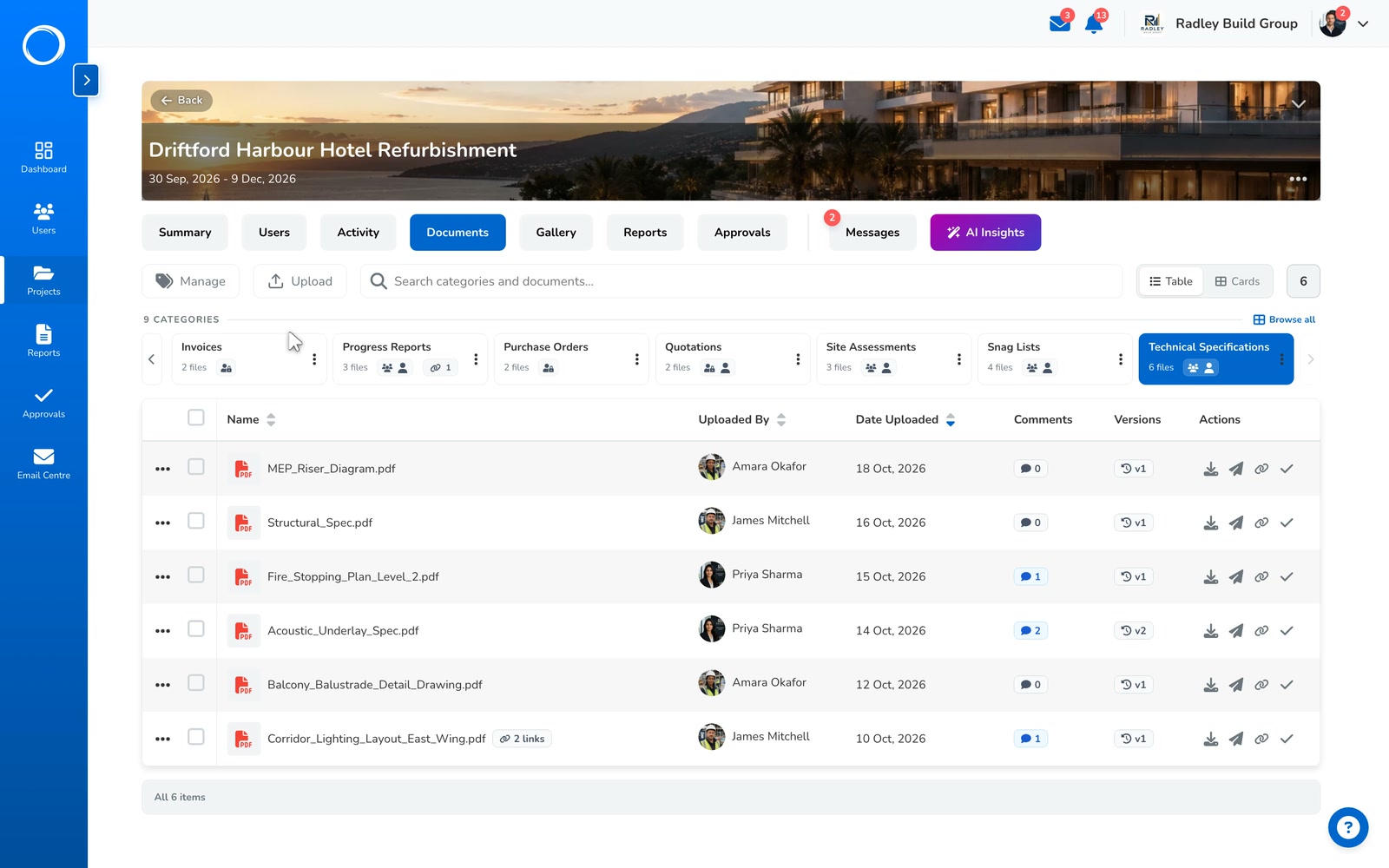
From the Manage categories dialog, tell it the industry and how you organise, and it suggests the categories this project needs. You keep the ones that fit, rename any, and they're created in one go, with the access you set applied to all of them.

A credit a suggestion, from the monthly bundle every plan includes.
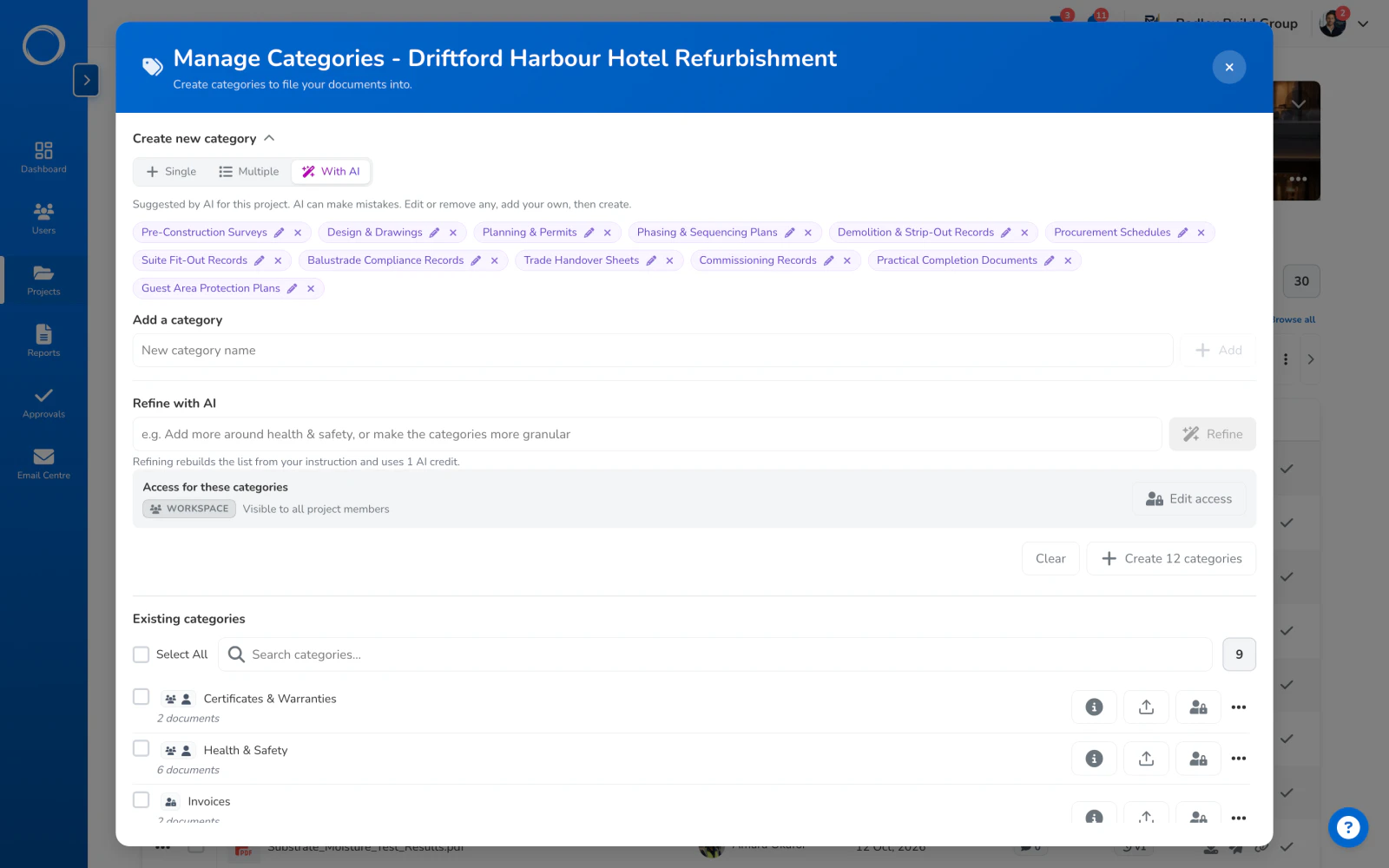
Category names suggested by AI for a project, from the industry and how the firm files things, ready to create in one go

The parts people ask about

  • Categories are yours to name, per project, and a category can be restricted to a few staff and one named client while the rest of the project doesn't move.
  • Bulk upload, rename and move; a comment thread and a reminder on any document.
  • PDF, Word, Excel and images open in the browser for the team and for the client checking a drawing.
  • Word and Excel can be filed and read, and need saving as a PDF before they're sent for sign-off.
  • A share link on a category stays current: a file you add appears, a file you remove disappears from every link at once.

Projects and storage are what the plans are cut on; users are unlimited on every plan. The limits for each plan are on the pricing page, live from the same place the app reads them.

Questions people ask first.

What happens to an approval when I upload a new version?
Nothing. The approval stays pinned to the version that was signed, the new upload becomes the current version, and the record still names the version they saw.
Can the client see all my documents?
No. A client is a guest: they start with nothing and see only the categories, folders and reports you give them, on their own project, and never your other clients.
Can I get my files back out?
Yes. Any document, and any earlier version of it, downloads from its row.
What if someone deletes something?
Deleted categories sit in Trash for 30 days and can be restored, and the activity trail says who deleted what and when.

Send the first one today.

Set up in minutes and send a drawing for sign-off before lunch. Free for 14 days, no card, cancel any time.