Portal Worx Logo

Projects, in detail

One page per project. Everything on it, everyone on it.

Every project gets one page: its documents in categories, its photos in folders, its reports, its approvals, its threads and a year of activity, each in a tab, with the people on it and a summary that says where it stands. Your team sees the project. A client sees only their own.
Last reviewed

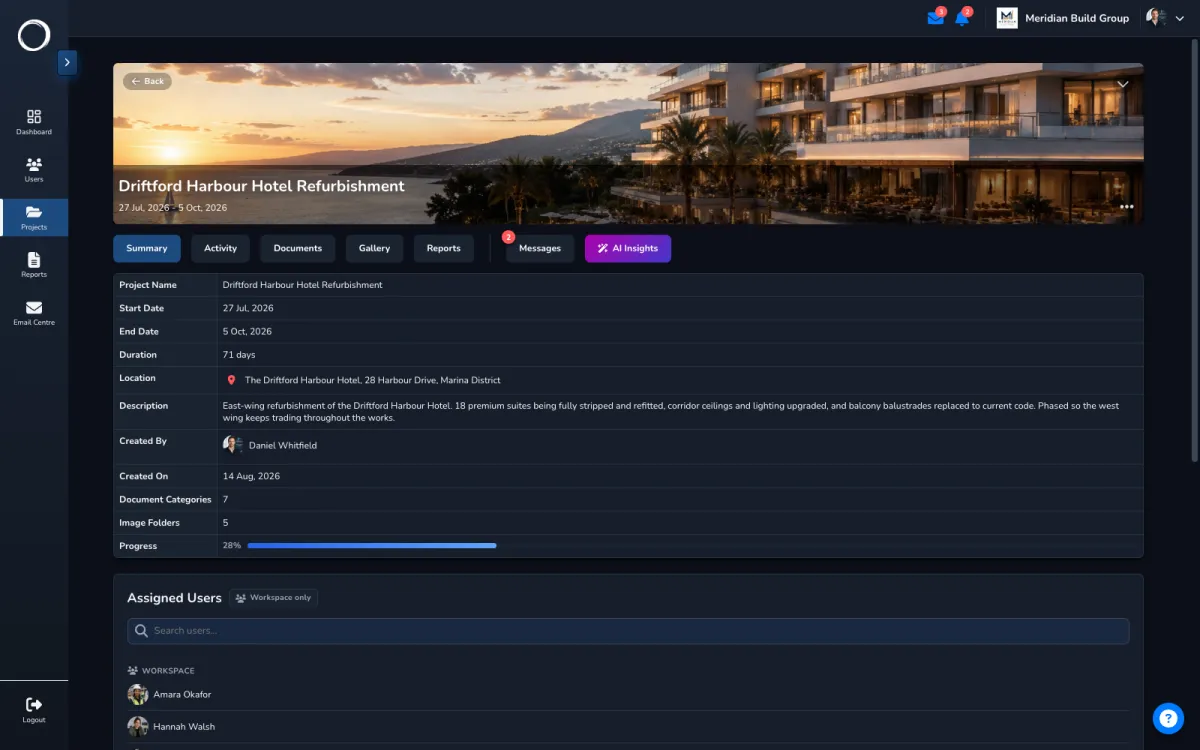
One project's page: its documents, photos, reports, approvals, messages and activity in tabs

What a project holds, and who's on it

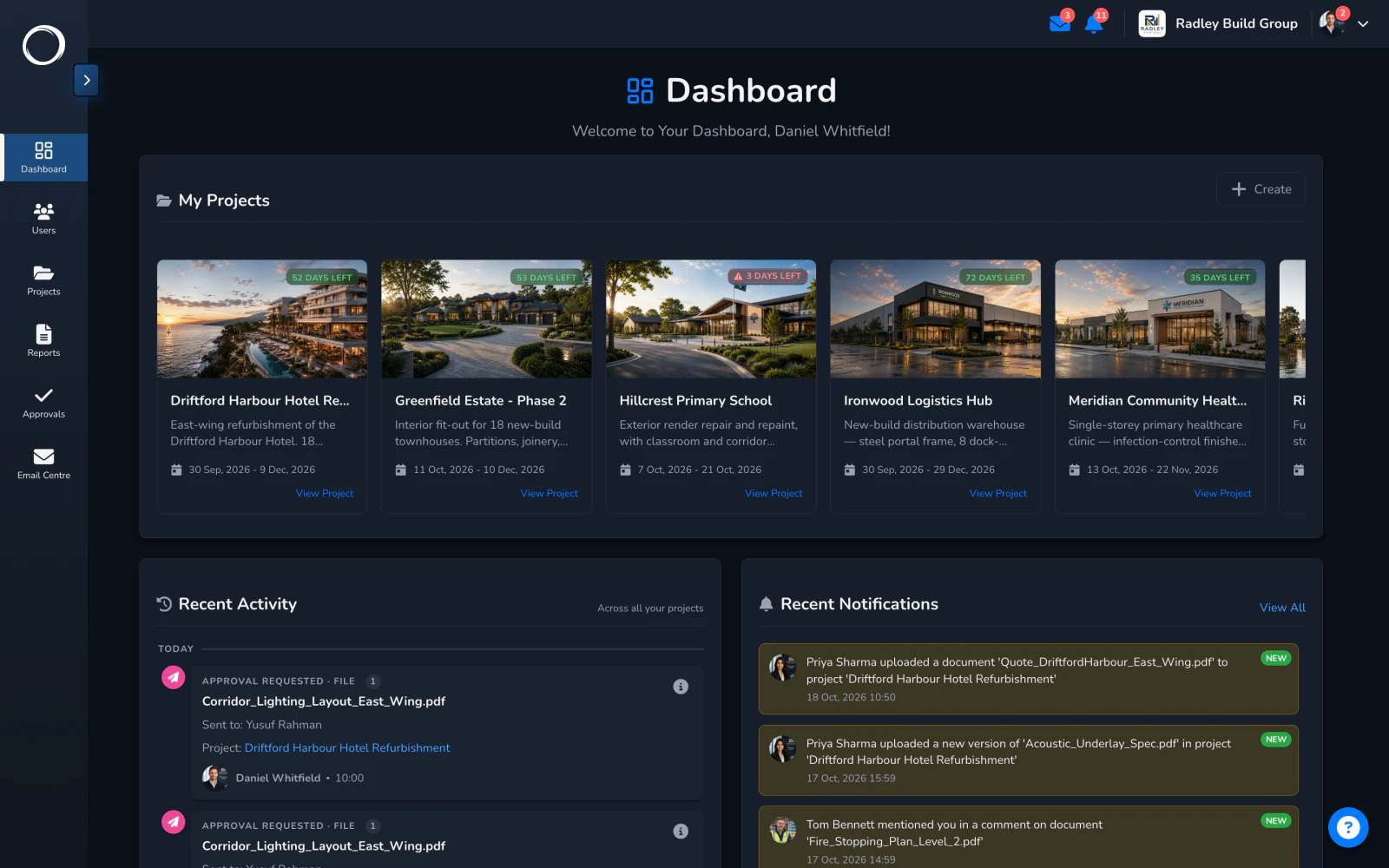
  1. Every project on one screen

    The dashboard lists every project with what moved this week and what's waiting on someone, so Monday morning starts with a list, not a memory.
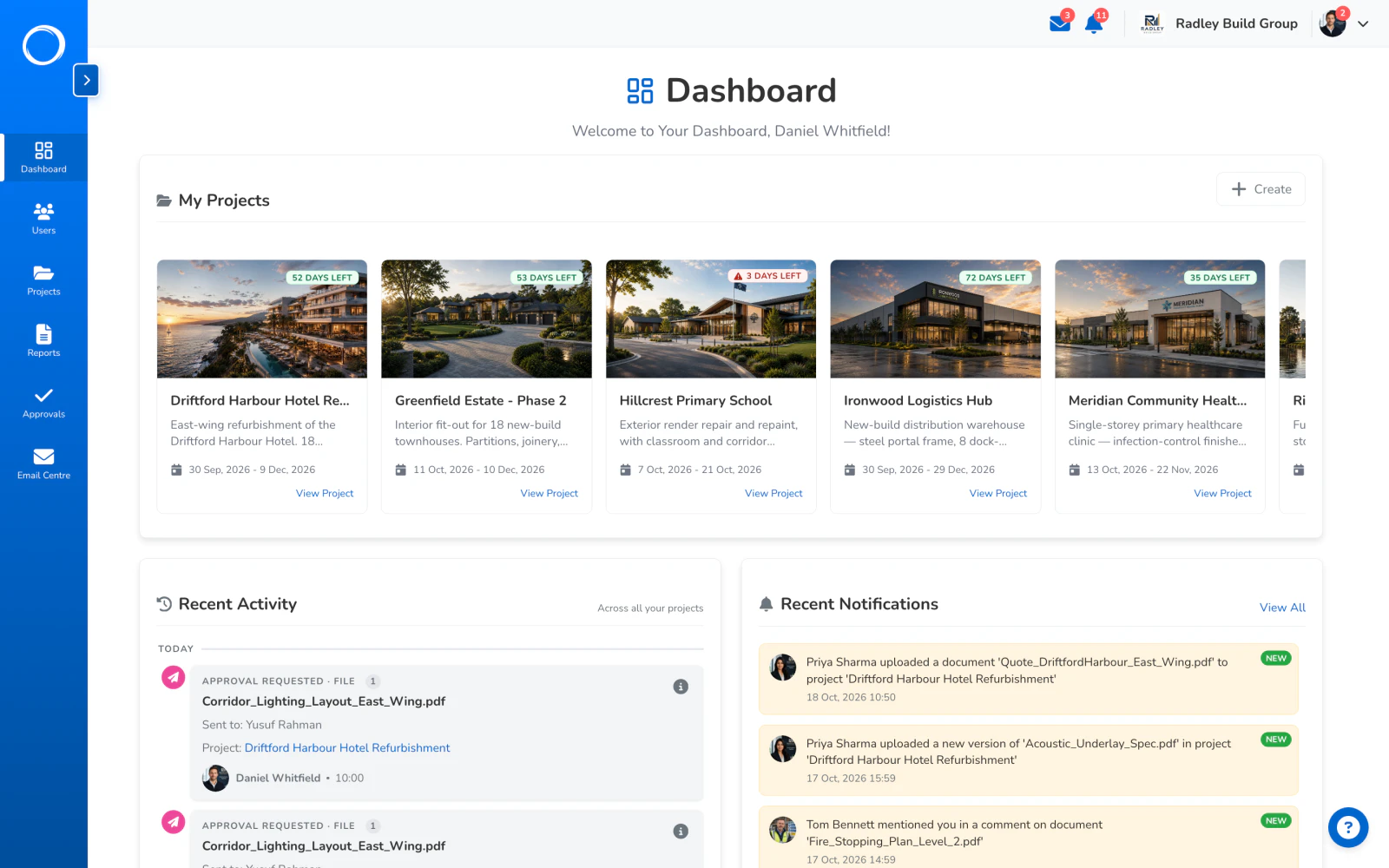
    The dashboard: every project, what moved this week and what's waiting on someone
  2. One page, every tab

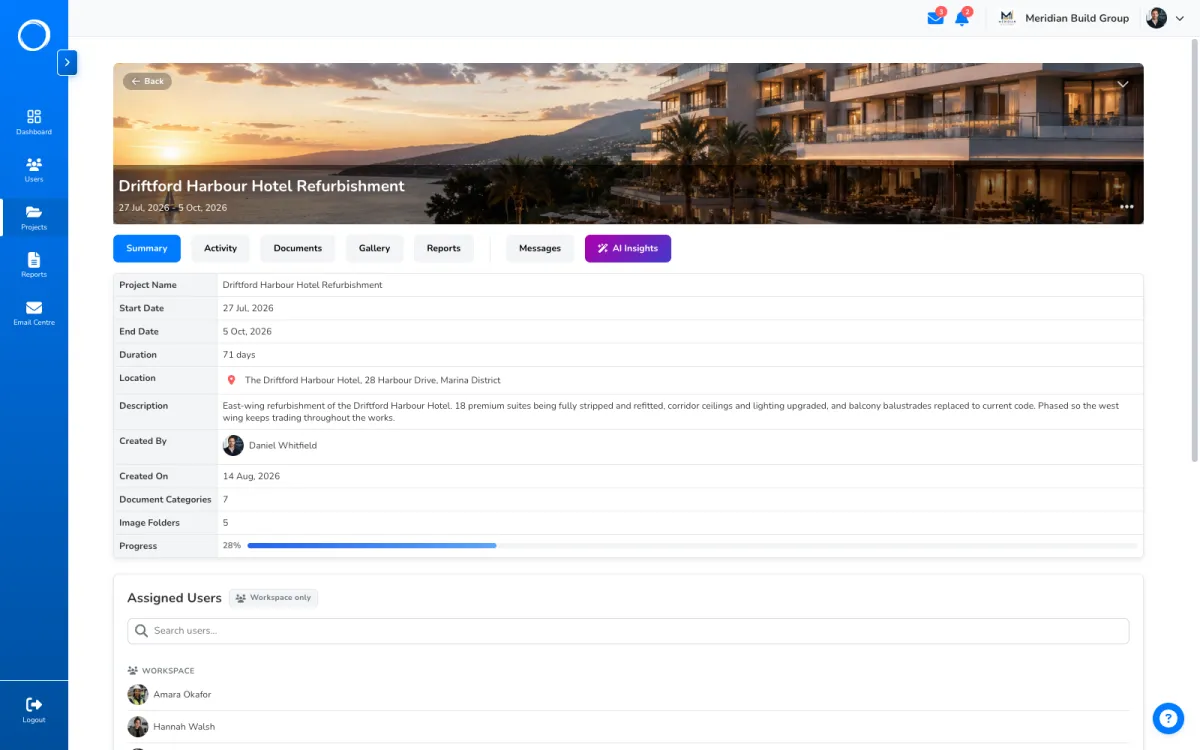
    Open a project and everything about it is a tab away: documents, gallery, reports, approvals, messages, activity, the people on it, and a summary. Nothing lives in a chat somewhere else.

    One project with its documents, photos, reports, messages and activity in tabs
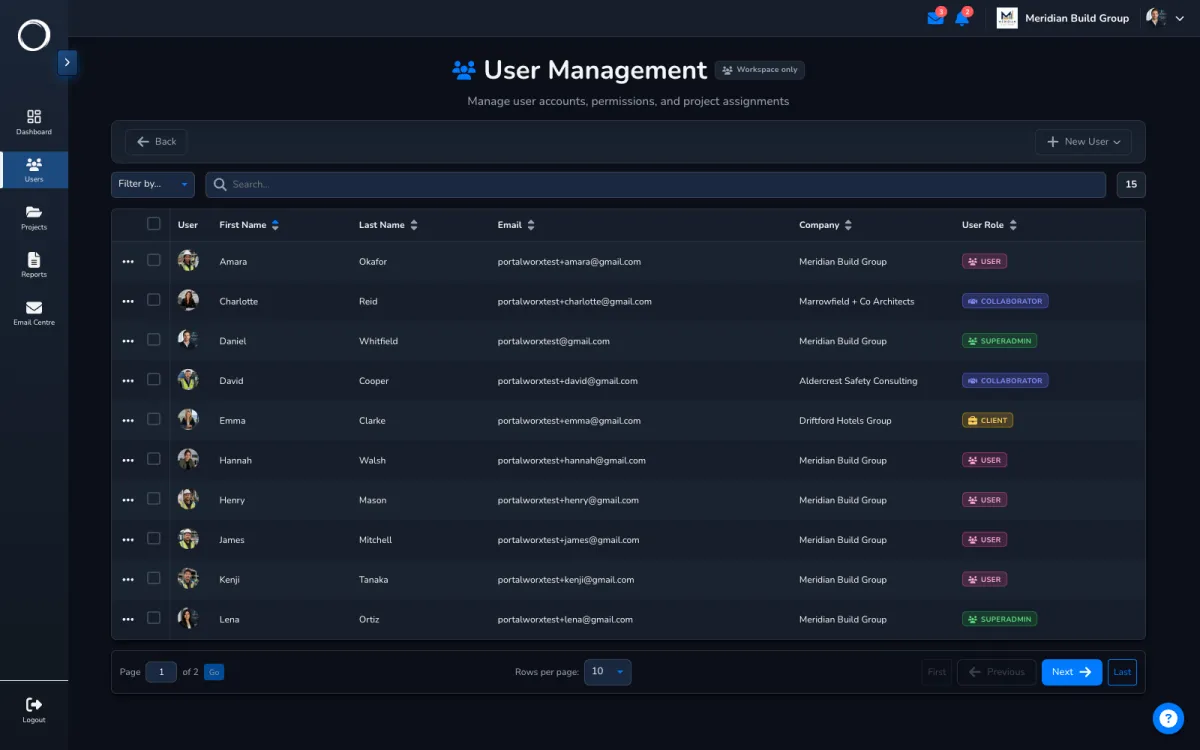
  3. The people on it

    Your staff, your client and any consultant with their end date, on one list. Add someone to the project and they see it; a guest starts with nothing and sees only what they're given.
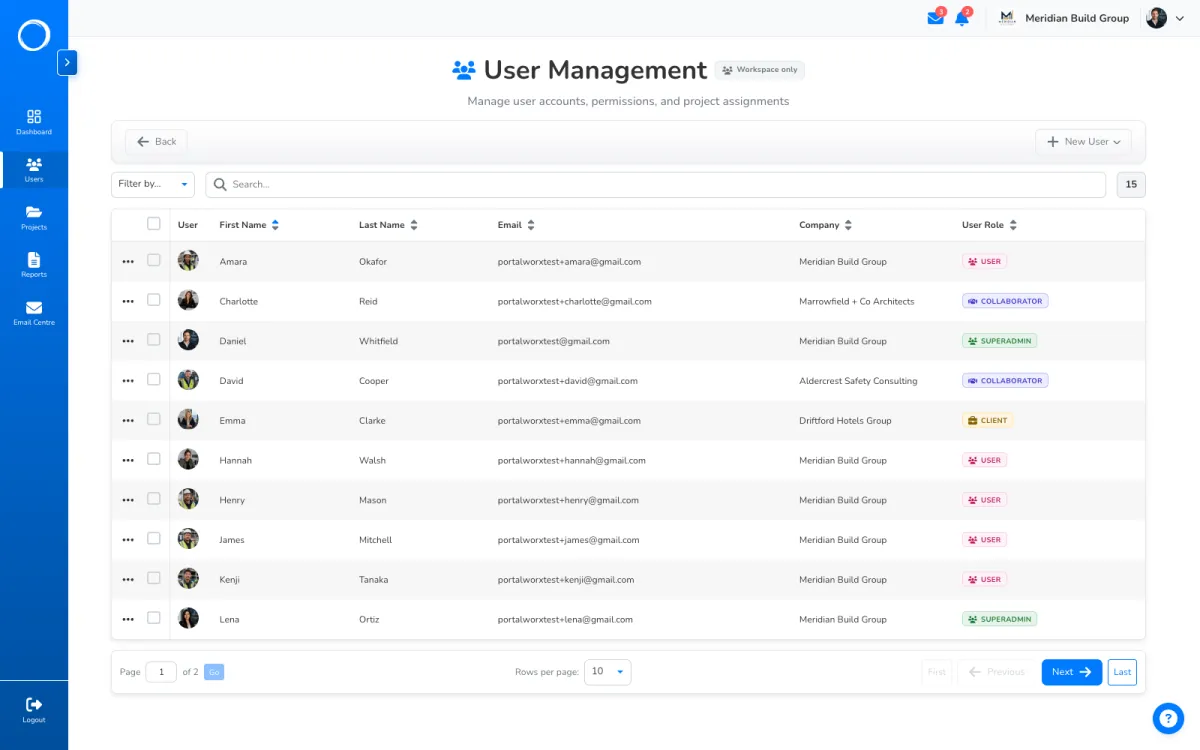
    The team list: staff, clients and a consultant with the date their access ends
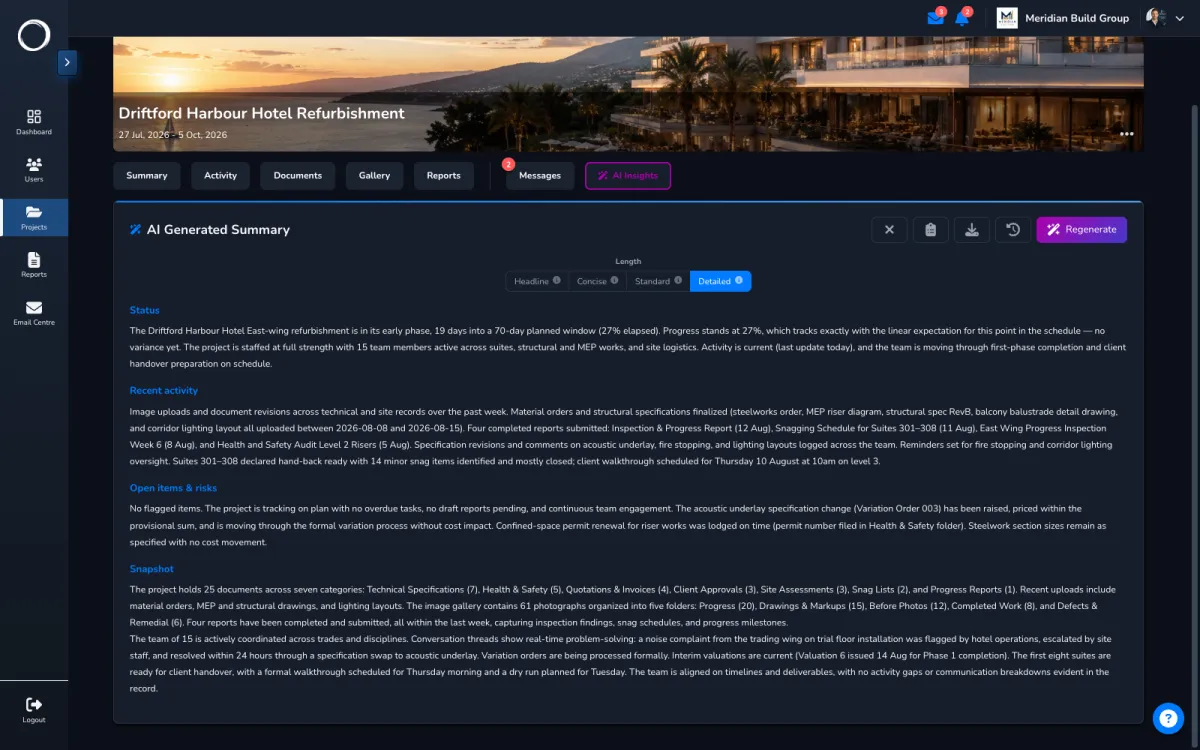
  4. Where it stands, in plain language

    Ask for a catch-up and the AI reads the project's own documents, reports, approvals and messages, then tells you what moved, what's waiting and what's flagged. It reports, it doesn't advise, and it only reads what you can see.
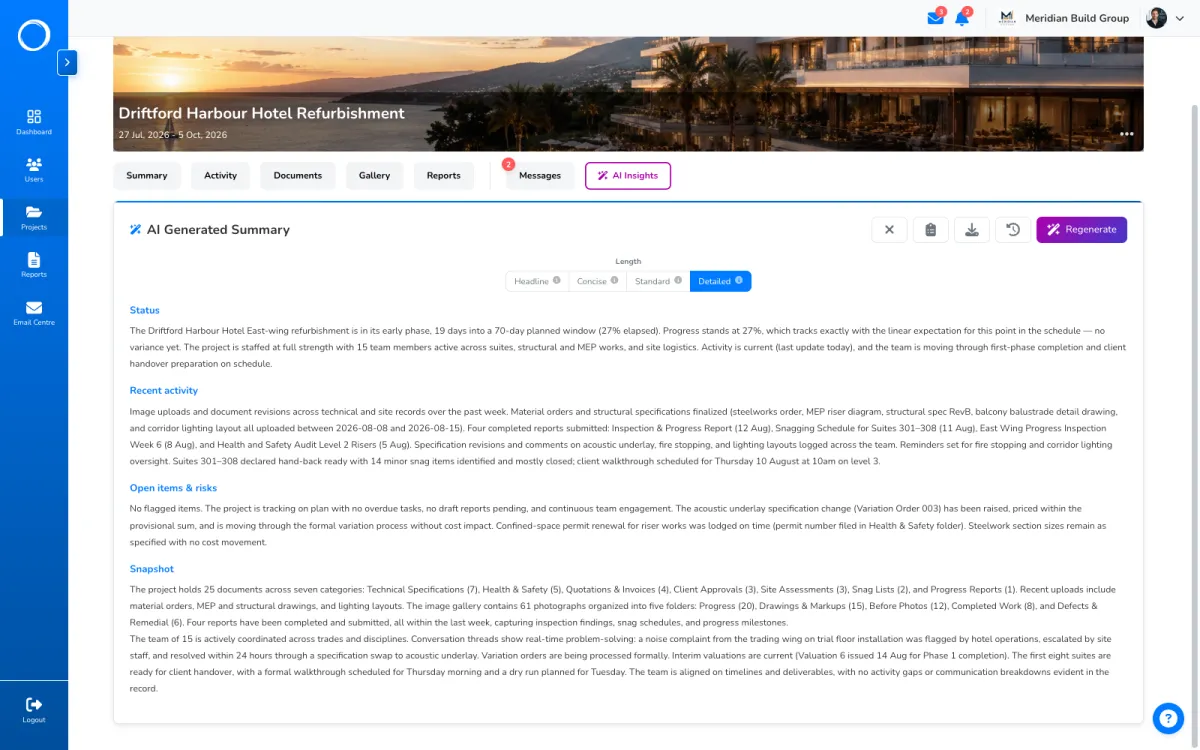
    An AI catch-up on a project: what moved, what's waiting and what's flagged, with the sources it drew on

What stays on the project

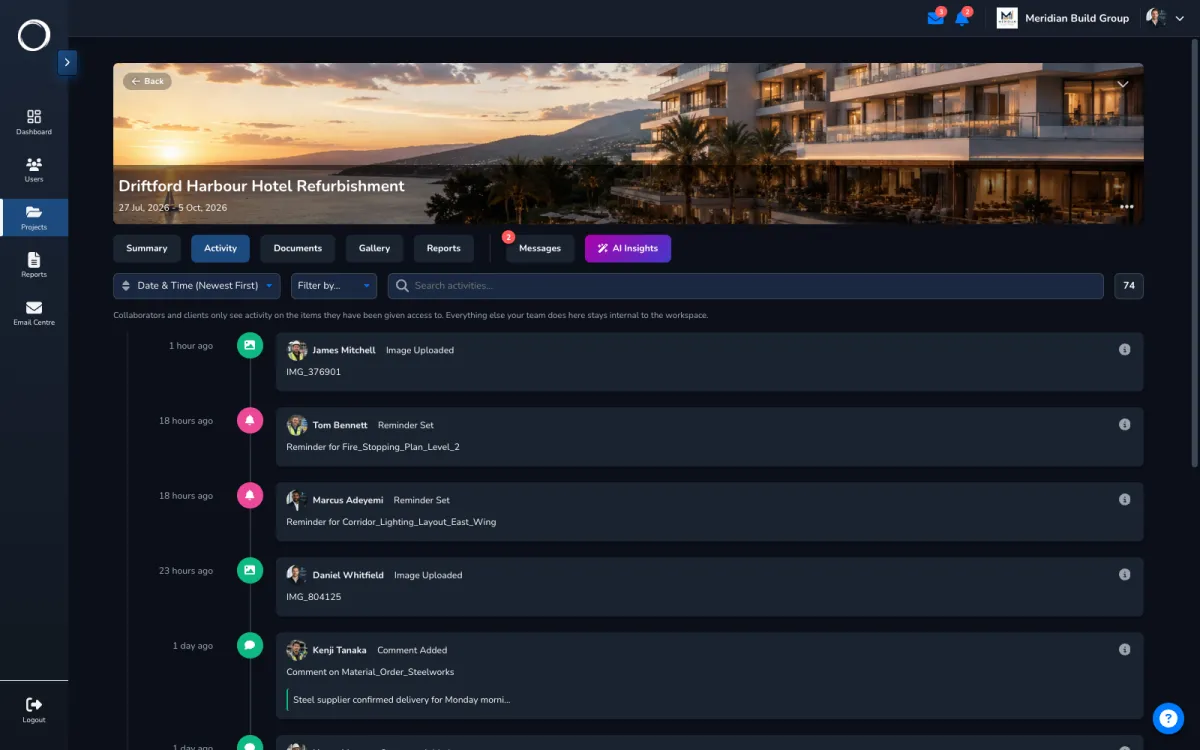
A year of activity: every upload, edit, move, deletion and share, with who did it and when, filtered to what each person is allowed to see. Deleted folders and categories can be restored for 30 days, and a finished project is archived and stays readable. That's why the record's better here than in a signing tool: it's kept with everything that explains it.

Why the record's better here →
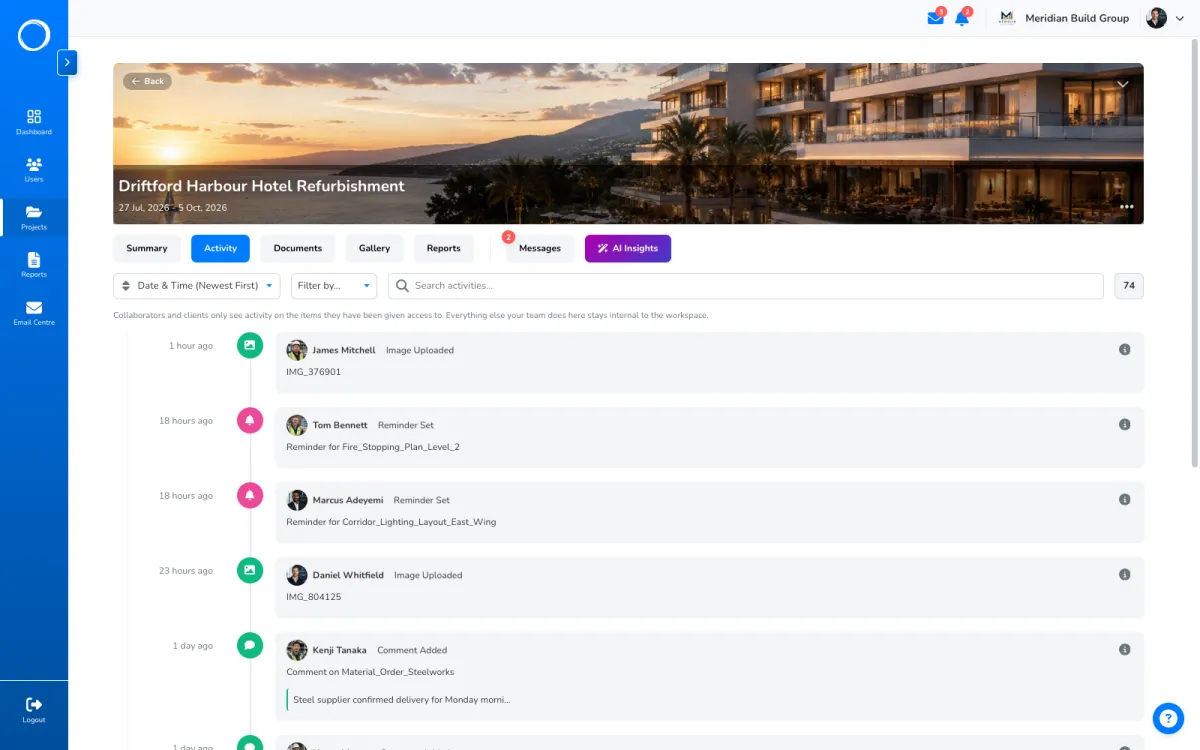
A project's activity trail: every upload, edit, move and share, with who did it and when

The filing named before the first upload

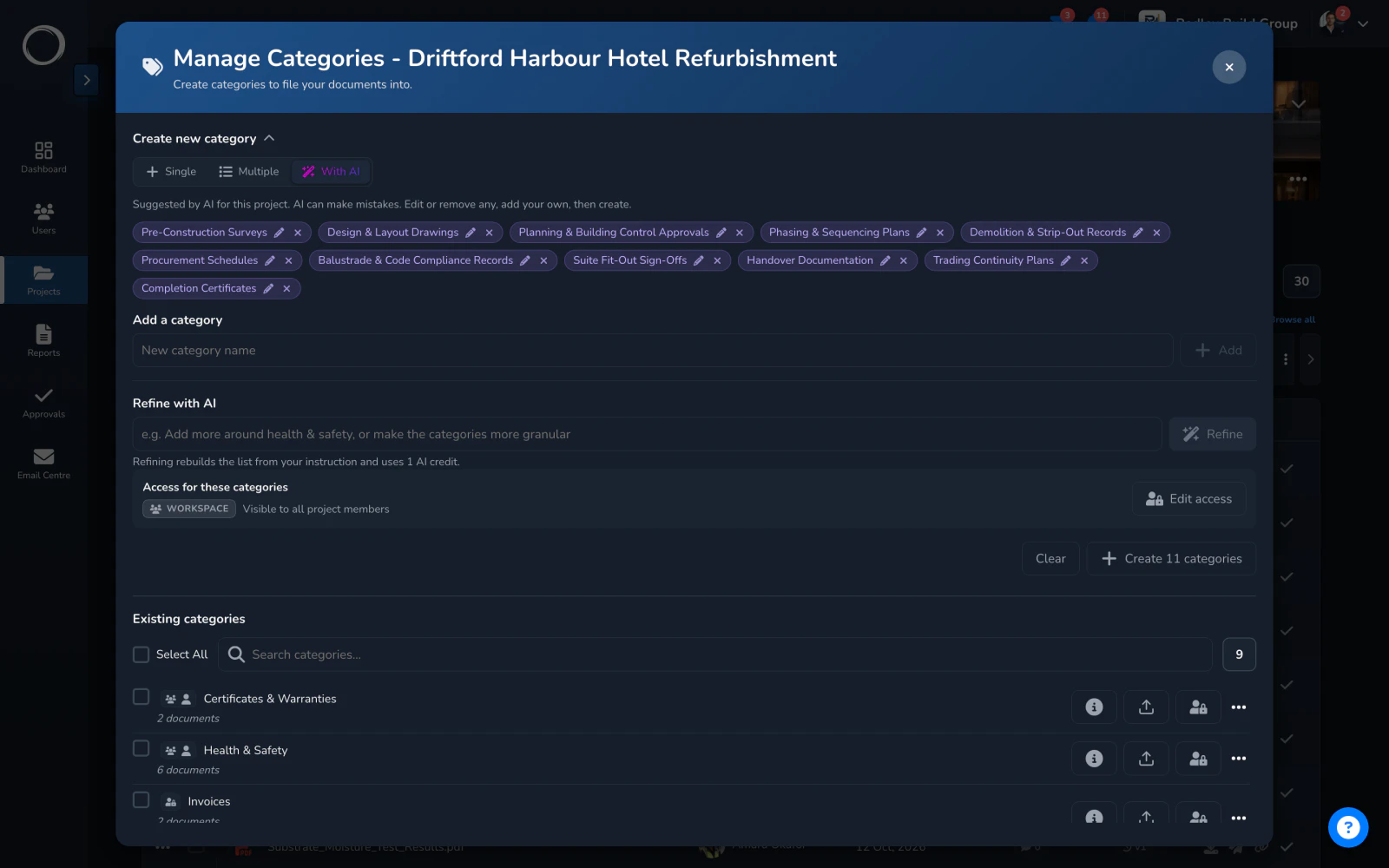
Setting a project up, tell it the industry and how your firm likes to file, by phase or by document type, and it suggests the categories and the photo folders a project like this needs. Keep the ones that fit, rename any, and they're created in one go, so the next person finds the drawing where they'd expect it.

  • Suggestions from the industry and the way you file, not a fixed list
  • Edit or drop any name before it's created
  • The same for photo folders, from the Gallery tab

A credit a suggestion, from the monthly bundle every plan includes.
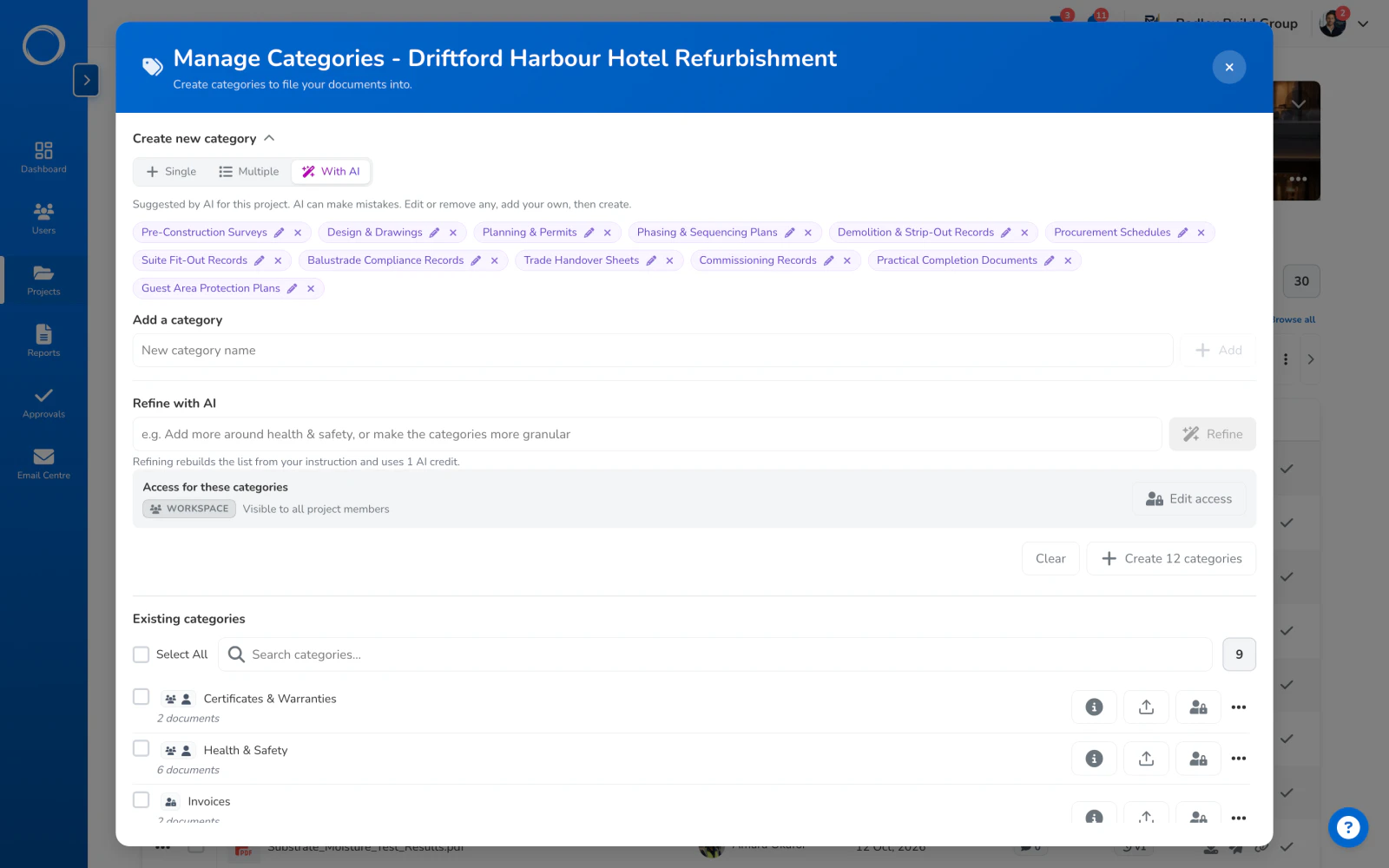
Category names suggested by AI for a project, from the industry and how the firm files things, ready to create in one go

The parts people ask about

  • A client sees their project and nothing else, and never your other clients.
  • Every category, folder, report and thread on the project carries its own audience.
  • A year of activity, filtered to what each person is allowed to see.
  • Threads per project and direct messages with anyone on it, guests included.
  • Archive a finished project and it stays readable; deleted folders and categories can be restored for 30 days.
  • Your logo on everything the client sees, on every plan.

Projects and storage are what the plans are cut on; users are unlimited on every plan. The limits for each plan are on the pricing page, live from the same place the app reads them.

Questions people ask first.

How many projects can I have?
Projects are what the plans are cut on. The number for each plan is on the pricing page, live from the same place the app reads them, and users are unlimited on all of them.
Can the client see all my projects?
No. A client is a guest: they see only the projects you add them to, and on each one only the categories, folders and reports you give them.
What happens when a project finishes?
Archive it. It stays readable, and everything on it, the record included, stays where it was.

Send the first one today.

Set up in minutes and send a drawing for sign-off before lunch. Free for 14 days, no card, cancel any time.