Portal Worx Logo

Photos, in detail

Photos in folders, by stage. Shared by one link.

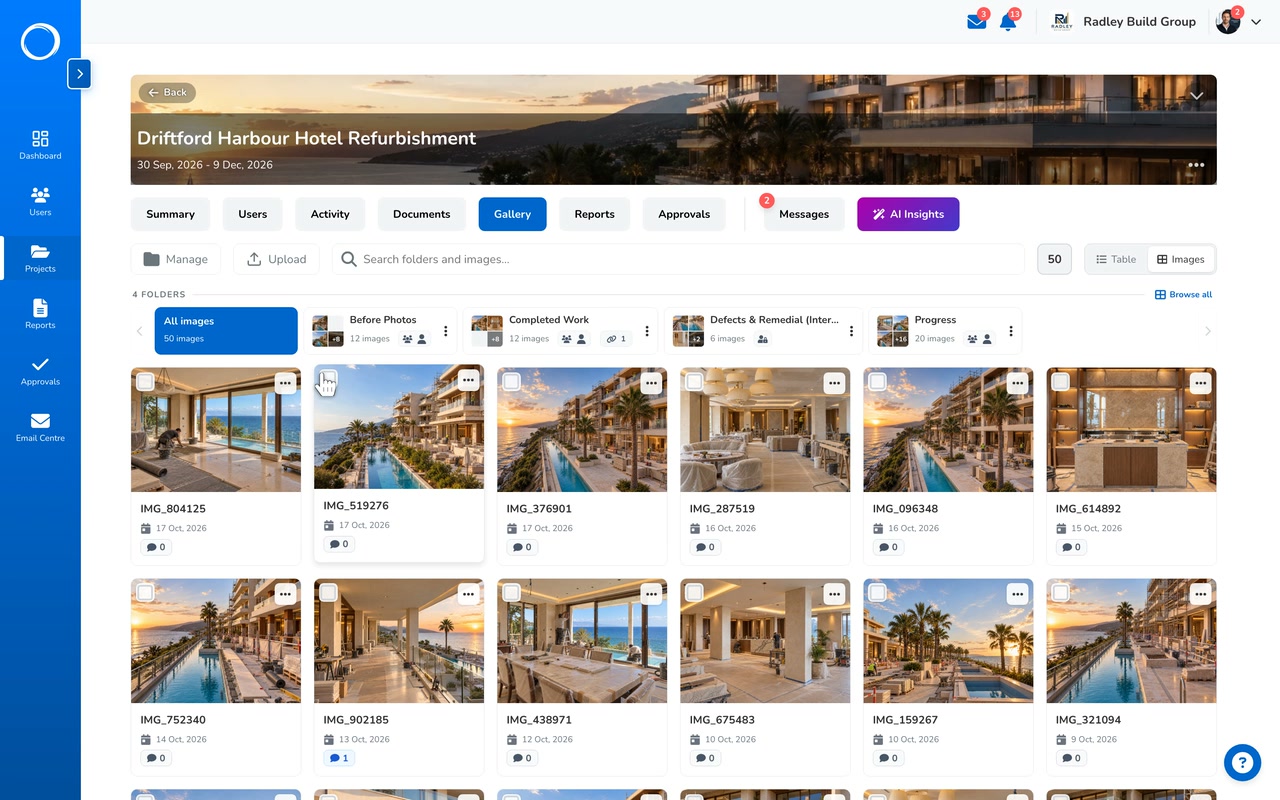
Every project keeps its photos in folders you name, one per stage, with a cover, captions and full-screen viewing. The ones that matter go into the report, the whole folder downloads as a zip, and a client sees the progress folder from one link with nothing to install.
Last reviewed

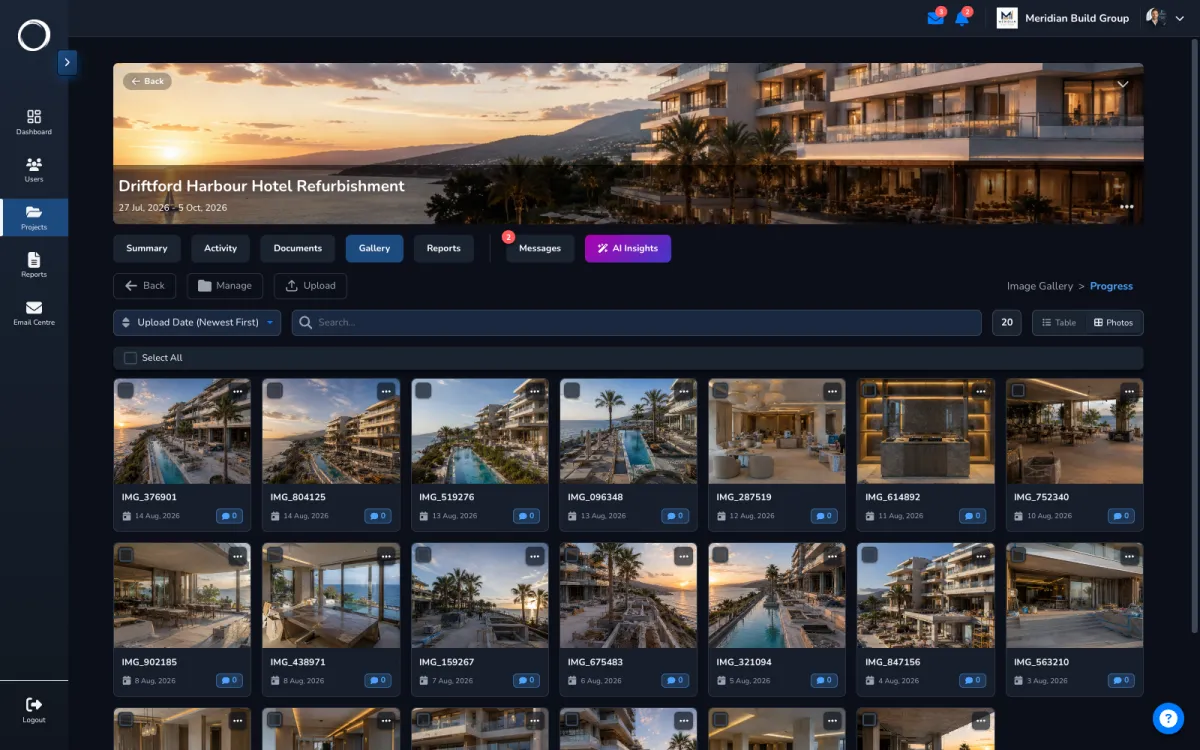
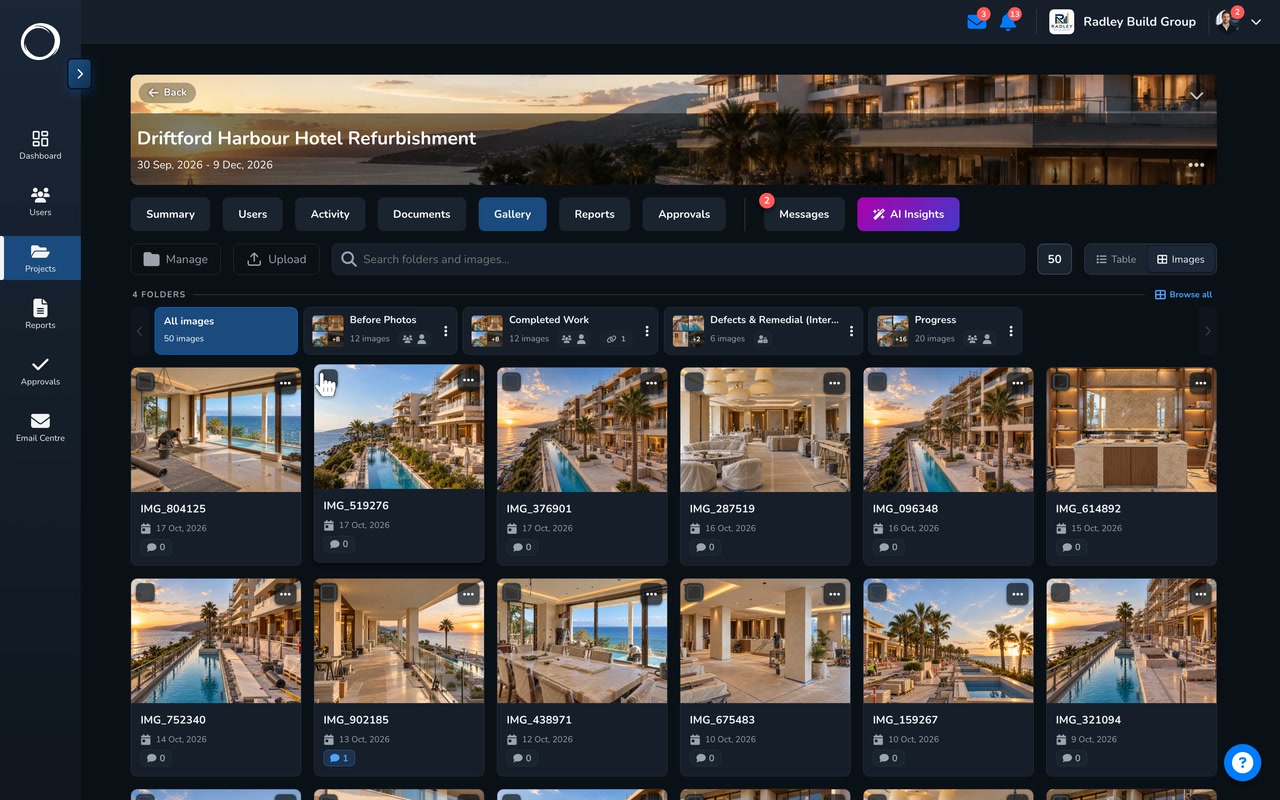
The photo folders of one project, the Progress folder opened, one photo with who took it and when

From the camera roll to the client's screen

  1. Folders per stage

    Before, first fix, second fix, snagging, handover: folders you name, each with a cover and a caption on every photo, opened full screen.
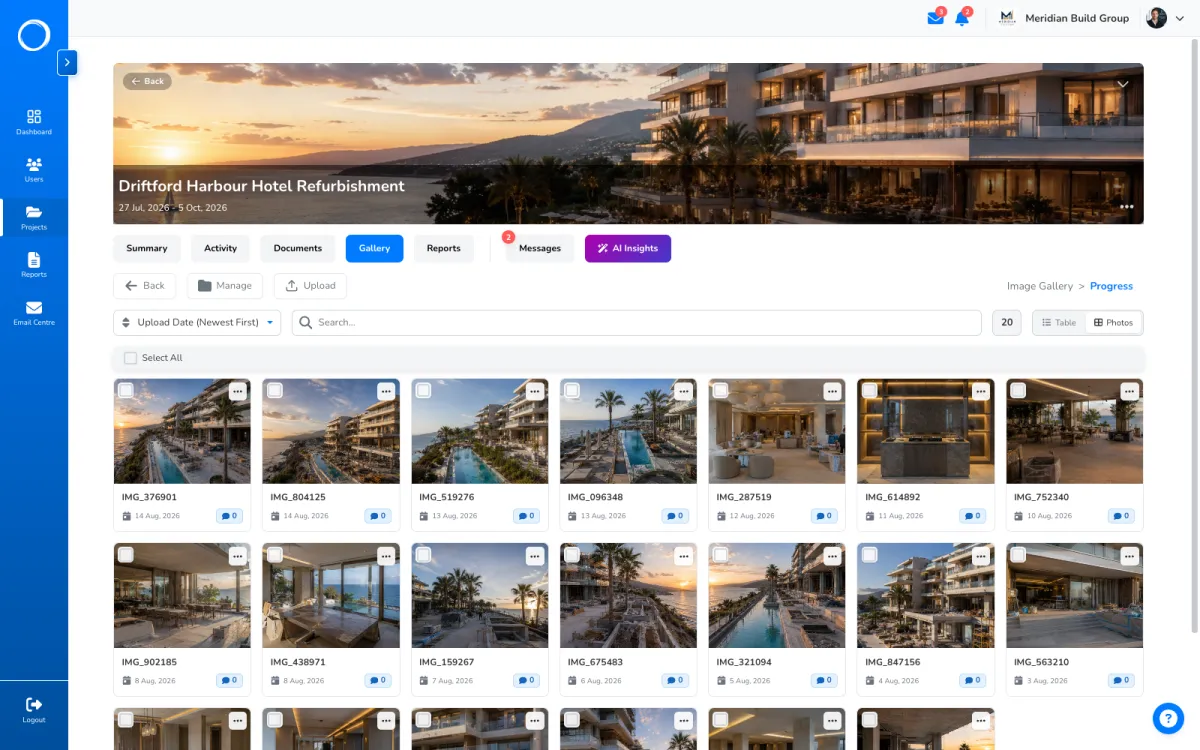
    A project's photo folders by stage, the Progress folder opened with captioned site photos
  2. The folder as the client opens it

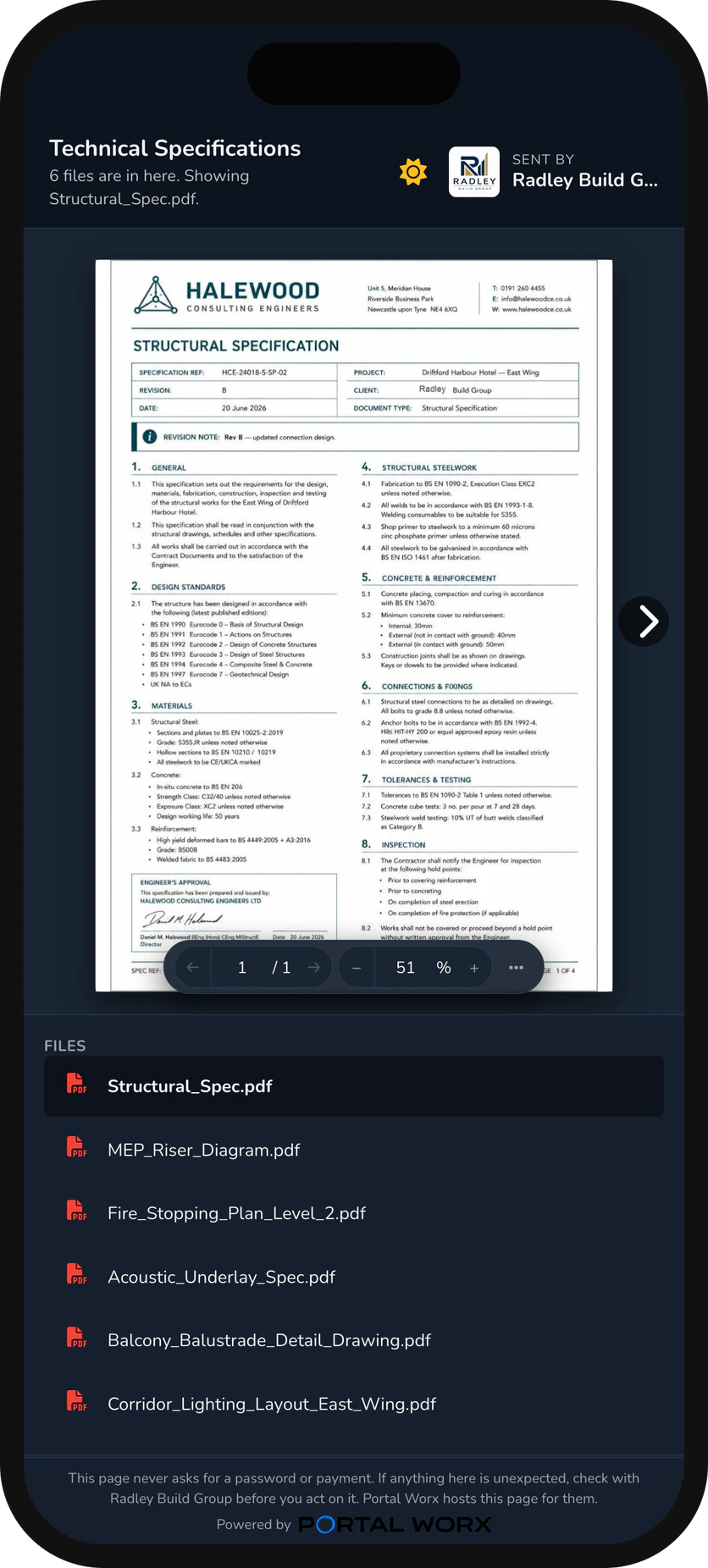
    Share the folder by one link and they see what's in it now, with no account and no app. Add a photo tomorrow and it's there; remove one and it's gone from every link at once.
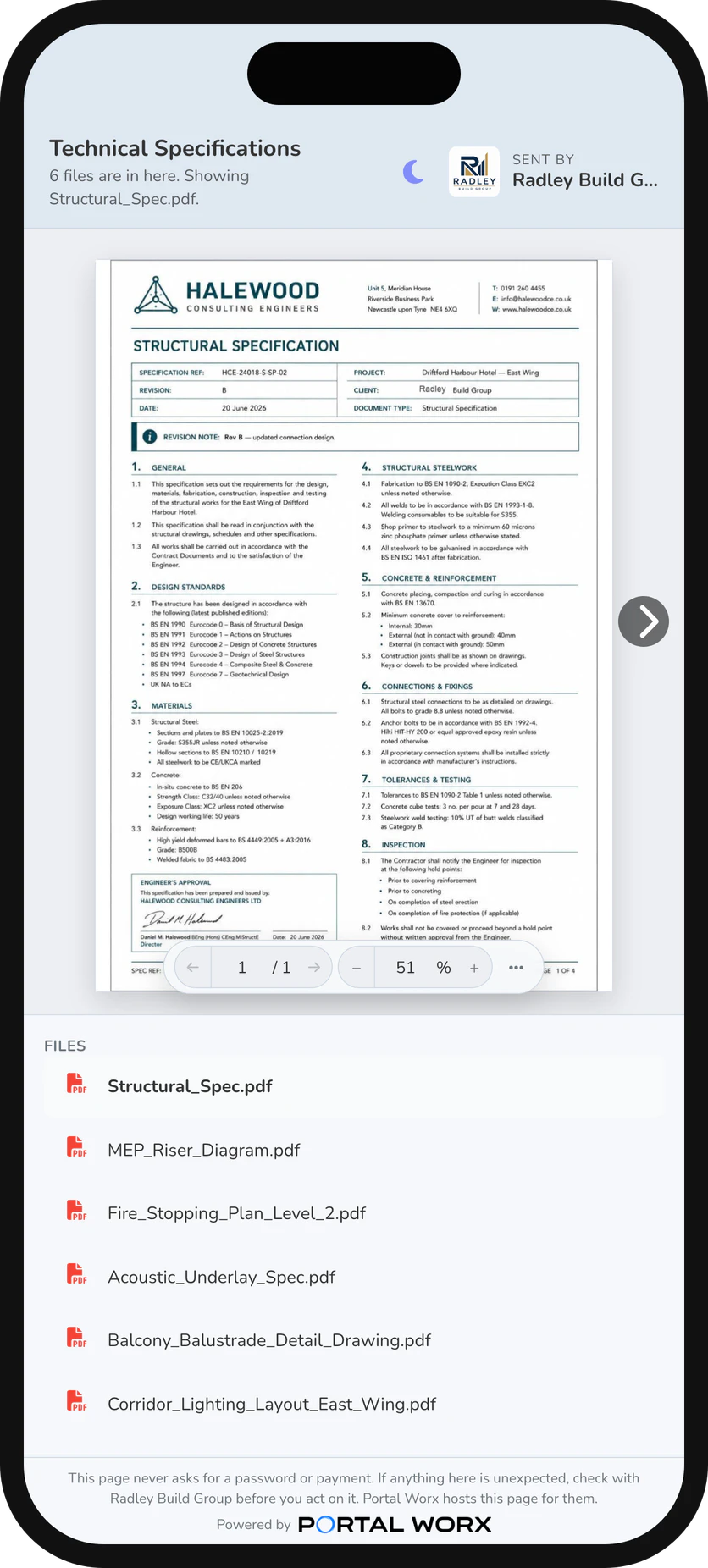
    The shared folder on a phone, as the person opens it: the files, no account, no app
  3. Every link in one place

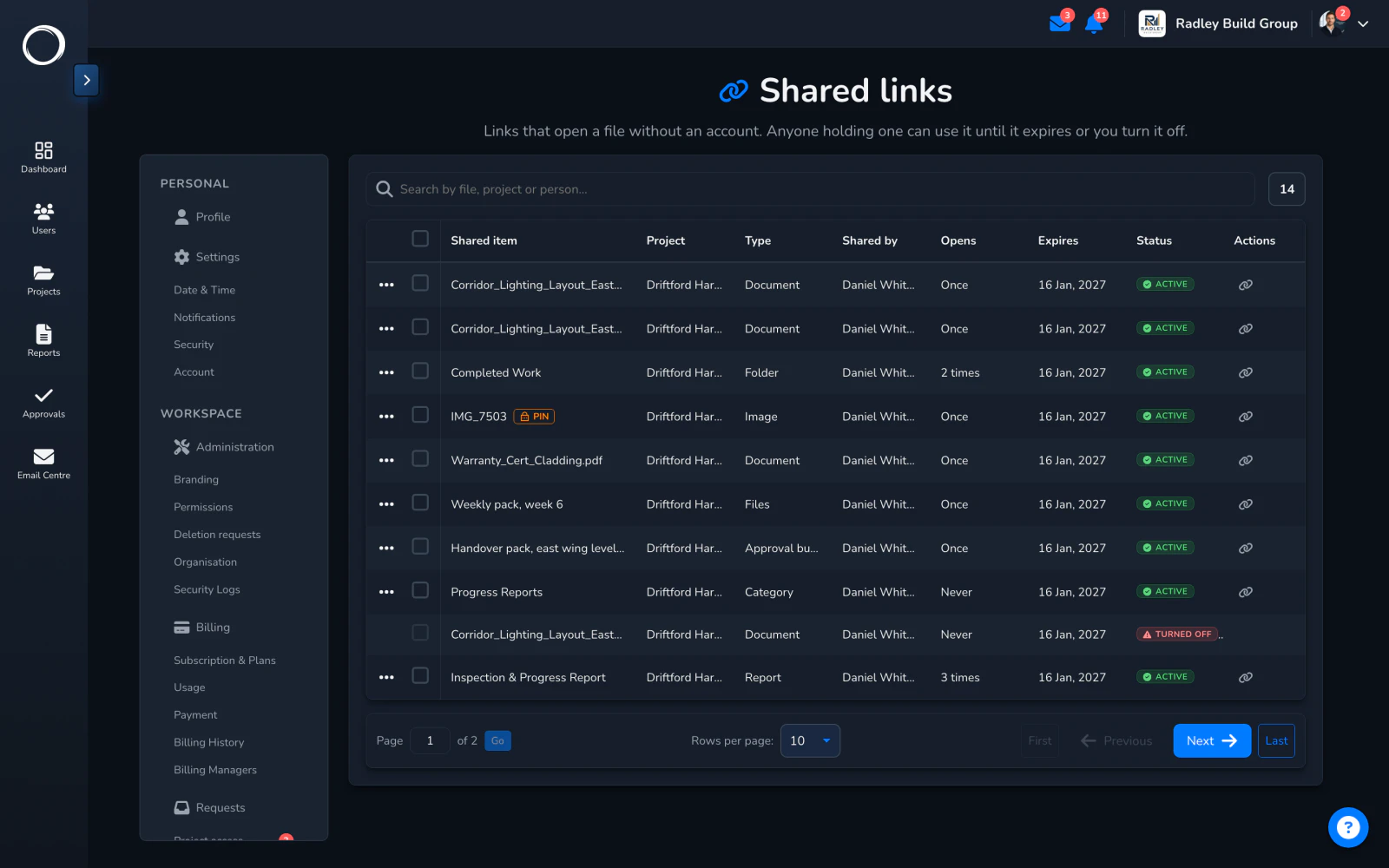
    Every link you've sent, when it expires, whether it's been opened, and a button to turn it off. A link works for 90 days or until you say so.
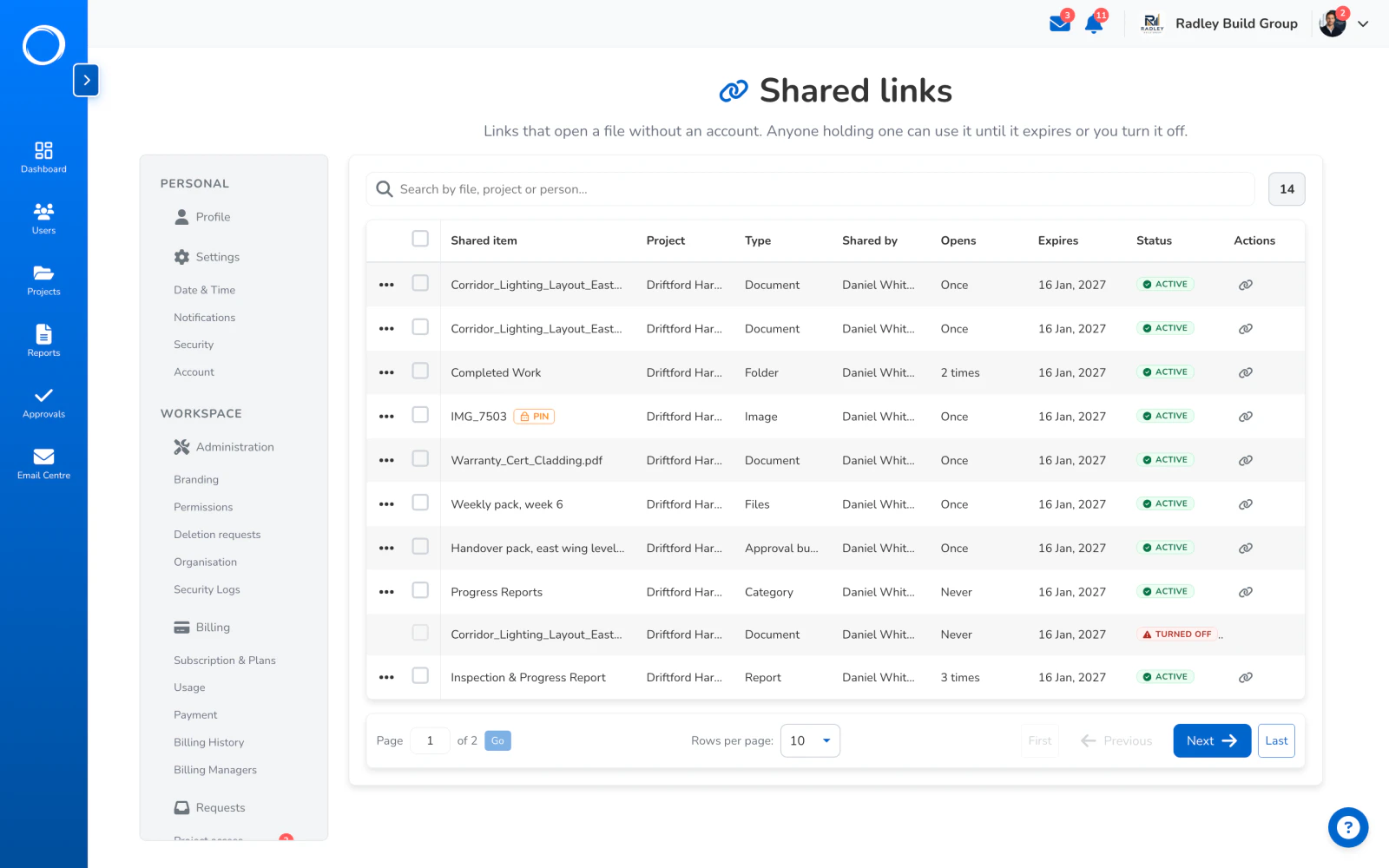
    The share links page: every link, its expiry and a button to turn it off
  4. The photos that end up in the report

    Pick the two that show the problem and they go into the site report beside the checks, the weather and the signature, and out as a PDF with your logo on it.
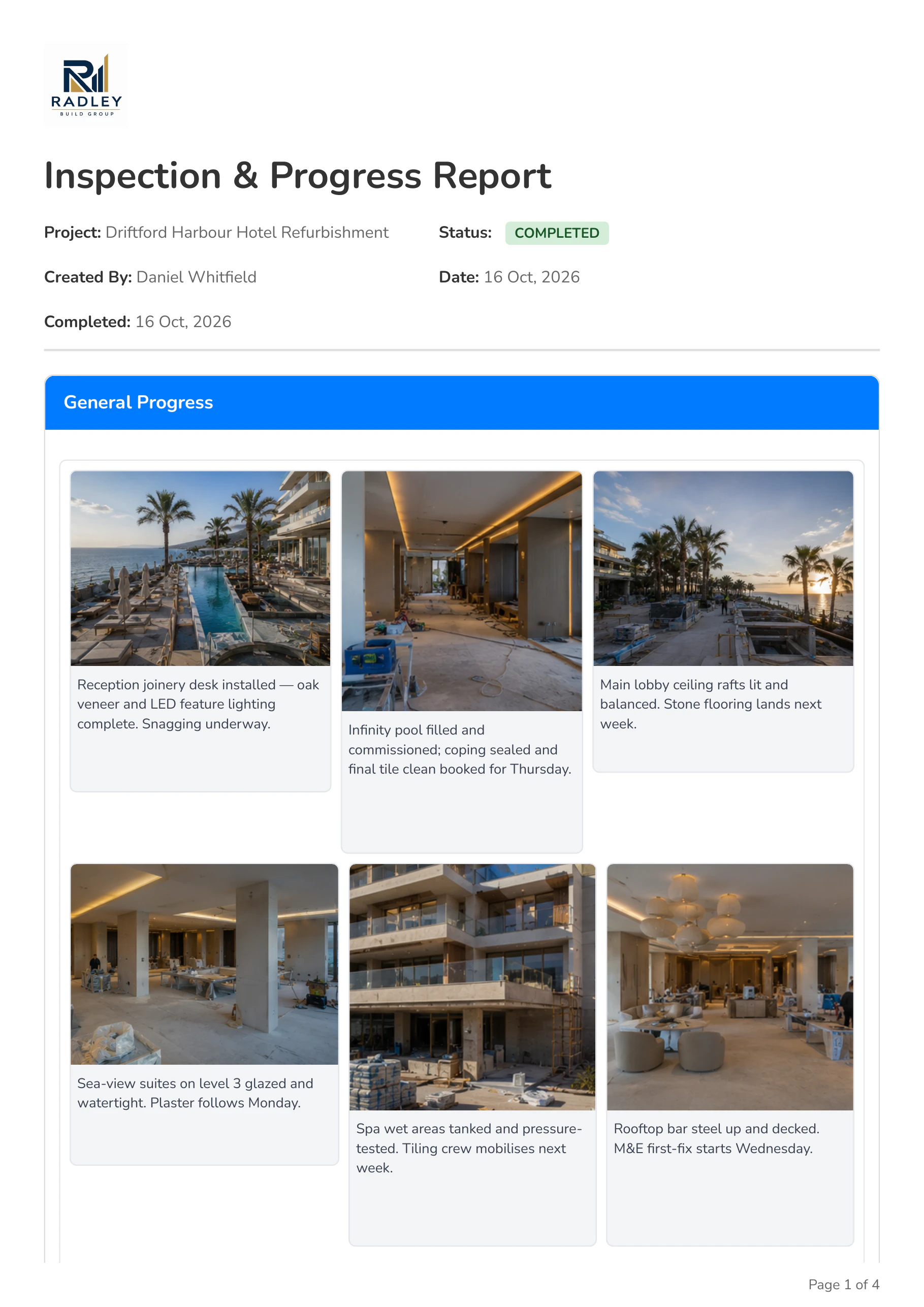
    Page one of the exported inspection report, with the company logo and the first photos

What stays with the photo

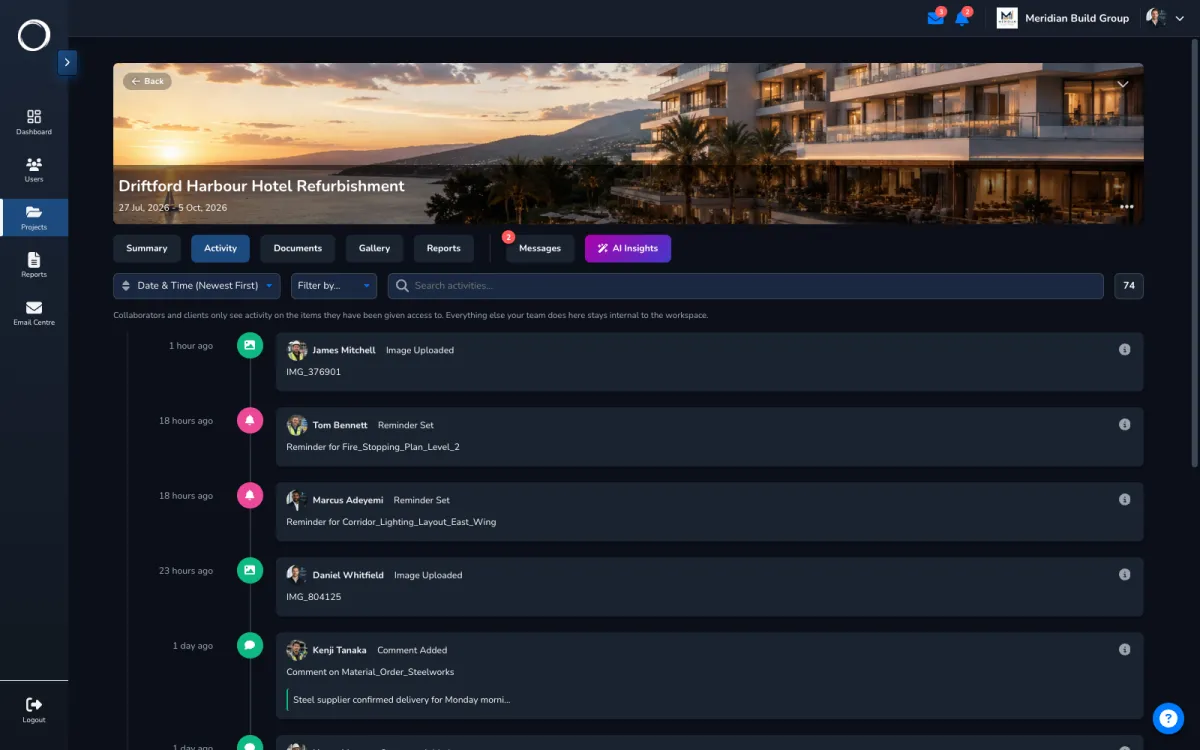
Who took it and when, the folder it's in, the caption and the comments, and every share of it in the activity trail. Deleted folders sit in Trash for 30 days and can be restored.

Sharing by link, in detail →
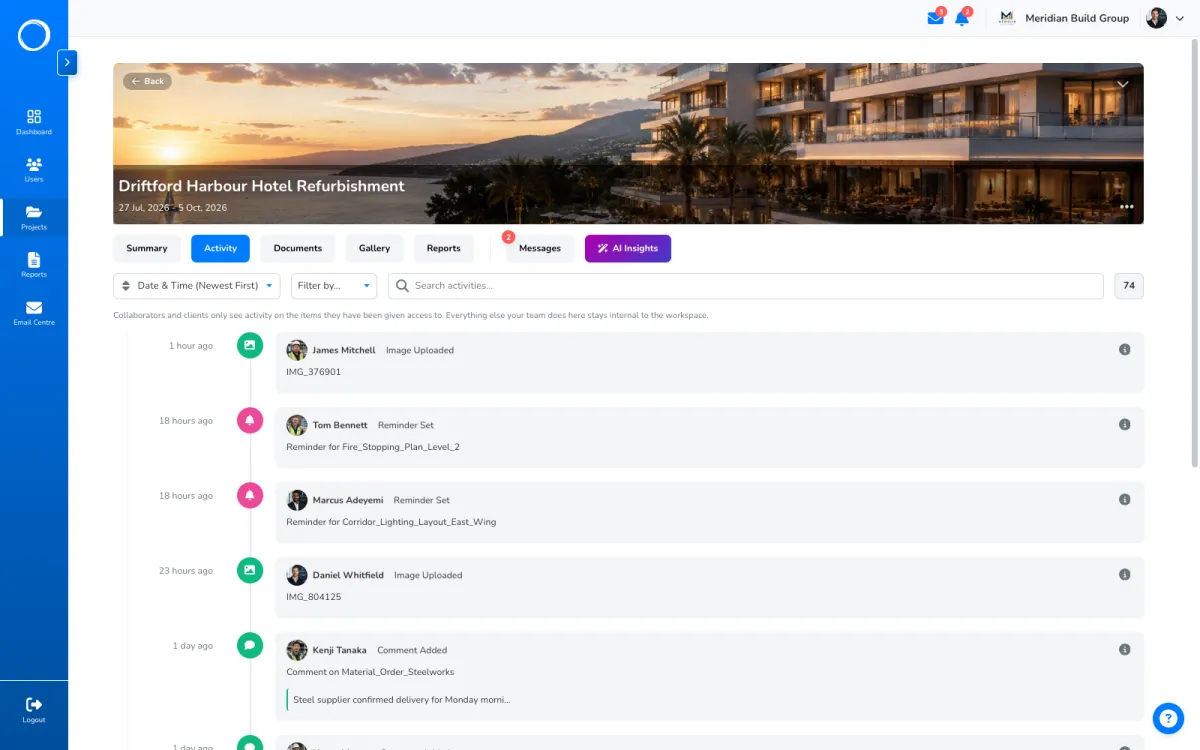
A project's activity trail: every upload, edit, move and share, with who did it and when

The parts people ask about

  • Folders per stage with a cover each, captions, comments and full-screen viewing.
  • A whole folder downloads as a zip.
  • A folder's audience is its own: the client sees the progress folder and not the one with the quote in it.
  • A share link on a folder stays current: a photo you add appears, one you remove disappears from every link at once.
  • Photos go into reports from the template, with the checks beside them.

Storage is one of the three things the plans are cut on; users are unlimited on every plan. The limit for each plan is on the pricing page, live from the same place the app reads them.

Questions people ask first.

Does the client need an account to see the photos?
No. They open a link and see the folder as it is now. It works for 90 days or until you turn it off, and you can add a PIN if you want a second check.
Can I download a whole folder?
Yes, as a zip, from the folder itself.
Can the client see all my photos?
No. Each folder has its own audience. A client sees the folders you give them, on their own project.
What if someone deletes a folder?
It sits in Trash for 30 days and can be restored, and the activity trail says who deleted it and when.

Send the first one today.

Set up in minutes and send a drawing for sign-off before lunch. Free for 14 days, no card, cancel any time.