Portal Worx Logo

Sharing, in detail

Send anything by one link. Not only what needs signing.

A drawing, a set of photos, a report or a whole category goes to whoever holds the link, with no account on their side. A folder link shows what's in the folder now, so the client who was sent the Progress folder in May still sees the photos you added in June, and the file you removed is gone from every link at once.
Last reviewed

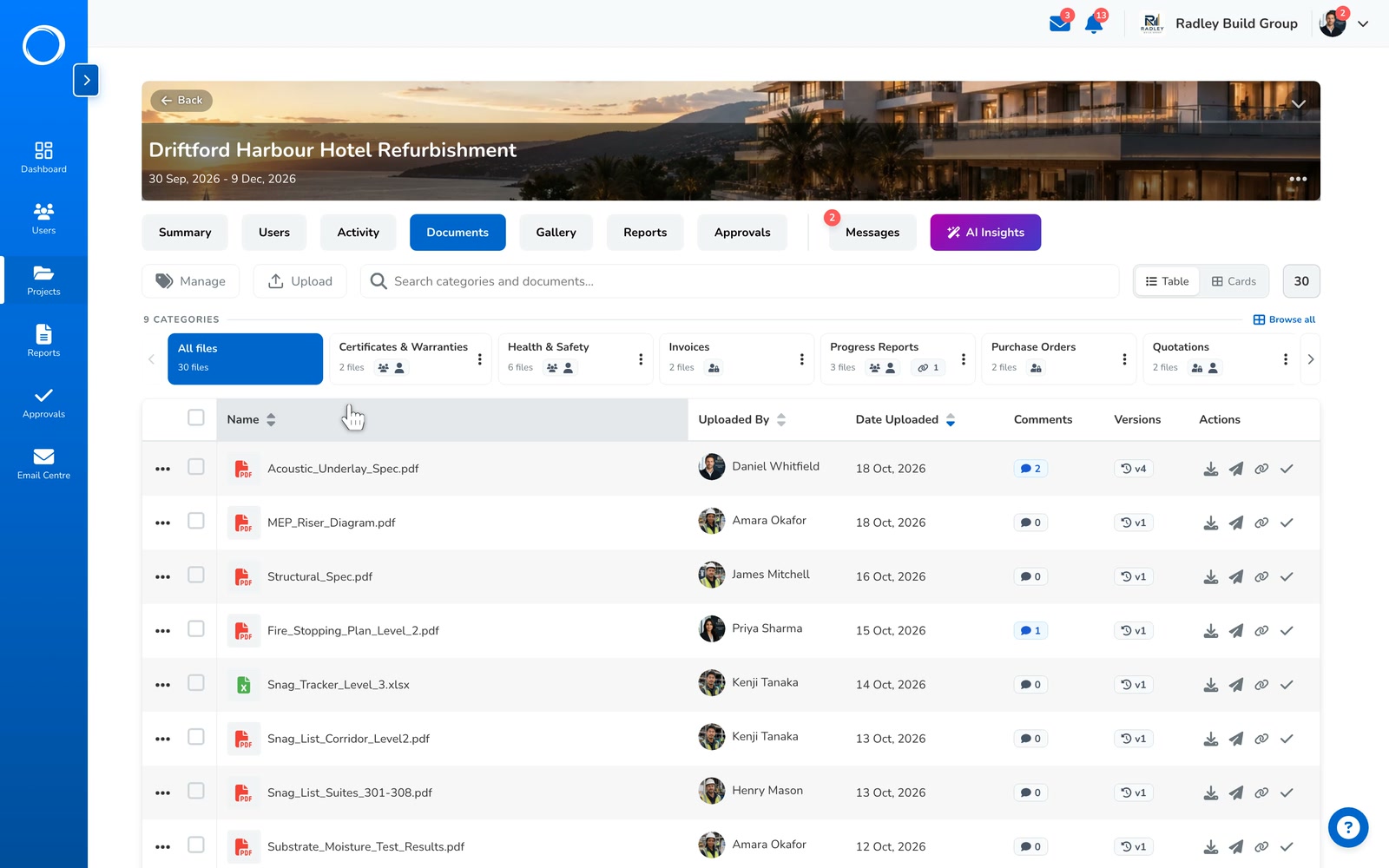
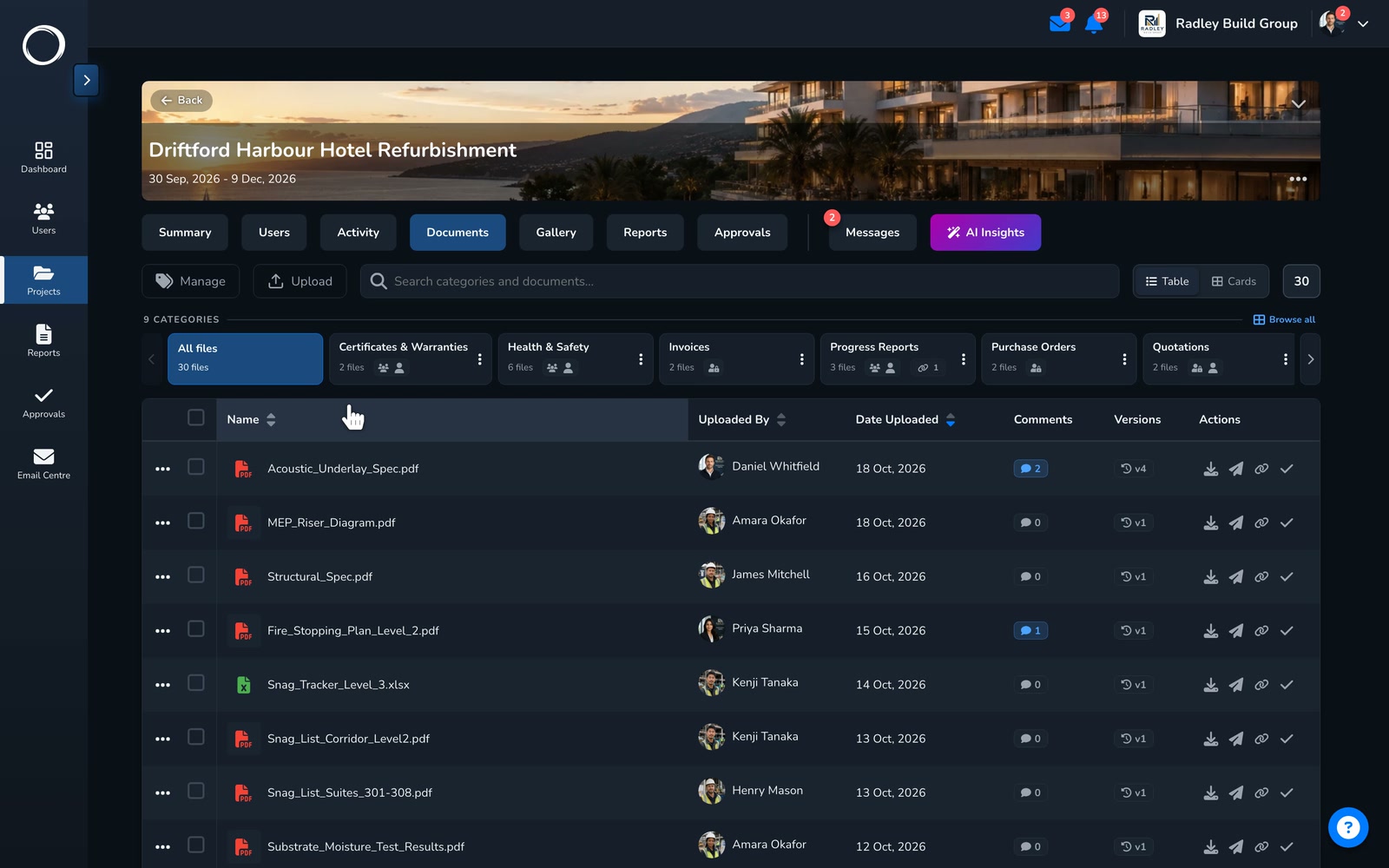
A whole category shared by one link in three clicks: Actions, Share by link, Create link, Copy link

What happens, from the folder to the person opening it

  1. Pick a file or a whole folder

    From a document, a photo, a report, a category or a folder: Actions, Share by link, Create link. Add a six-digit PIN if the file deserves a second check. Copy the link and send it however you like.
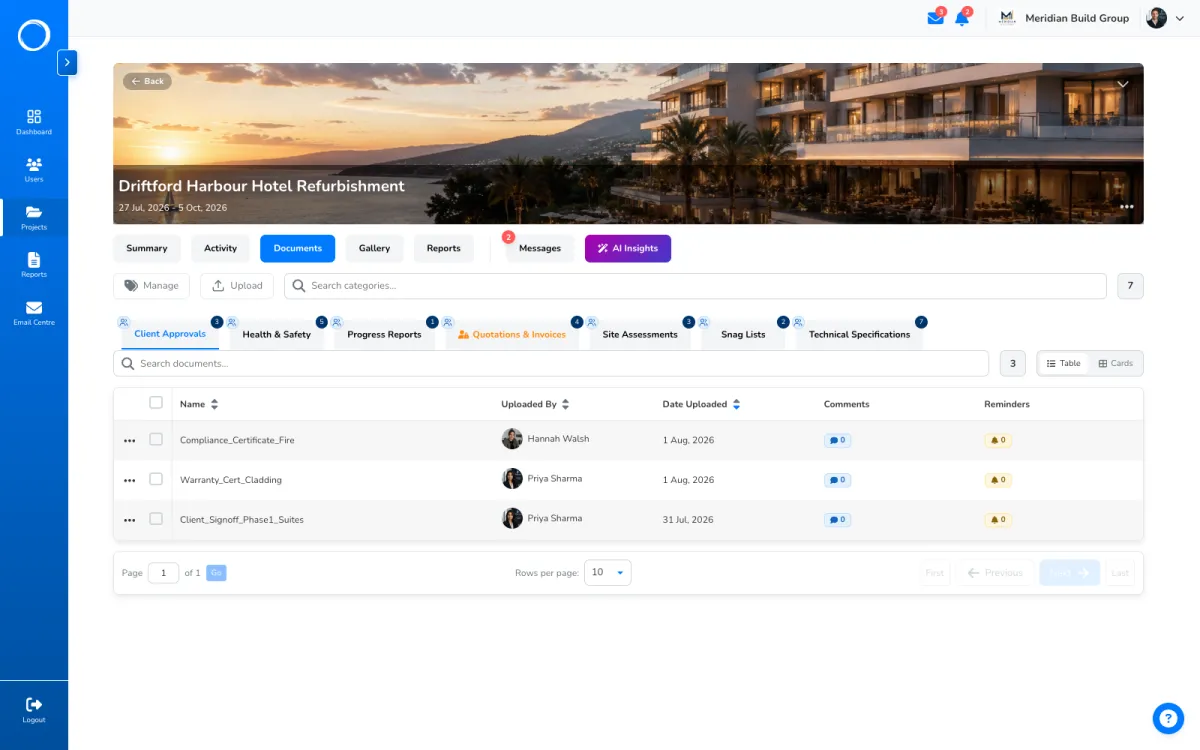
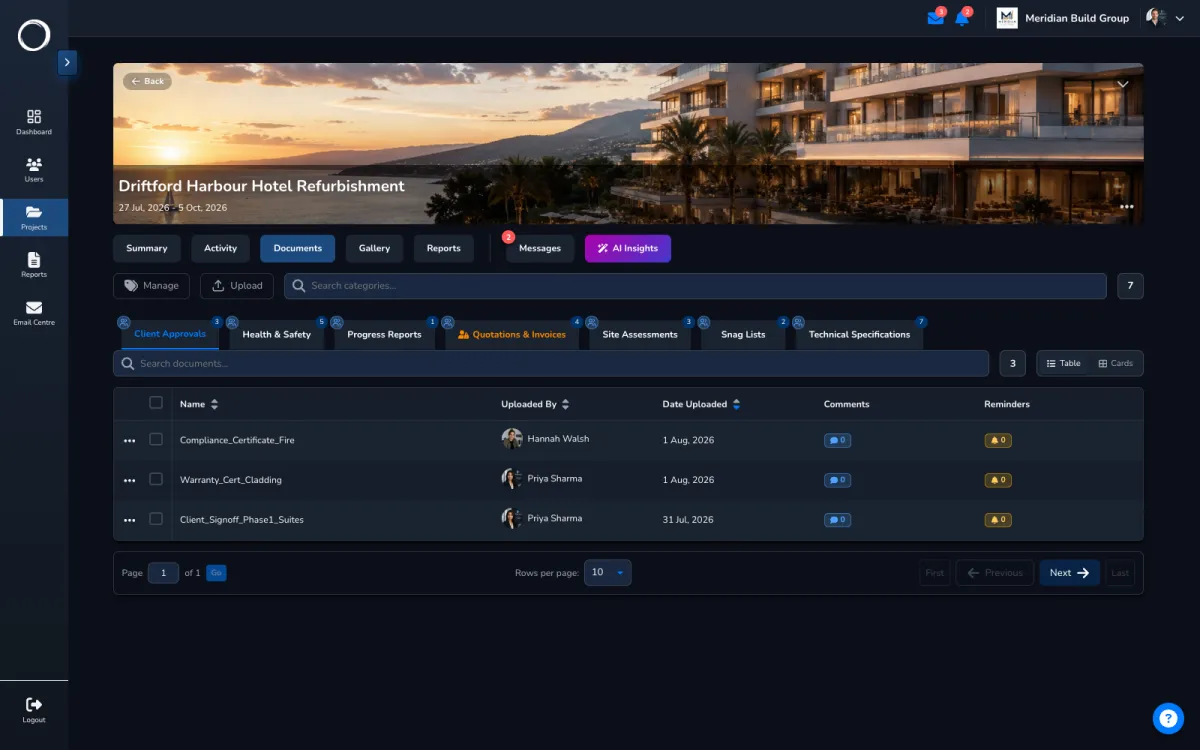
    A project's documents, each category with its Actions menu where Share by link lives
  2. They open it, with no account

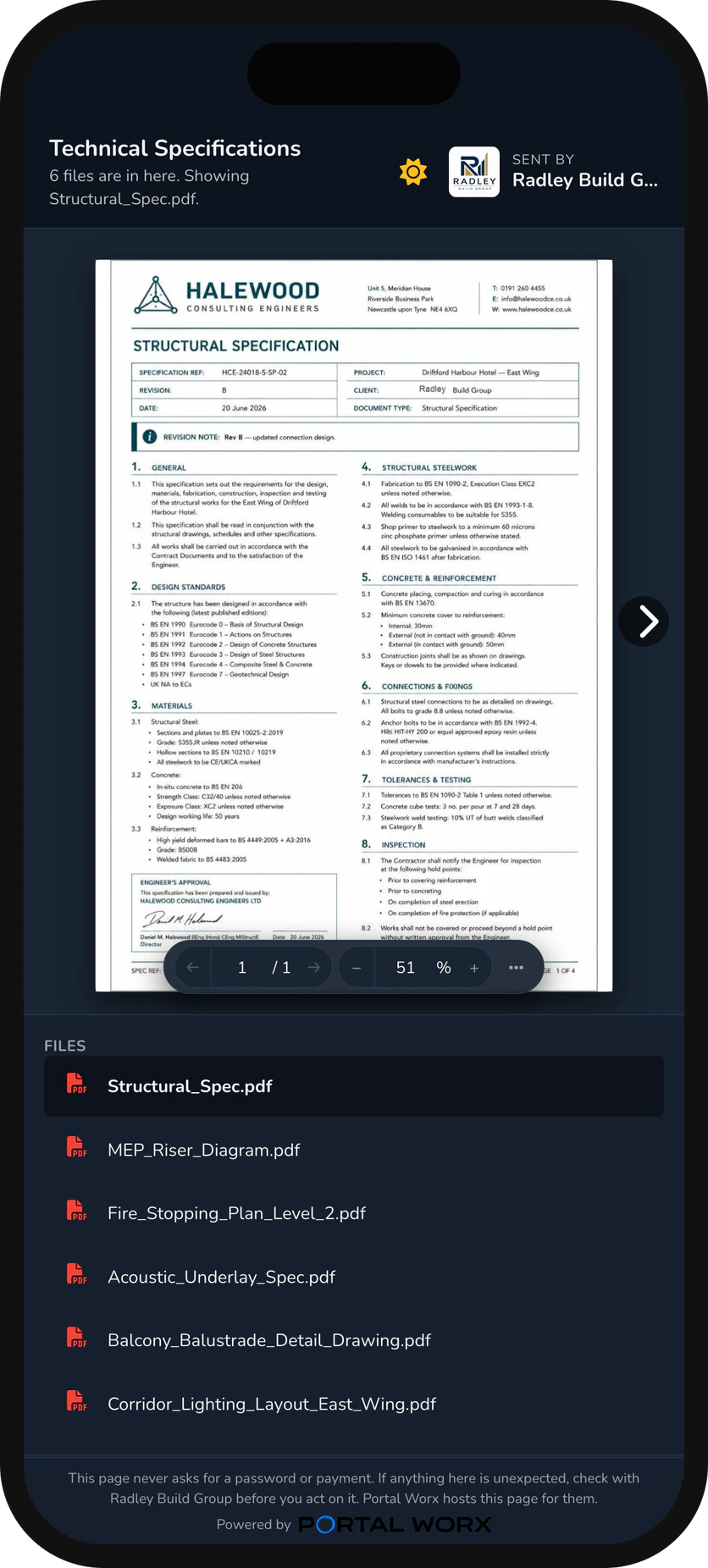
    On a phone, on a laptop, in whatever browser they have. A folder opens as the files in it now; a document opens in the page itself. Nothing to install and nothing to remember.
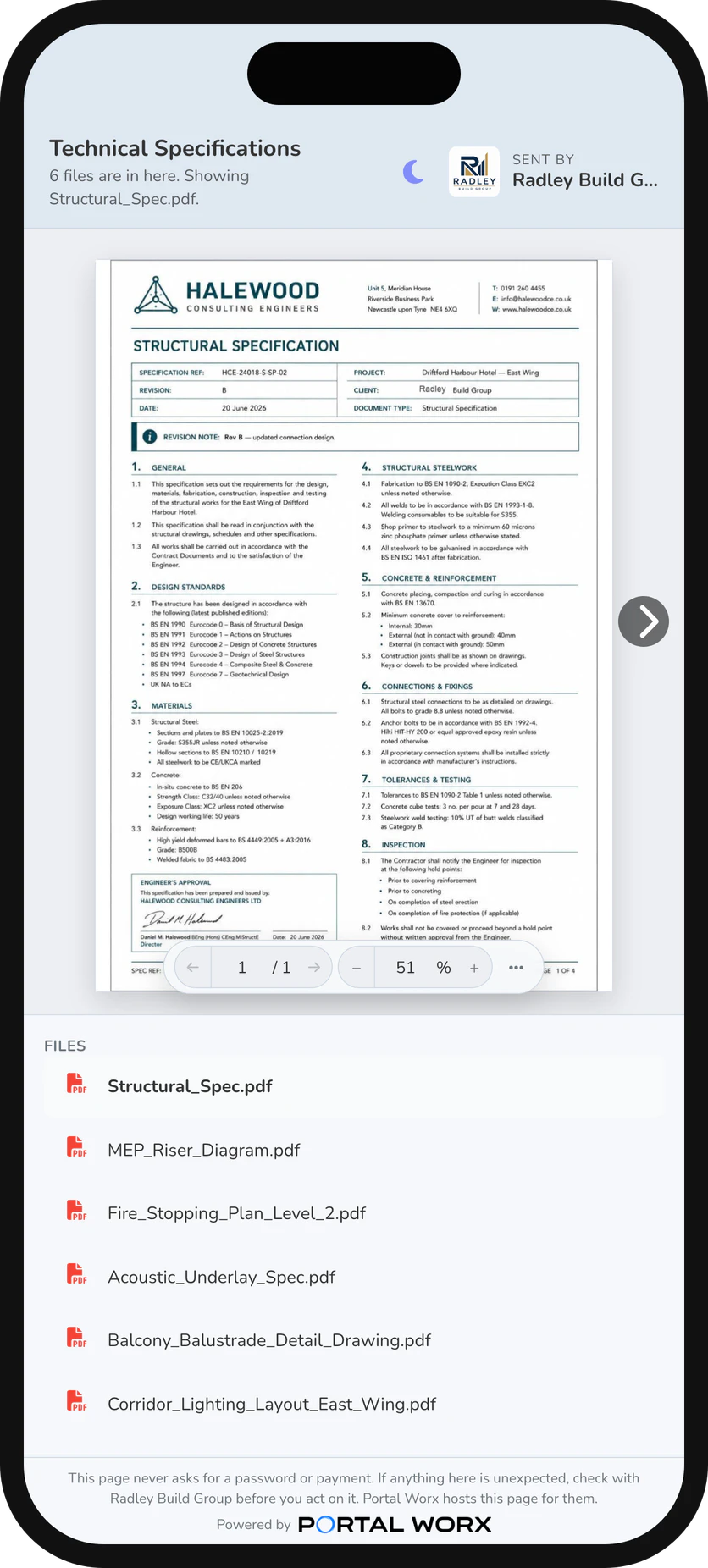
    The shared folder on a phone, as the person opens it: the files, no account, no app
  3. You see every live link, and turn it off when you like

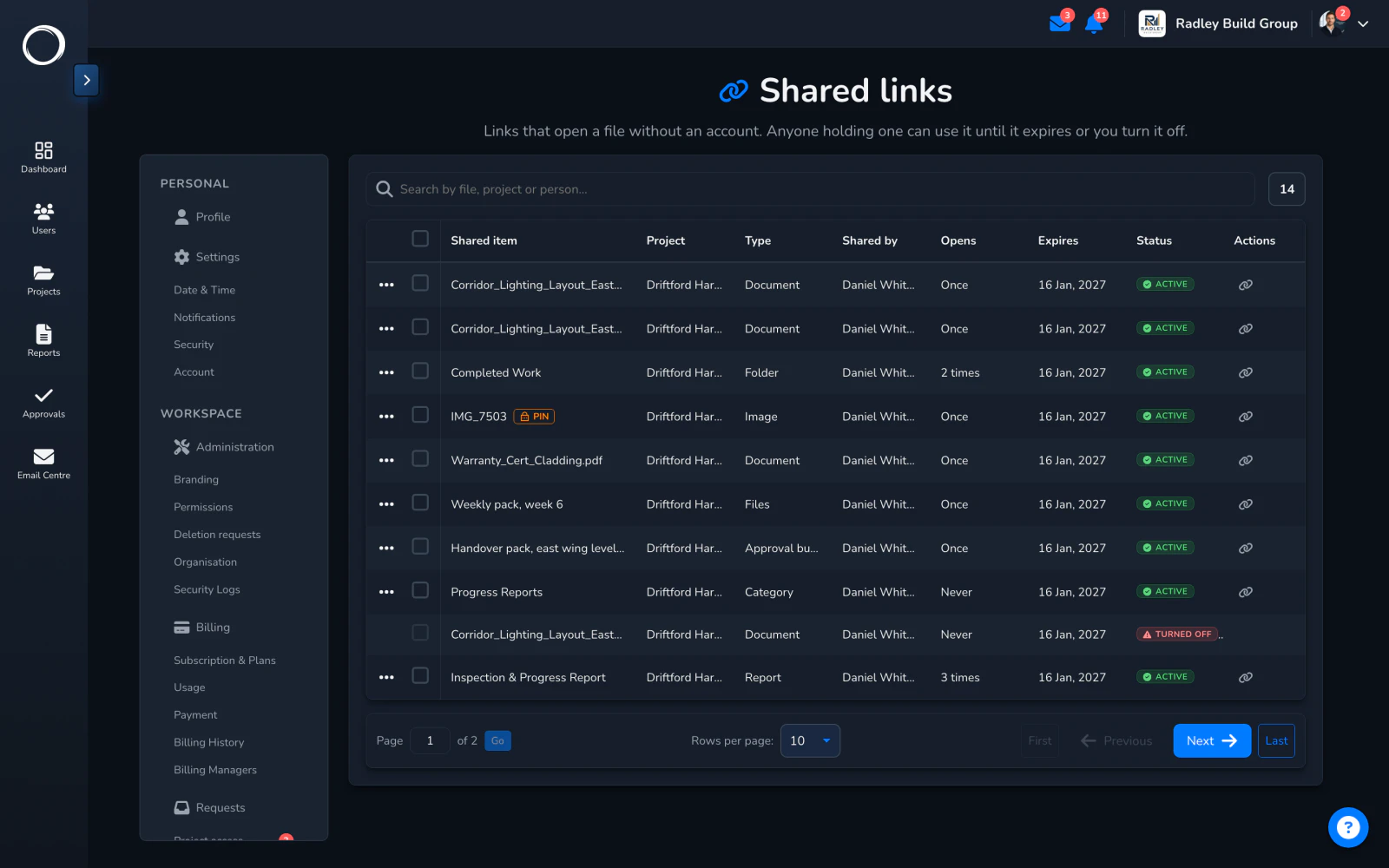
    One page lists every link the workspace has shared: who made it, how often it was opened, when it expires. A link works for 90 days or until you turn it off, one at a time or many at once.
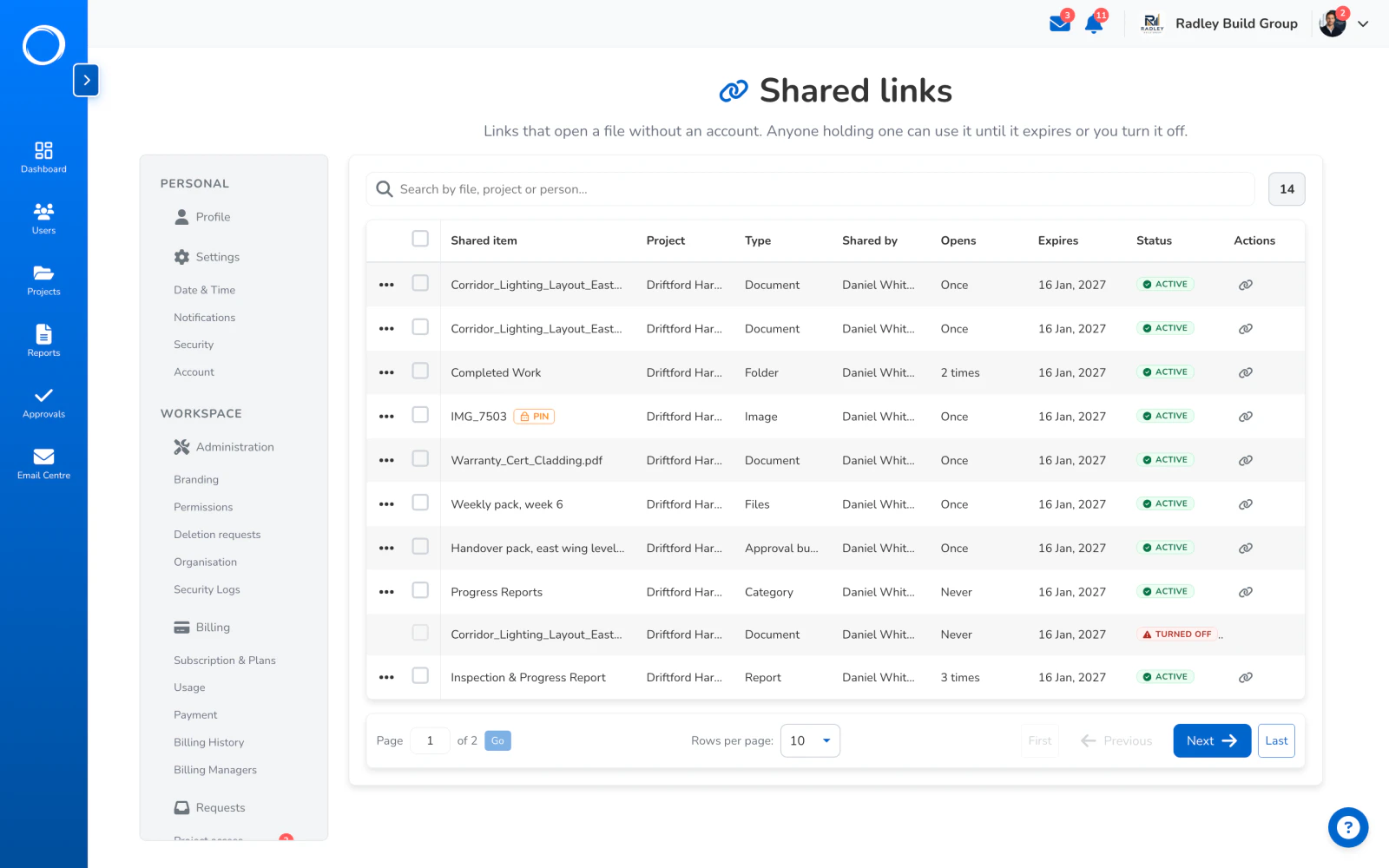
    Every link the workspace has shared, with how often it was opened, when it expires and a switch to turn it off

What stays current

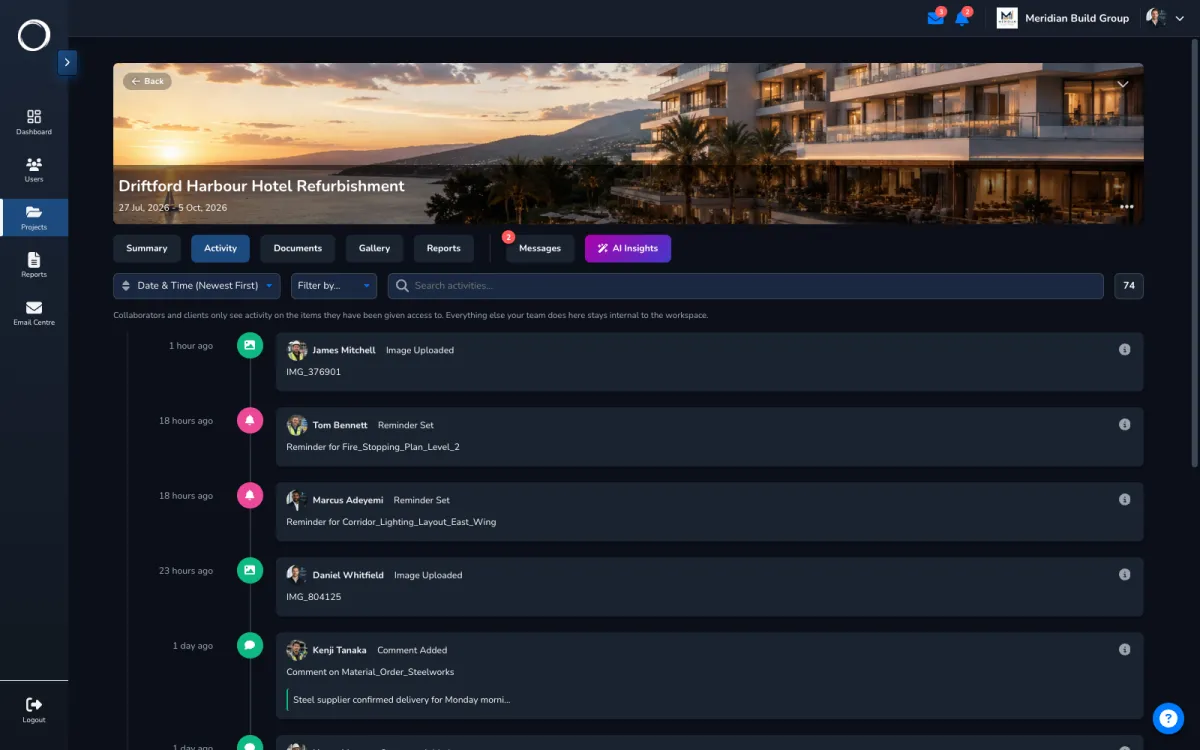
A link to a category or folder is a window, not a copy. Anything you add later appears in it; anything you remove disappears from every link at once. Every open is counted, every share is on the activity trail with who made it and when, and your logo and brand colour are on the page they open.

Sharing site photos with a client →
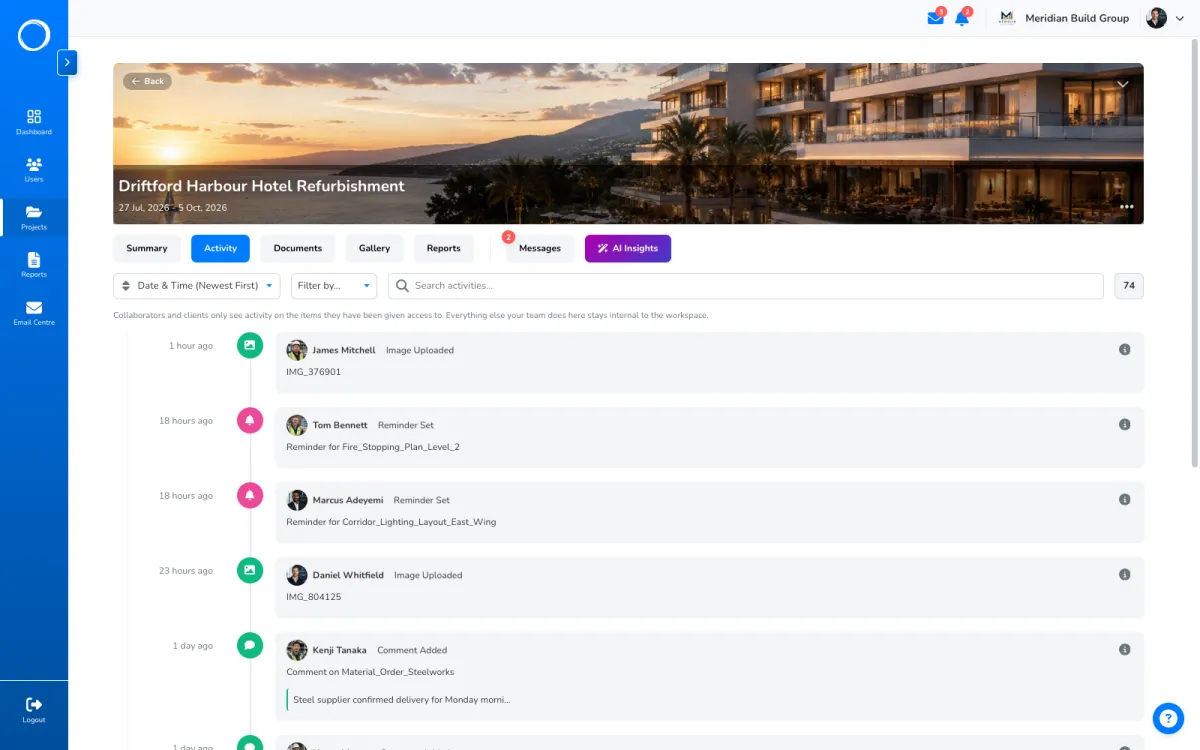
A project's activity trail with the shares listed, who made them and when

The parts people ask about

  • What can be shared: a document, a photo, a report, a category or a folder, each by its own link.
  • 90 days by default, or until you turn it off. Turning off one link or many is one click on the links page.
  • A six-digit PIN on any link, for the file that deserves a second check.
  • Every open is counted; the links page shows who made each link, how often it was opened and when it expires.
  • Sign-off rides the same mechanism: a request for signature is a link of the same kind, with the record on the end of it.
  • Share links aren't metered on any plan, including the £29 one.

Share links are on every plan and aren't metered. Your logo and brand colour are on the page they open on every plan; the Portal Worx mark comes off on Business.

Questions people ask first.

Does the person I share with need an account?
No. They open the link in a browser and see the file or the folder. A PIN is the only thing you can ask of them, and only if you set one.
What if I add files after sharing a folder?
They appear in the shared folder straight away, because a folder link shows what's in the folder now. A file you remove disappears from every link at once.
How do I stop a link?
On the links page, turn it off. It stops that moment, for everyone holding it. A link also stops by itself after 90 days unless you set otherwise.
Can I see who opened it?
You see how often each link was opened and when, and every share on the activity trail with who made it. A link doesn't ask the opener for their name; sign-off does.

Send the first one today.

Set up in minutes and send a drawing for sign-off before lunch. Free for 14 days, no card, cancel any time.